Montage just
got smarter.
Montage now edits with bigger, smarter models: a big one for your first draft, a small one for your changes.
 Ben, founder of Montage · · 2 min read
In this post5 parts
The short version.
Montage now edits with bigger, smarter models. On a paid plan, a big model makes your first draft, and a small, fast one makes your changes after it. You get a better edit, and your credits last longer.
Let me explain.
Three models, one job each.
Montage works with three of Anthropic's Claude models:
Here's the thing: they don't cost the same. A big model thinks harder, and that costs more. So the question isn't which one is best. It's which one is right for the job in front of it.
Auto: big for the draft, small for the changes.
The first draft is the hard part. Montage reads all your footage, your brief, and builds the whole video from nothing. That's where a big model earns its price.
The changes after it are smaller: cut this pause, make these words bigger, move this shot. A small model does them well, and fast.
So that's what Montage does now, on its own. Sonnet makes your first draft. Then Montage switches to Haiku for your changes, and tells you so, right above the box:
Switched to Haiku for your changes, to save your credits.
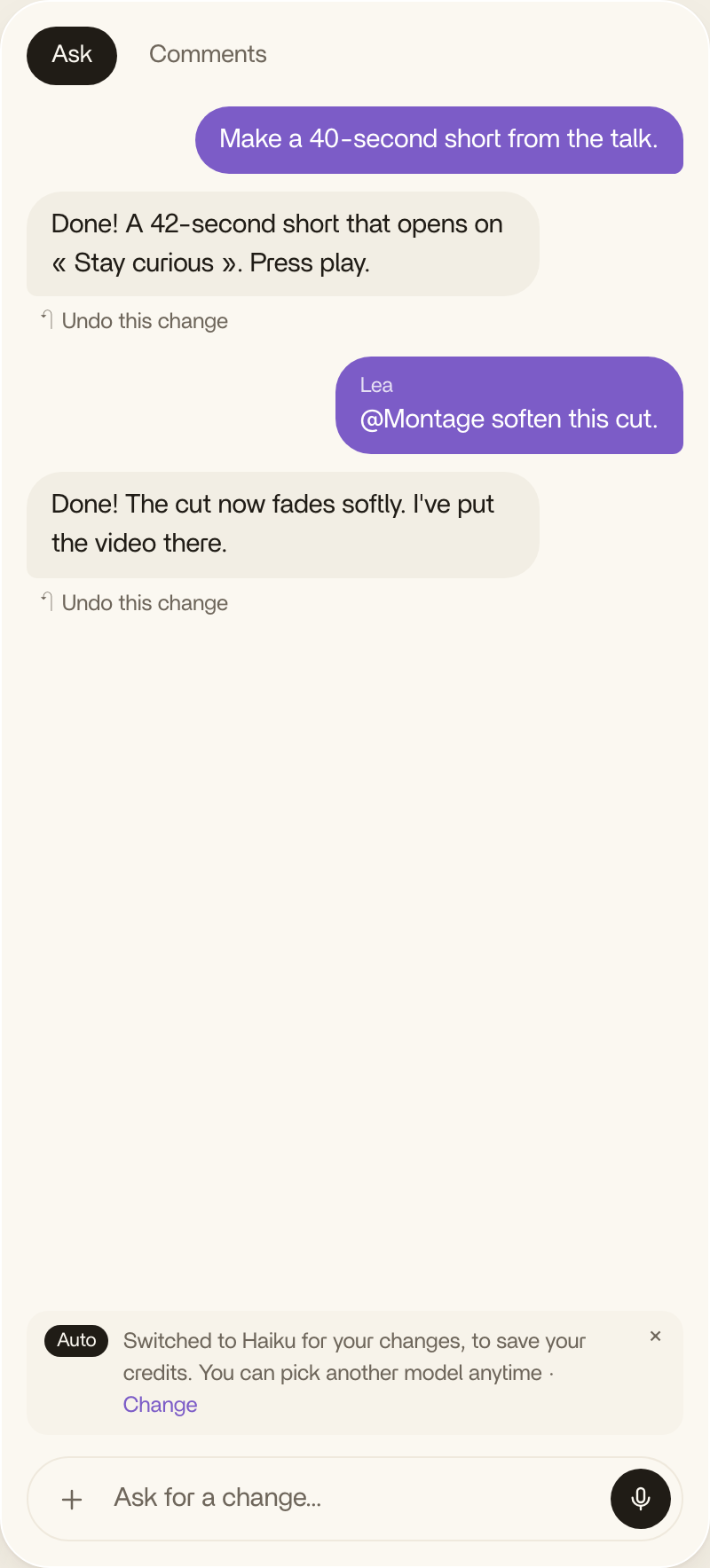
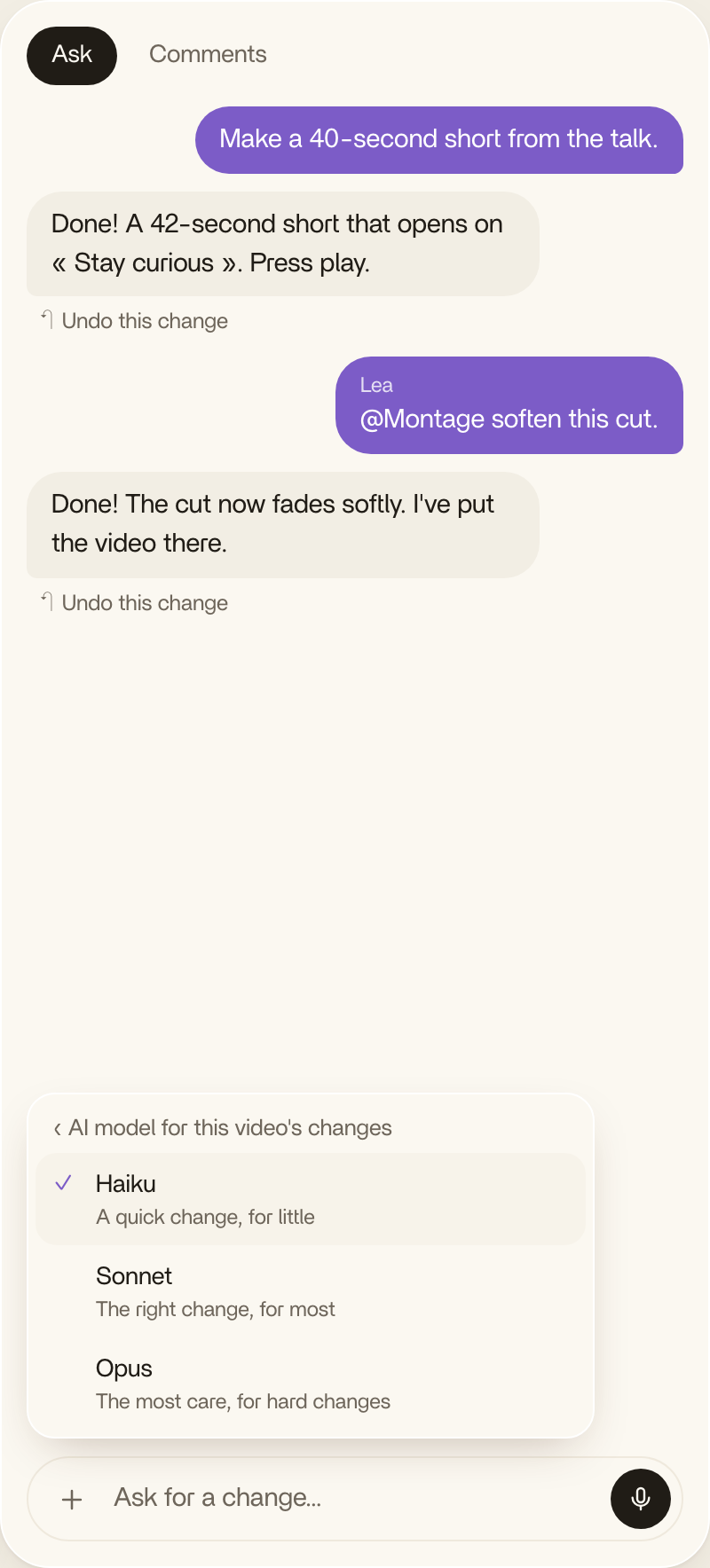
You can pick another model anytime. And for a hard change, pick Opus. Montage will tell you that Opus may use more credits, then it'll take the most care it can.
Pretty simple, right?
What it costs.
Every plan has the whole app. A bigger plan gives you more credits, and more room for your footage.
| Plan | Price | Credits | About |
|---|---|---|---|
| Free | $0 | 10, once | One video, with Haiku |
| Plus | $25 / month | 150 a month | 15 short or 8 long videos |
| Pro | $50 / month | 300 a month | 35 short or 15 long videos, and Montage MCP |
| Max | $100 / month | 600 a month | 70 short or 30 long videos, with your team |
| Ultra | $200 / month | 1,200 a month | 140 short or 65 long videos, with your team |
A short video runs up to about a minute: a Reel, a TikTok, an ad. A long one runs around ten minutes: a YouTube video, a talk, an interview. Each one counts the first draft and the changes you ask for after.
Why it matters.
Truth is, a better model makes a better edit. Better cuts, better choices, fewer changes to ask for.
The big model where it counts. The small one everywhere else.
That's how Montage can give you a better model for your first draft without eating your credits on every little change.
If you already use Montage, you have nothing to do. It's already there, in Ask.
And if you try it, tell me how it felt. Good or bad. That's how Montage gets built.
See you in the next one.