Faceless YouTube channel ideas:
sorted by what you can record.
Most lists sort faceless ideas by how much they might pay. I sorted them by what you have to record, because that's what decides if you make the first video this week.
 Ben, founder of Montage · · 11 min read
In this post12 parts
- The short answer
- Why every list gets this backwards
- Ideas you make with your screen
- Ideas you make with your hands
- Ideas you make with your voice, pictures and clips
- Ideas you make with your own footage
- Ideas that need something else
- The best faceless YouTube channel ideas for beginners
- Which faceless ideas make the most money?
- How to make the first video of any idea
- Faceless YouTube channel ideas: your questions
- See the parts in real videos
The short answer.
Ladies and gentlemen, let's start with the answer.
The best faceless YouTube channel ideas are the ones you can record with what you already have. Not the ones at the top of a money table. So here they are, sorted by the material each one needs: your screen, your hands, your voice over pictures and clips, or your own footage of a place or a thing.
| Group | Ideas | What you record | A real channel (source) |
|---|---|---|---|
| Your screen | Software and AI tool explainers, tutorials, product reviews, tool comparisons, gameplay | Screen recordings and your voice | Let's Game It Out (vidIQ) |
| Your hands and your desk | Study with me, cooking, crafts, unboxings, puzzles, drawing and notebooks | Your hands, filmed from above or the side | Cooking Haru, 3.5M subscribers as of August 2026 (vidIQ) |
| Your voice over pictures and clips | Documentary explainers, business and founder stories, history, facts, top 10s, book summaries, sports and movie analysis | Your voice, then the pictures and clips that show what you say | MagnatesMedia (vidIQ), WatchMojo, 100M+ (OutlierKit) |
| Your own footage | Silent vlogs, travel guides, gardening, pets, time-lapses, nature | A place or a thing, filmed by you | No channel named by the sources I read |
Pick the row whose « What you record » you can fill tonight. Then read the test further down before you commit.
Pick the idea you can record, not the one that pays on paper.
New to all this? Start with how to make a faceless video: what one is made of, and the two ways to make it. Then come back here for the ideas.
Why every list gets this backwards.
So why sort by what you record? Let me explain.
I read the lists that rank for this search: vidIQ's 40 ideas, Pixo's 27, OutlierKit's 100, Animoto's 30+. They're useful. They name real channels. But they all sort ideas by topic and by money, and their money columns don't agree. Personal finance is $10–25 RPM in Pixo's table and $15–45 CPM in OutlierKit's, then $18–45 in OutlierKit's next table. Both say their numbers are not guarantees.
Here's the thing: a beginner doesn't fail because they picked a niche with a low RPM. They fail because they never made video number three. And what decides that is simple. Do you have the material, every week, without effort?
There's a second thing they skip. None of them shows what the screen looks like for an idea. They link to a channel and move on. So below, each group comes with real parts from real videos: the pieces a faceless screen is made of.
Let's be clear about one thing first. These parts come from my four showcase videos, and I'm in those videos. The point isn't my face. The point is what fills the screen when a face isn't the thing you're watching.
Ideas you make with your screen.
What it is: you show a piece of software, a website, an AI tool or a game, and you talk over it.
What's on screen: the screen recording, the page you're naming, a cursor, captions.
What you record: your screen and your voice. That's it.
A real channel: Let's Game It Out, a gameplay channel vidIQ lists among its faceless examples.
The ideas:
- Software and AI tool explainers: one tool, one job, one video.
- Tutorials: « how to do X in Y », step by step.
- Product reviews: you use it on screen, you say what works and what doesn't.
- Tool comparisons: two tools, the same task, side by side.
- Gameplay: you play, you talk over it.
The hard part isn't recording. It's making a screen recording watchable. A page that just sits there for two minutes loses people. So the page should move when you name it.
 B-roll
In Edit it all with AI, the site drops in on a white stage the moment I say its name. That's B-roll that lands on your words, and it works the same with any website or app you talk about.
Ideas you make with your hands.
What it is: the camera looks at your hands and your desk, never your face.
What's on screen: hands, a notebook, a pan, a puzzle, a box being opened.
What you record: your hands, usually filmed from above. A phone on a stand is enough.
A real channel: Cooking Haru, 3.5 million subscribers as of August 2026 (vidIQ).
The ideas:
- Study with me: you work, the viewer works with you.
- Cooking: the recipe, from above, hands only.
- Crafts and DIY: one object made, start to finish.
- Unboxings: the box, the hands, the thing.
- Puzzles, magic, drawing, notebooks: anything your hands do that's fun to watch.
One catch with overhead shots. Film from above and the picture often comes out upside down, or sideways.
 Rotate
In How to be creative, the notebook shots were filmed from above, upside down, and Montage turned them the right way up. If that's your setup, here's how to turn overhead shots upright.
Ideas you make with your voice, pictures and clips.
What it is: you tell a story, and the screen shows what you're talking about. This is the biggest group on this page, with the most ideas.
What's on screen: clips, photos, headlines, articles, numbers. Something new every few seconds.
What you record: your voice. Then you gather the pictures and the clips.
Real channels: MagnatesMedia for business stories (vidIQ); WatchMojo for top 10s, 100M+ subscribers, and The Infographics Show, 14M+ (OutlierKit).
The ideas:
- Documentary explainers: one event, one person, one question, told in ten minutes.
- Business and founder stories: how a company was built, or broke.
- History: one day, one battle, one invention.
- Interesting facts and top 10s: a list, one picture per item.
- Book summaries: the ideas of one book, with the book on screen.
- Sports and movie analysis: the play or the scene, and why it works.
So what does it look like, second by second? Here are three parts from From Disney star to space CEO, a 9-minute, 18-second film with 216 cuts.
 B-rollGood Luck Charlie, Ready or Not, Billboard, the TODAY antenna: the face cam moves to the corner while each plays.
 Motion designA real headline, highlighted in yellow while I read it. Click to watch it.
 Animated textThe article tilts in and a red marker underlines the number. Click to watch it.
The clips play while the voice goes on. A real headline is highlighted in yellow while it's read. An article tilts in and a red marker underlines the number. Take the person out of that film and every one of those parts still works. That's a documentary channel.
The same goes for shorter videos. In How to be creative, it cuts to the book, the notebook and the whiteboard while the voice keeps going. If you need more of these, here are B-roll ideas for your voice-over, and explainer video examples for the documentary side.
Ideas you make with your own footage.
What it is: a place or a thing, filmed by you, with music, ambient sound and captions. vidIQ lists ambient audio and B-roll among the faceless formats.
What's on screen: the street, the garden, the dog, the sky over an hour.
What you record: footage of your life, without you in the frame. Hours of it, sometimes.
The ideas:
- Silent vlogs: a day, no talking, captions carry the story.
- Travel guides: the place, your voice or your words on screen.
- Gardening: the same garden, week after week.
- Pets: they don't mind the camera.
- Time-lapses and nature: slow, quiet, made to play in the background.
With no voice, the captions do the talking. And a lot of people watch on mute anyway.
 Captions
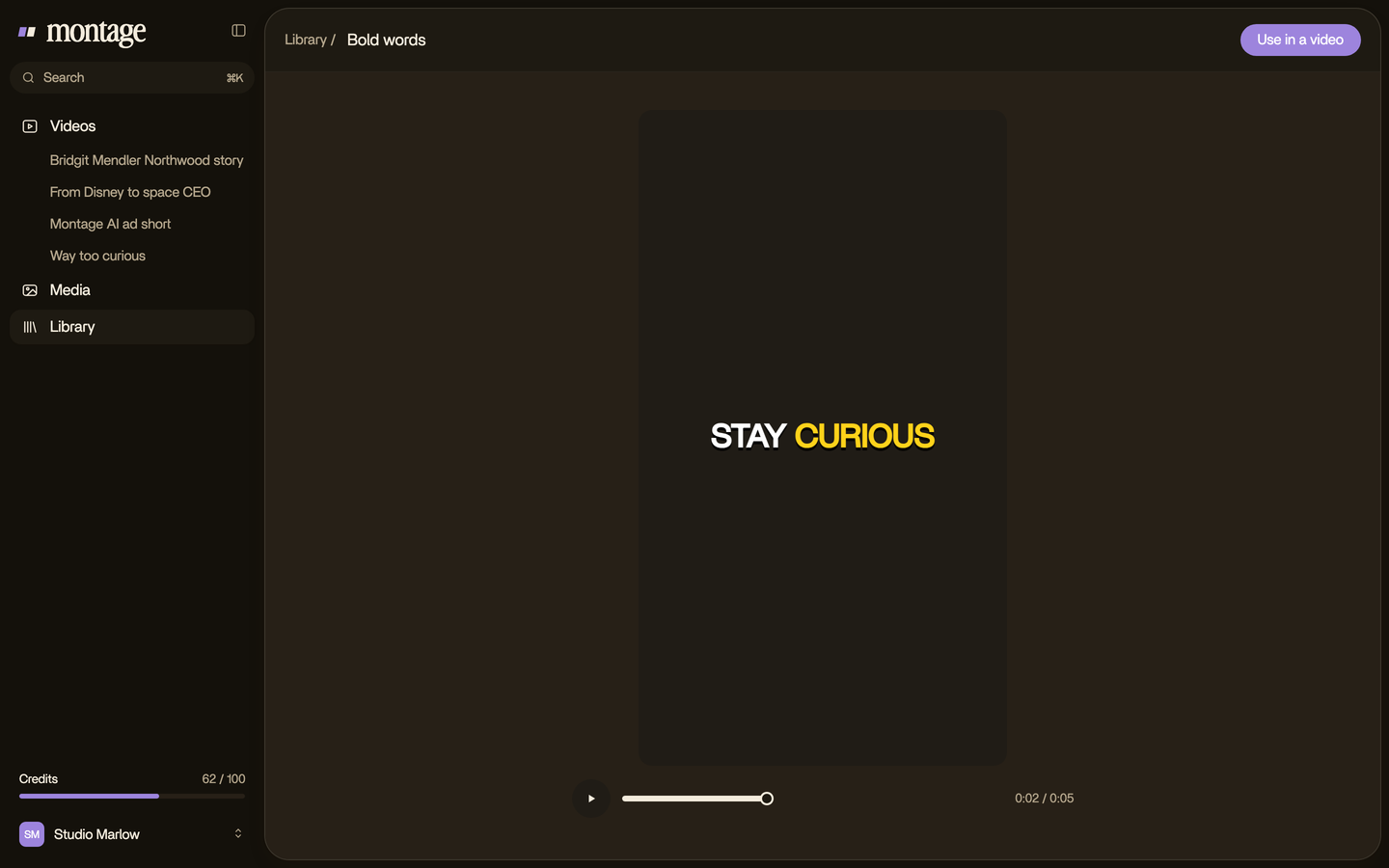
In Way too curious I asked for yellow, uppercase, a blue drop shadow, the key word drawn bigger. That's one sentence. Here's how captions for viewers on mute work.
Ideas that need something else.
Some faceless ideas on the lists need a skill or a tool most people don't have. I'll be honest about them.
- Original animation, like Kurzgesagt (vidIQ). You need an animator, or years of practice.
- Original music and lofi streams, like Lofi Girl (vidIQ). You need the music, and the art.
- Puppets and characters: you need to build them.
- AI-generated series: stock footage or generated footage with an AI voice, the default format in OutlierKit's and Pixo's guides.
Montage won't fill these gaps for you. It doesn't make an avatar, generate footage, or make a video from nothing. It edits what you give it.
And the AI-generated channels? In my opinion, they're fine for testing a niche fast. Sure. But vidIQ says YouTube restricts mass-produced, repetitive content, and its line is the right one: « Being faceless isn't the issue for monetization. Originality is. »
A channel that runs itself is a channel nobody remembers.
The best faceless YouTube channel ideas for beginners.
So which idea should you pick? Here's the thing: the one you can already record, and repeat.
vidIQ and Pixo both say the idea needs a repeatable format. Pixo's filter: can you name 50 episode topics today, and can you make one a week? Good questions. But neither shows what a repeatable format looks like. So let me show you.
A format is a part you make once and reuse in every video.
 Reusable componentsOne media card, used 26 times: a picture or a clip, its caption, on the dark page. Click to watch it.
 ComponentsThe Photo drop is a component Montage made from my words: I say GTA VI, it drops in.
 B-rollI say CrossFit, my photo drops in. One picture for each thing I love.
In From Disney star to space CEO, one media card, a picture or a clip with its caption, is used 26 times. In Way too curious, the Photo drop is a component Montage made from my words: I say the name of a thing, its photo drops in. One picture for each thing I love. Same part, every time. That's one reusable part for every episode.
Here's the test. Three questions, for any idea on this page.
- Name ten episodes. Not fifty. Ten, right now, on paper.
- Picture the screen of one. Second by second: what's on it while you talk?
- Name the one part you'd reuse in every video. A card, a caption style, a photo drop, an opening.
Can't answer all three? Pick another idea. Pretty simple, right?
Which faceless ideas make the most money?
Short answer: nobody can give you a number, and the lists that do disagree with each other. Finance and business rank high in both Pixo's and OutlierKit's tables, which both call their figures estimates, not guarantees. The money depends on your niche, your audience and where they live.
To earn from YouTube at all, you need the YouTube Partner Program: 1,000 subscribers and 4,000 watch hours in 12 months, or 10 million Shorts views in 90 days, rising to 8,000 hours or 20 million views from February 1, 2027 (vidIQ). The full picture is in what faceless channels really earn.
How to make the first video of any idea.
Okay. You picked a group. Here's how I'd make the first video.
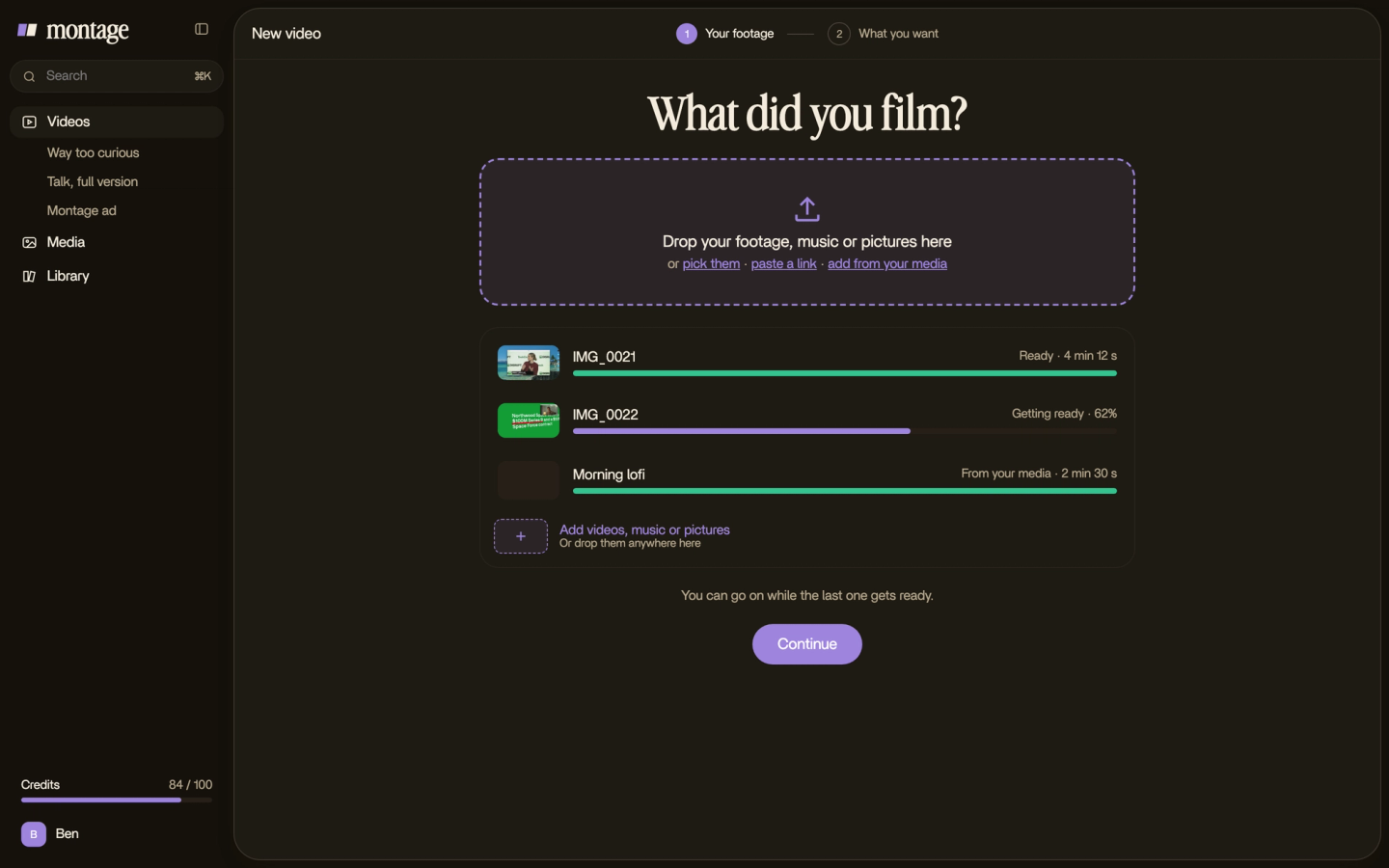
- Gather the material of your group. The voice recording, the screen recording, the overhead shots, the photos, the clips. As they are.
- Drop it all in. No sorting, no renaming.
- Say where things go. « When I say Billboard, show the Billboard clip. Captions in my font. »
- Watch, then comment on what's wrong. At the moment, on the spot of the picture. Then fix it all at once.

When the first one is out, the second one is easier, because the parts are already made. For the rest, the channel itself, the name, the first uploads, read starting a faceless YouTube channel.
Faceless YouTube channel ideas: your questions.
What are the best faceless YouTube channel ideas?
The one whose material you already have. If you have a screen, make explainers, tutorials or reviews. If you have hands
and a desk, cooking, crafts or study with me. If you have a voice, documentaries, stories and top 10s over pictures and
clips. If you have a camera and a place, silent vlogs, travel or nature.
What is the best content for a faceless YouTube channel?
Content where the screen changes when your words do. A clip for the thing you name, a headline when you read it, a
caption when nobody talks. A screen that just sits there loses people, face or no face.
What are the most profitable faceless YouTube niches?
Finance and business rank high in both Pixo's and OutlierKit's tables. But their figures disagree, and both say they're
estimates. I'd pick the niche you can make fifty videos in before the one with the best CPM.
Can I use AI for a faceless YouTube channel?
Yes, as a tool. YouTube restricts mass-produced, repetitive content (vidIQ), so the work should be yours. Montage edits
what you record: your voice, your screen, your hands, your clips. It doesn't make the video from nothing.
Are there faceless YouTube channel ideas for kids?
Yes, but made-for-kids videos follow their own rules: no personalized ads and comments off, which can reduce revenue
(vidIQ).
How do I get 1,000 subscribers a day?
I don't know anyone who can promise that, and I won't. Make the video people search for, make the next one better, and
keep going.
See the parts in real videos.
Every part on this page comes from a real video, each one asked for in a sentence. The four videos these parts come from show what went in and how each one was made.
 9:18
 2:07
 0:56
 0:38
That's it for this one. Pick your group, name your ten episodes, and record the first.
See you in the next one.