App that automatically edits videos:
the four kinds.
Every app says it edits automatically. They don't mean the same thing. Here are the four kinds, what each one decides for you, and what you still do yourself.
 Ben, founder of Montage · · 8 min read
In this post9 parts
The short answer.
Let's start with the answer, because you've got footage waiting.
Yes, there is an app that automatically edits videos. Actually, there are a lot of them. But « automatic » means four different jobs, and that's where people get lost.
- Template apps fit your clips to a style you pick.
- Clip makers turn one long video into short clips.
- Cleanup tools do one chore, like cutting the pauses.
- Editors you ask make every decision from a sentence, and you comment on what's wrong.
So the real question isn't « which app is automatic? ». It's « what do I want it to decide for me? ». Answer that, and the right app picks itself. If you want the full ranking, here's the best AI video editor, sorted by who does the editing.
Automatic is not one thing. It's how much of the edit you hand over.
What « automatic » really means.
So what does an automatic video editor actually do? Let me explain.
Every edit is a pile of decisions. Which take to keep. Where to cut. What's on screen while you talk. The captions, the color, the sound. A video editor, human or not, makes those decisions.
An app is « automatic » for the decisions it makes without you. And here's the thing: most of them make a few of those decisions and leave you the rest. Honestly, most apps that call themselves automatic do one chore. That's fine, as long as you know which chore before you start.
Also, one thing that's not on this list: apps that make a video from nothing, from a text prompt or an avatar. They make new footage. They don't edit yours. If that's what you're after, read whether ChatGPT can create videos instead.
The four kinds of auto editor, side by side.
Okay. Let's put the four kinds of auto editor in one table, the same row for each.
| What you give it | What it decides | What you still do | Best for | |
|---|---|---|---|---|
| Template apps (LightCut's One-Tap Edit, CapCut's templates, Captions' AI Edit styles) | Clips and photos, and a style | Which moments to keep, timed to the template | Pick the template; anything else, by hand | Travel, drone or sports clips set to music |
| Clip makers (Opus Clip, Submagic) | One long video | Which moments become clips, with captions | Choose the clips you keep | Shorts in bulk from a podcast or a long video |
| Cleanup tools (Wisecut, silence removers) | One video | One chore: pauses, filler words, captions | The rest of the edit, on a timeline | A clean first pass before you edit |
| Editors you ask (Montage; Captions' prompts and ChatCut part of the way) | Your takes and a sentence | Every decision: cuts, B-roll, captions, color, sound | Watch it, and say what's wrong | Your own video, your way, without a timeline |
A few words on each, with where each fact comes from.
- LightCut, DJI's partner app, has a One-Tap Edit that picks the highlight moments in your clips and matches them to a template and its tempo (App Store page). It's built for drone and gimbal footage.
- Captions has an AI Edit that applies a preset style, adding B-roll, transitions and music, and takes prompts for custom changes (captions.ai). It starts from the preset.
- Opus Clip turns long videos into short clips (opus.pro). Submagic does captions, silences and B-roll in one click, with caps on how long a video can be (submagic.co).
- Wisecut cuts the silences automatically (plainlyvideos.com). A silence remover does that one job well.
- ChatCut edits from prompts, then puts every edit on a timeline for you to adjust by hand (chatcut.io).
Sure. For a drone clip set to music, a template is perfect. But for a video of you talking, your words are the edit, and a template doesn't know what you said.
What an automatic edit can decide on its own.
Now, here's what the other pages never show: real videos, and the decisions nobody had to make by hand.
Let's start with the fixes. Footage too dark. Shots upside down. Captions to time, line by line.
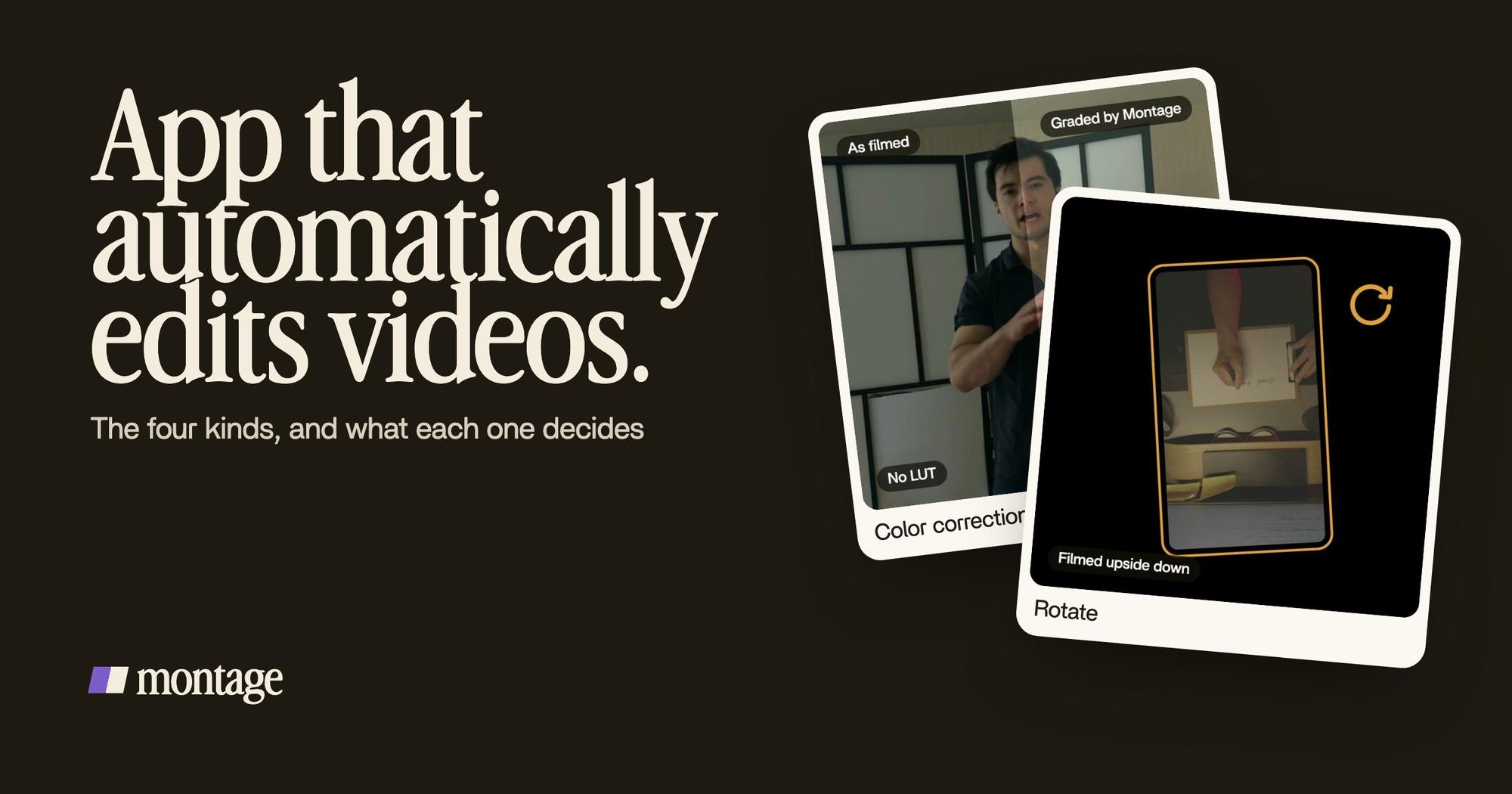
 Color correctionFilmed too dark on an iPhone. I asked for a grade, no LUT: Montage lifted it on its own. Same frame, split.
 RotateThe notebook shots were filmed from above, upside down. Montage turned them the right way up.
 Auto captionsEvery line on screen in my own font, timed to my voice.
Way too curious was filmed too dark on an iPhone. I asked for a grade, no LUT, and Montage lifted it on its own. In How to be creative, the notebook shots were filmed from above, upside down, and Montage turned them the right way up. That's what sideways shots turned upright looks like. And every line came out on screen in my own font, timed to my voice.
Then the decisions that come from your words. That's the part a template can't do.
 B-rollWhile I talk, it cuts to the right shot: the book, the notebook, the whiteboard.
 ComponentsThe Photo drop is a component Montage made from my words: I say GTA VI, it drops in.
 ComponentsMy face cam is a component: a macOS window over the James Webb images, on every one of the 216 cuts. Click to watch it.
In How to be creative, while I talk, Montage cuts to the right shot: the book, the notebook, the whiteboard. In Way too curious, the Photo drop is a component Montage made from my words: I say GTA VI, it drops in. And in From Disney star to space CEO, my face cam sits in a macOS window on every one of the 216 cuts.
A template fits your clips to its style. An editor you ask fits the edit to what you said.
When the automatic edit is wrong.
Let's be clear: no automatic edit is right the first time, every time. So what happens then?
With a one-tap app, you have two choices. Pick another template and start over. Or open the timeline and fix it by hand, which is the work you wanted to skip.
With an editor you ask, you just say it. In Montage, you watch the video, pause where something's off, and comment on that moment or on a spot of the picture. Then you press « Fix all ». If you don't like a change, Undo takes back Montage's last one.

That's the whole idea behind editing a video by talking to it. You never touch the edit. You say what's wrong, like you would to an editor sitting next to you.
How to auto edit a video, step by step.
Here's how I'd do it. Four steps, nothing more.
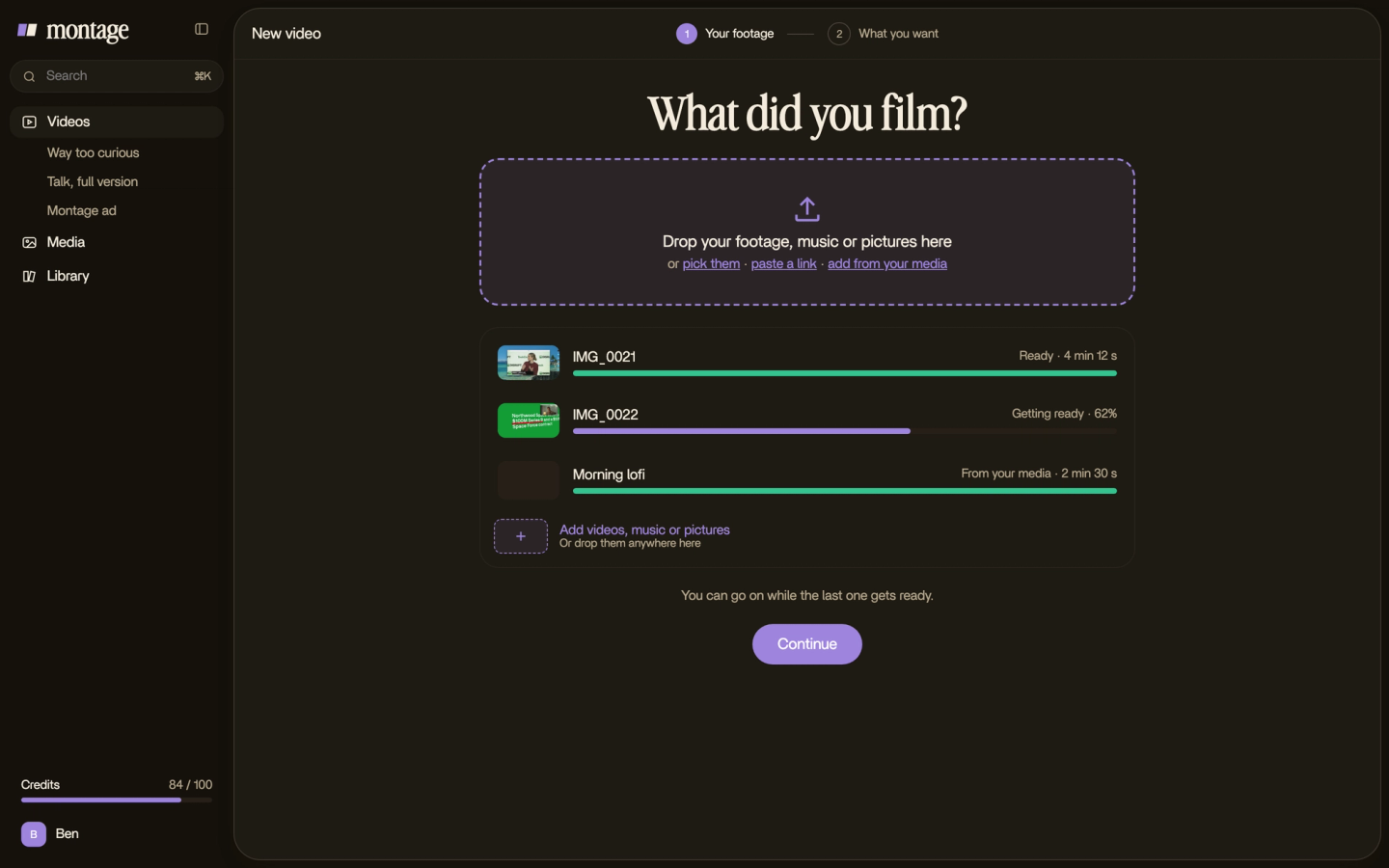
- Drop your takes in, as they are. No sorting, no renaming. Retakes included: the editor keeps the best one.
- Say what the video is for. « A 60-second short for TikTok. Cut the pauses, add captions, show the book when I talk about it. » One sentence is enough. More on editing with a prompt.
- Watch it once, then comment. Point at what's wrong, press « Fix all », and watch again.
- Export. The MP4, the sound only, or the cut for Premiere Pro or DaVinci Resolve if you want to finish it there.

Want to go further? Here's what an AI agent that edits can do once it has your footage.
Which one should you pick?
So, which app? It depends on the job. Here's my honest take.
- A pile of drone or gimbal clips, set to a song? LightCut. That's exactly what it's built for.
- Clips in bulk from a long podcast? Opus Clip.
- Only the pauses cut, and you edit the rest? A silence remover. Montage can also cut the ums and dead air as part of the edit.
- A video made from nothing? A generator. Montage doesn't do that.
- Your own talking video, edited your way, without learning a timeline? An editor you ask, like Montage.
Pick the app by what you want it to decide. Not by the word « automatic ».
App that automatically edits videos: questions.
Is there an app that will automatically edit a video?
Yes. Template apps like LightCut, clip makers like Opus Clip, cleanup tools like Wisecut, and editors you ask like
Montage. They differ in how much of the edit they decide for you.
Can CapCut auto edit?
Yes, in part. CapCut has templates and automated tools, and a chat, « Video Studio », that builds a video from scratch.
For most of the edit, you're still on its timeline.
Can I automate video editing?
Yes. The chores (pauses, captions, resizing) are easy to automate. The whole edit too, if you use an editor you ask:
you say what you want, and comment on the result instead of cutting by hand.
What is replacing CapCut?
It depends on the job. For a video of you talking, edited without a timeline, here's a CapCut
alternative. For drone clips to music, a template app. And if you're wondering about ChatGPT,
here's whether ChatGPT can edit your videos.
Is there a free app that automatically edits videos?
Yes. CapCut is free, and Montage has a free plan to try it. Then Montage's paid plans: Plus is $25, Pro $50, Max $100 and Ultra $200 a month.
See it in real videos.
Every card in this article comes from a real video, each one asked for in sentences. The four showcase videos show what went in and how each one was made.
 9:18
 2:07
 0:56
 0:38
That's it for this one. Now go drop your takes in.
See you in the next one.