Can ChatGPT edit videos? The honest answer.
On its own, ChatGPT can't edit your video. Connected to an editor, it can direct one. Here's the difference, and what it looks like on real footage.
 Ben, founder of Montage · · 7 min read
In this post8 parts
The short answer.
Let's start with the answer, because that's what you came for.
Can ChatGPT edit videos? On its own, no. ChatGPT can't open your footage, so it can't cut it. Connected to a video editor through a connector, yes: it can tell that editor what to do.
That's it. Everything else in this article is the detail: what ChatGPT does alone, what it does once it's connected, and the part most guides skip.
Because here's the thing: the real question isn't « can ChatGPT? ». It's « who holds the footage? ». And if you're wondering which AI can actually do video editing today, I sorted them in the best AI video editors, compared.
ChatGPT can read your video. It can't see it.
What ChatGPT can do with a video on its own.
So what can ChatGPT actually do with a video? Let me explain.
Without a connector, ChatGPT is a very good assistant next to your editor. It can:
- write your script, or tighten the one you have,
- plan the edit: which part goes first, where the hook is, what to cut,
- write your captions, your title and your description from a transcript you paste in,
- explain how to do something in Premiere Pro, DaVinci Resolve or CapCut.
What it can't do is the editing itself. Eddie's guide « How to Edit Video with ChatGPT » (heyeddie.ai, July 25, 2026) puts it plainly: on its own, ChatGPT has no access to your media, no timecode, no sequence. It gives you a plan. You still do the cuts.
And making a video from nothing is a different question. That one has its own article: making a video from nothing with ChatGPT.
How ChatGPT can edit videos: connect it to an editor.
Now, the « yes » part.
ChatGPT can use connectors, built on a standard called MCP. A video editor that offers one lets ChatGPT send it instructions: « cut the pauses », « make a 30-second version », « put the best answers first ». The editor does the work on your footage.
A few editors do this today, and they deserve their due:
- ChatCut has a ChatGPT plugin. Its page says it routes each request to the right editing tool and applies it on a live timeline.
- invideo has an MCP connector that drives the invideo Editor's timeline. Its FAQ says ChatGPT needs an editor's tools to edit, which is the honest answer.
- Eddie is an AI editor that holds your footage, with a connector for ChatGPT. Its guide shows it on a real interview shoot of 1 hour and 4 minutes.
Is it free? Not quite. Eddie's guide says custom connectors need a paid ChatGPT plan and Developer Mode turned on.
So yes, it works. But read the small print on every one of those pages. The edit lands on a timeline you finish yourself. Eddie calls it « a first cut, not a final cut », and says color, sound and titles still happen in your editing program.
ChatGPT alone, connected, or an AI editor: side by side.
Okay. Let's put the three ways side by side.
| ChatGPT alone | ChatGPT + an editor over MCP | An AI editor directly | |
|---|---|---|---|
| Reads what you say | Only a transcript you paste | Yes, from the editor's transcript | Yes, every word and every retake |
| Finds the retakes | From the text, if you paste it | Yes, from the transcript | Yes |
| Sees the picture | No | Not really: per Eddie, it « does not watch your footage frame by frame », it reads the transcript and samples frames on request | Montage looks at the frames |
| Fixes the color | No | Not in Eddie's ChatGPT guide: color happens in your editing program | Yes, by asking |
| Finished video | No | A first cut on a timeline | Yes, ready to post |
| The cut for Premiere or Resolve | No | Eddie exports to an editing program | Montage exports the cut for Premiere Pro or DaVinci Resolve |
Sources: Eddie's guide (July 25, 2026), invideo's and ChatCut's own pages (read October 29, 2026), and Montage's own export.
Do you see the difference? The middle column is real, and on a long interview it does real work. But the jobs that need eyes stay on your side.
The jobs that need eyes, on real videos.
Let me show you what I mean. Three jobs a text model can't do from a transcript, each done in a real Montage video by asking.
The picture itself: too dark, upside down
A transcript doesn't know your shot is too dark. It doesn't know it's upside down. You have to look at the picture.
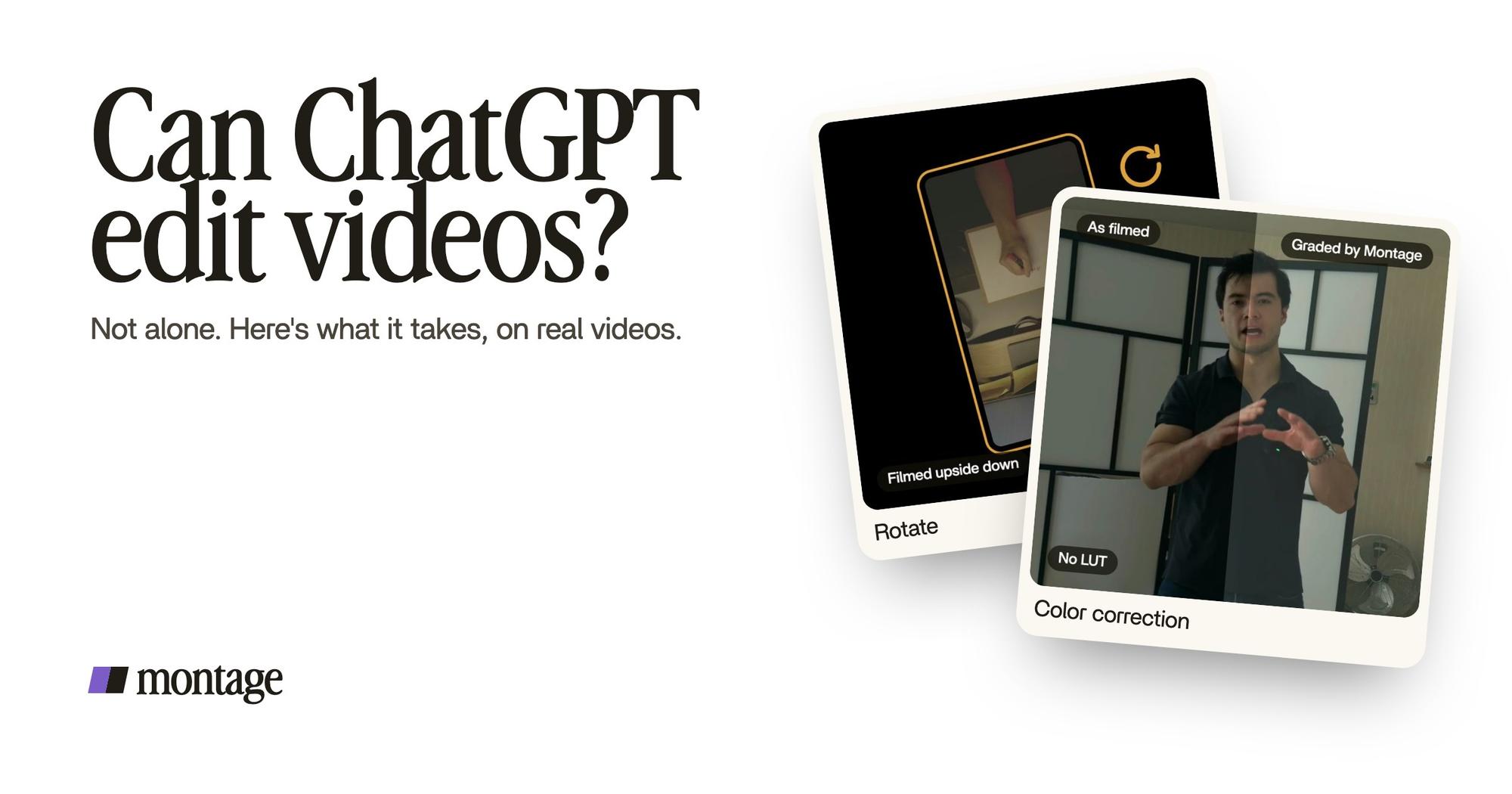
 Color correctionFilmed too dark on an iPhone. I asked for a grade, no LUT: Montage lifted it on its own. Same frame, split.
 RotateThe notebook shots were filmed from above, upside down. Montage turned them the right way up.
Way too curious was filmed too dark on an iPhone. I asked for a grade, no LUT, and Montage lifted it on its own. In How to be creative, the notebook shots were filmed from above, upside down, and Montage turned them the right way up. More on grading footage that's too dark and on turning upside-down shots the right way up.
The moment: on the word
B-roll and captions are about timing. The photo has to land when you say the word, not a second later.
 B-rollI say CrossFit, my photo drops in. One picture for each thing I love.
 Auto captionsEvery line on screen in my own font, timed to my voice.
In Way too curious, I say CrossFit, and my photo drops in. In How to be creative, every line is on screen in my own font, timed to my voice. That's the difference between reading a transcript and editing a video.
A plan is not an edit. The edit is what you see.
Can you use Montage from ChatGPT?
Yes. Montage has its own MCP server, and it works from ChatGPT, as well as from Claude, Claude Code, Cursor and Codex.
Here's how it goes: you add Montage's server URL as a custom connector, with developer mode on, then Connect, then Allow. After that, ChatGPT works with your Montage workspace: your footage, your Library, your credits. It's on Pro ($50 a month), Max and Ultra: see the plans. There's a page on editing videos from Claude over MCP too.
Let's be clear: the videos in this article weren't made from ChatGPT. They were made in Montage, by asking.
And honestly, if you just want the video, skip the plumbing. Open an AI video agent you talk to, drop your takes in, and say what you want.

Then watch it, comment on what's wrong, and export. The MP4, the sound only, or the cut for Premiere Pro or DaVinci Resolve if you still want to finish it by hand.

If you want to go further on this, there's more on an AI agent for video editing, an app that edits videos for you and editing video from the transcript.
Can ChatGPT edit videos? Your questions.
Can ChatGPT edit videos?
Not on its own: it can't open your footage. Connected to a video editor through an MCP connector, it can send that
editor instructions, and the editor makes the cuts.
Is ChatGPT good for video editing?
For the planning, yes: scripts, hooks, captions, titles, what to cut. For the editing itself, it needs an editor that
holds the footage. And for anything you have to see, like color or a shot upside down, you need an editor that looks at
the picture.
Which AI can do video editing?
Editors with an AI inside them, like Montage, and editors ChatGPT can drive over MCP, like ChatCut, invideo and Eddie.
They don't all do the same job: some leave you a first cut on a timeline, some finish the video.
Can I use ChatGPT to enhance a video?
Not alone. ChatGPT can't change the picture or the sound of a file. An editor can: Montage graded Way too curious,
filmed too dark, when I asked for it.
Is it free?
ChatGPT on its own can help you plan for free. Custom connectors need a paid ChatGPT plan and Developer Mode, per Eddie's
guide. Montage's MCP is on Pro, Max and Ultra.
See it in real videos.
Everything I showed here was done in real videos, each one asked for in plain words. The four real videos show what went in and what came out.
 9:18
 2:07
 0:56
 0:38
That's it for this one. Now go film something.
See you in the next one.