Can ChatGPT create videos? The honest answer.
Some pages say no, some say yes. Here's the thing: they're both half right, because « create a video » means three different things. Let me show you each one.
 Ben, founder of Montage · · 9 min read
In this post10 parts
- The short answer
- What ChatGPT does on its own: it writes
- What makes a video from nothing: a generator
- Can ChatGPT create videos from your own footage?
- The three meanings, side by side
- No timeline to fix afterwards
- How to connect ChatGPT to a video editor
- Which ChatGPT is best for video creation?
- Questions about whether ChatGPT can create videos
- See it in real videos
The short answer.
Ladies and gentlemen, let's start with the answer.
Can ChatGPT create videos? Yes and no. ChatGPT can't render a video by itself, but connected to a video editor, it can make one from your footage.
So it depends on what you mean by « create ». There are three meanings, and ChatGPT's answer is different for each one:
- Write the video. The script, the hook, the shot list, the words of the captions. Yes, ChatGPT does that well.
- Generate the video from nothing. A scene, an avatar, a clip nobody filmed. Not ChatGPT itself: that's a separate video model or a generator plugged into it.
- Make the video from your own footage. Your takes, cut, captioned, graded. Yes, when ChatGPT is connected to a video editor.
That's why you'll find pages saying no and pages saying yes. Coursiv's article says ChatGPT can't output a video file on its own. True. The tool pages above it say you can edit videos right from ChatGPT. Also true. They're just not talking about the same « create ».
If you want to see how the AI editors themselves compare, here are the best AI video editors, compared.
What ChatGPT does on its own: it writes.
Let's start with the part everybody agrees on.
ChatGPT is a writer. Give it your idea and it gives you a script, a hook for the opening, a list of the shots to film, a title, the words for your captions. That's real help, and it's the part a lot of people already use every day.
But a script isn't a video. Somebody still has to film it, cut it, put the captions on, fix the color and get the sound right.
ChatGPT writes. Something else has to make the picture.
So what's that something else? That's where the two other meanings come in.
What makes a video from nothing: a generator.
Now, the second meaning. You type a prompt and a video comes out, with nobody filmed.
That's not ChatGPT on its own. It's a video model, or a generator connected to ChatGPT. Two examples from the pages that rank for this question:
- Synthesia connects to ChatGPT through its MCP integration, found in ChatGPT's marketplace. It makes videos with avatars, from a prompt or a document: onboarding, training, that kind of thing. Synthesia's page says up to an hour long, in 16:9 or 9:16.
- invideo lists OpenAI's Sora 2 among the video models it can use to generate visuals.
And people still want more. On OpenAI's own community forum, in October 2026, a user asked OpenAI to bring full video generation directly into ChatGPT. So as of today, ChatGPT itself still doesn't make the whole video.
Who is this for? If you want a video with no filming at all, a talking avatar or a generated scene, you need a generator. Montage doesn't do that. Let's be clear about it.
Can ChatGPT create videos from your own footage?
Here's the meaning most people actually have in mind. You filmed something. You want ChatGPT to turn it into a finished video.
And the answer is yes, if ChatGPT is connected to a video editor. invideo's own FAQ says it plainly: ChatGPT needs access to a video editor's tools, and any editor with a compatible MCP connection can be connected.
What's MCP? Let me explain. It's a way for an AI like ChatGPT or Claude to use another app's tools. Once ChatGPT is connected to an editor over MCP, it doesn't just write about your video anymore. It can ask the editor to cut it.
Montage has an MCP server, and ChatGPT is one of the AIs it connects to, along with Claude. ChatGPT gets the same tools as Montage's own AI, on the same footage, the same Library and the same credits. More on Montage's MCP server, from Claude or ChatGPT.
So what can those tools make? Here are real parts of real videos, made in Montage with its own AI, each one asked for in words. The tools ChatGPT reaches over MCP are the same ones.
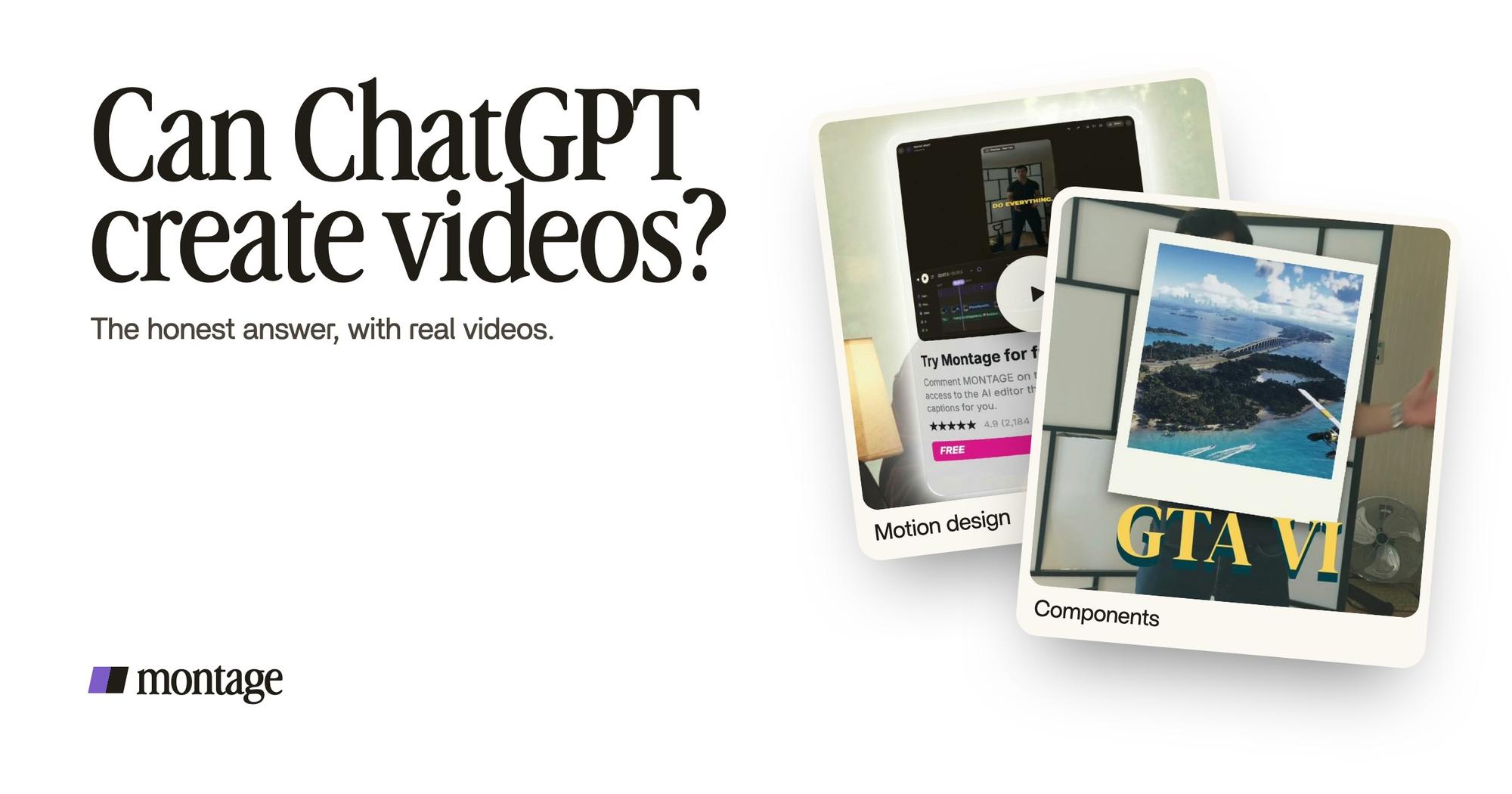
 ComponentsThe Photo drop is a component Montage made from my words: I say GTA VI, it drops in.
 Motion designThe product card: frosted at 80 %, a fisheye, a big glow, swiped in from the right. Click to watch it on its own.
The Photo drop is a component Montage made from my words: I say GTA VI, it drops in. The product card in the ad is frosted glass, a fisheye, a big glow, swiped in from the right. Nobody placed those by hand.
And here's the important bit: it's my footage. Not a generated scene.
 B-rollWhile I talk, it cuts to the right shot: the book, the notebook, the whiteboard.
 Color correctionFilmed too dark on an iPhone. I asked for a grade, no LUT: Montage lifted it on its own. Same frame, split.
In How to be creative, it cuts to the book, the notebook and the whiteboard while I talk. Way too curious was filmed too dark on an iPhone. I asked for a grade, no LUT, and Montage lifted it. Pretty simple, right?
If you want the full walkthrough, here's how to edit videos with ChatGPT, step by step.
The three meanings, side by side.
Okay. Let's put them next to each other.
| Write it | Generate it from nothing | Make it from your footage | |
|---|---|---|---|
| What you get | A script, a hook, a shot list, caption words | A video nobody filmed: a scene, an avatar | Your own takes, edited into a finished video |
| Which tool does it | ChatGPT on its own | A video model or generator (Synthesia, invideo) | ChatGPT connected to a video editor over MCP |
| Who it's for | Anyone with an idea and a camera | People who don't want to film at all | Creators and founders who film themselves |
| Not for | Anyone who needs the video itself | Anyone who wants their own face and voice on screen | Anyone who wants a video with no filming |
| What it costs you | Your time to film and edit after | The generator's plan | A filming session, and an editor's plan (Montage's MCP is on Pro, $50 a month) |
So, which one is yours? If you filmed yourself, it's the third one.
No timeline to fix afterwards.
Sure. But connecting ChatGPT to an editor can mean two different things too.
With invideo, ChatGPT's edits land on a timeline that you can also edit by hand. So the AI makes a first pass, and then you're back in a timeline, moving clips around.
Montage works another way. There's no timeline. You watch the result and comment on what's wrong, at a moment or on a spot of the picture, like with an editor sitting next to you. Then « Fix all ».

Is one better? Honestly, it depends on you. If you like adjusting every clip yourself, a timeline is fine. If you'd rather say what's wrong and let it be fixed, you don't need one. That's what Montage's AI video agent is for.
How to connect ChatGPT to a video editor.
Here's how it goes with Montage. Three steps.
- Connect. In ChatGPT's settings, under Apps & Connectors, then Advanced, turn on developer mode, then Create. Paste Montage's server URL, then Connect and Allow.
- Ask. Tell ChatGPT which video and which footage, and what you want: « A 60-second short for TikTok. Cut the pauses, add captions, show the book when I talk about it. »
- Watch. Open the video in Montage, watch it, comment on what's wrong, and export.


One thing to know: Montage's MCP server is on the Pro plan and above, not on the free plan.
Which ChatGPT is best for video creation?
People ask this one a lot. Here's my opinion.
The model matters less than what it's connected to.
Honestly, any ChatGPT can write a good script. Here's what changes. Connected to nothing, it writes. Connected to a generator, it makes generated clips. Connected to an editor, it edits your footage.
And that works for long videos too, not only shorts.
 ComponentsMy face cam is a component: a macOS window over the James Webb images, on every one of the 216 cuts. Click to watch it.
 Sponsor cardA component made for the sponsor: frosted glass, the QR code and the code BLG. Click to watch it.
From Disney star to space CEO is 9 minutes and 18 seconds, cut 216 times from takes filmed on an iPhone. My face cam is a component, a macOS window over the James Webb images, on every one of the 216 cuts. The sponsor card is another one: frosted glass, the QR code and the code BLG. Made in Montage, with the same tools ChatGPT reaches.
If you're curious where this is going, here's whether AI will replace video editors, and what generative AI does in an edit.
Questions about whether ChatGPT can create videos.
Can ChatGPT create videos?
Not on its own: ChatGPT can't render a video file by itself. It writes the script, the hook and the shot list. Connected
to a generator, it can make a video from nothing. Connected to a video editor over MCP, like Montage, it can make one from
your own footage.
Can ChatGPT do video creation?
Partly. The writing, yes. The picture, only through another tool: a video generator for scenes and avatars, or an editor
for your own takes.
Which ChatGPT is best for video creation?
In my opinion, it matters less than what it's connected to. Any ChatGPT can write a script. To get an actual video, it
needs a generator or an editor plugged in.
What is the best AI for making videos?
It depends on what you start with. Nothing filmed? A generator, like Synthesia for avatar videos. Your own footage? An AI
editor. Here are apps that edit videos for you, and an AI agent that edits
the video.
How to make AI videos for free with ChatGPT?
The writing part is free: ask ChatGPT for the script and the shot list, then film it. Generating or editing the video
happens in another tool, with its own plan. Montage's MCP server is on the Pro plan, $50 a month.
Can ChatGPT make videos from photos?
Not by itself. Connected to an editor, your photos can be part of the video: in Way too curious, each thing I love drops
in as a photo the moment I say it.
Can ChatGPT create videos for free?
ChatGPT can write a video for free. Making the video itself takes another tool. If you'd rather talk to the editor than
type a timeline, see an AI video editor you prompt, or editing video by its
text.
See it in real videos.
Every part in this article comes from a real video, each one asked for in words. The four videos in the showcase show what went in and how each one was made.
 9:18
 2:07
 0:56
 0:38
That's it for this one. ChatGPT writes. Connect it to an editor, and it makes the video too.
See you in the next one.