Text-based video editor:
what it can and can't do.
Edit the words, and the video follows. It's a great idea, and it does half the job. Let me show you which half, on a real film.
 Ben, founder of Montage · · 8 min read
In this post8 parts
The short answer.
Ladies and gentlemen, let's start with the answer.
A text-based video editor lets you edit a video by editing its transcript. You delete a word, a sentence or a whole retake in the text, and the video is cut in the same place. Descript made the idea famous. VEED, Vimeo, Choppity and DaVinci Resolve do it too.
Here's the thing: a transcript only holds what you said. So a text-based editor is great at the words half of an edit: the retakes, the pauses, the « ums », the order. It doesn't touch the picture half: the color, a shot upside down, the B-roll, the captions, the zooms. You still do those by hand.
So which one should you pick? It depends on the job. If you want the whole field, here are the best AI video editors, compared. This article stays on the text.
A transcript knows what you said. It doesn't know what you look like.
How text-based video editing works.
So what does deleting a word actually do? Let me explain.
Every one of these tools works the same way, in three steps.
That's it. Because every word has a time, deleting the word deletes that moment of video. Most tools add a button on top: remove every filler word, or every pause over a length you choose, in one click.
And for talk, it's fast. A podcast, an interview, a webinar, a tutorial: the edit is the words. VEED's own page says it, the tool is for « content with lots of dialogue, like interviews, podcasts, and tutorials » (veed.io, read October 2026).
The best text-based video editors, compared.
Okay. Let's put them side by side. Every fact about the other tools comes from its own page, read in October 2026. Where a page didn't say, the cell says « not checked ».
| Descript | VEED | Vimeo | Choppity | DaVinci Resolve | Montage | |
|---|---|---|---|---|---|---|
| How you edit | Delete words in the transcript; an AI assistant, Underlord, too | « Edit with Script »: delete words in the transcript | Delete words in the AI transcript | Delete words in the transcript | IntelliScript builds a cut from your script | You describe the edit in words, then comment on the video |
| Free to start | Not checked | Yes, exports watermarked | No: Standard plan and higher | Yes, a free tool | Resolve has a free version (IntelliScript: not checked) | Yes, a free plan |
| Cuts retakes and pauses | Yes, filler words and retakes in a click | Yes, filler words and silences | Yes, filler words, pauses, scenes | Yes | It keeps what matches your script | Yes, by asking |
| B-roll and captions | Not checked | Not checked | Not checked | Highlight text to add B-roll; captions follow the text | Not checked | Yes, by asking |
| Color, rotation | Not from the text | Not from the text | Not from the text | Not from the text | Not from the text | Yes, by asking |
| Best for | Podcasts and talk, with a timeline when you need it | Quick edits of dialogue in the browser | Teams already on Vimeo, also on its phone app | Long videos cut down to clips | Editors who want a first cut, then finish by hand | Creators who film themselves and want the whole edit |
Let's be clear: for most people, Descript is where this idea comes from. If you edit podcasts, it's the one everyone means by the keyword, and it's very good at it. And to be honest, Montage is the odd one out in this table. Montage has no transcript to edit by deleting words. If cutting by hand from the text is what you want, Descript, VEED or Vimeo are your tools.
So why is it in the table? Because of the last two rows. Let me explain.
What a transcript can't fix.
Look at what the tools say about themselves. Descript: « Edit your words to edit your video. [...] The timeline's there if you need it » (descript.com, read October 2026). DaVinci Resolve, on IntelliScript: « You can then fine tune the result using standard editing tools » (blackmagicdesign.com, read October 2026).
Do you see it? Both tell you the same thing. After the words are right, there's still an edit to do. And it happens on the timeline.
Here's a real example. My film From Disney star to space CEO started as seven takes, 33 minutes filmed on an iPhone. It came out at 9 minutes and 18 seconds, with 216 cuts, the best take of each line kept. That's the words half. A text-based editor could have done a lot of it.
Then came the picture half. Takes 4 to 7 were filmed flat and needed a LUT. The face cam had to move to the corner while each clip played. No word in the transcript says any of that.
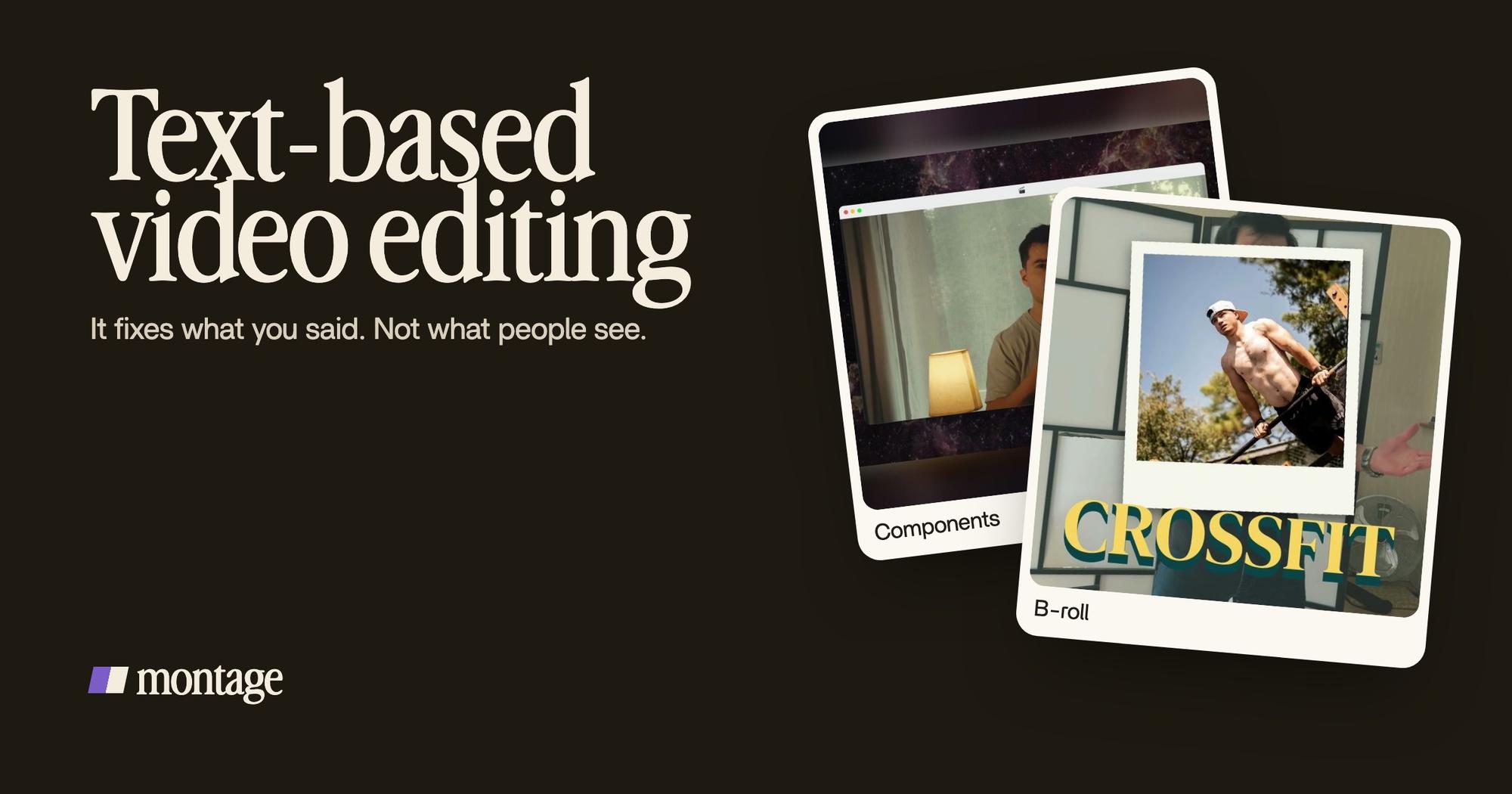
 ComponentsMy face cam is a component: a macOS window over the James Webb images, on every one of the 216 cuts. Click to watch it.
 Color correctionTakes 4 to 7 were filmed flat: the NOMAD LUT on each, the first three left as they were. Same frame, split.
And on short videos, it's even more the picture. The words tell you when the B-roll drops in, or when a caption appears. They don't make the picture. In Way too curious, I say CrossFit, and my photo drops in. In How to be creative, every line is on screen in my own font, timed to my voice.
 B-rollI say CrossFit, my photo drops in. One picture for each thing I love.
 Auto captionsEvery line on screen in my own font, timed to my voice.
Then there's what no text can fix at all. In How to be creative, my notebook shots were filmed from above, upside down. Way too curious was filmed too dark on an iPhone. Delete every word you want: the shots stay upside down, and the face stays dark.
 RotateThe notebook shots were filmed from above, upside down. Montage turned them the right way up.
 Color correctionFilmed too dark on an iPhone. I asked for a grade, no LUT: Montage lifted it on its own. Same frame, split.
Honestly, for a podcast, a text-based editor is great. For a video people watch, it's half the job.
The next step: say the edit, don't delete it.
Now, why is text-based editing so easy? Because it uses words instead of a timeline. So take that one step further. Use words for the whole edit.
That's how Montage works. You don't delete text. You write what you want, in plain words: « Cut the retakes, keep the best take of each line, grade the flat takes, captions in my font, show the photo when I name it. » Montage does both halves: cutting the retakes and the dead air, grading flat or dark footage, the B-roll, the captions timed to your voice.

Then you watch it. Where something's wrong, you pause and comment on the video, at that moment or on that spot of the picture: « this caption is too low », « this shot is still too dark ». Then « Fix all ».

That's the idea behind editing a video by talking to it. And if you still want a timeline at the end, Montage exports the cut for Premiere Pro or DaVinci Resolve, so you can finish it there.
Want to go further on this? Here's an AI video editor you prompt, an app that edits the video for you, and an AI agent that does the edit.
Which one should you use?
Here's how I'd choose.
- You edit podcasts or interviews, and want to cut by hand from the text: Descript.
- You want something quick in the browser, free to try: VEED, with a watermark on free exports.
- Your team already pays for Vimeo: its text-based editor, on Standard and higher.
- You edit in DaVinci Resolve already: try IntelliScript for the first cut.
- You film yourself and want the finished video, picture included, without a timeline: Montage.
Edit the words, and you get a cut. Say the edit, and you get a video.
Text-based video editor: your questions.
What is a text-based video editor?
A text-based video editor transcribes your video and lets you edit it by editing the transcript. Delete a word or a
sentence, and the video is cut at that moment. Descript, VEED, Vimeo, Choppity and DaVinci Resolve all have one.
How can I edit a video with text?
Upload the video to a text-based editor, let it transcribe, then delete the retakes, pauses and filler words in the text.
Or go one step further: describe the whole edit in words to an AI editor like Montage, and comment on the result.
Which text-based video editor is the best?
It depends on the job. For podcasts, Descript. For a quick free try in the browser, VEED. For long videos cut into clips,
Choppity. For a first cut inside a pro editor, DaVinci Resolve. For the whole edit, picture included, Montage.
Can DaVinci Resolve be used for text-based video editing?
Yes. Resolve 21's IntelliScript compares your script to the transcribed audio and builds a cut of the scene. Then you
fine-tune it with the usual tools (blackmagicdesign.com, read October 2026).
Is there a free text-based video editor?
Yes. VEED's « Edit with Script » is on its free plan, with a watermark on free exports, and Choppity's page says its
tool is free (both read October 2026).
Can ChatGPT edit a video for me?
That one needs an article of its own. Here's the full answer on whether ChatGPT can edit your video.
See it in real videos.
Every card above comes from a real video, each one asked for in words. The four real videos show what went in and how each one was made.
 9:18
 2:07
 0:56
 0:38
That's it for this one. Next time you open a transcript, ask yourself which half of the edit you're fixing.
See you in the next one.