The best video editing software for YouTube:
picked for a channel, not a test.
Most lists judge editing software on a test project. A YouTube channel isn't a test project. It's a series. Here are five picks, judged on the work you repeat every week.
 Ben, founder of Montage · · 10 min read
In this post9 parts
- The short answer
- How I picked: four questions your channel asks every week
- The five picks
- The work you repeat every week
- The best video editing software for YouTube, side by side
- You don't have to choose for life
- Which one for your channel?
- Questions about the best video editing software for YouTube
- See it in real videos
The short answer.
Ladies and gentlemen, let's start with the answer.
The best video editing software for YouTube depends on what kind of channel you run. Here are my five picks, one line each:
- Adobe Premiere Pro: if you want a career as an editor, or you hand projects to other editors.
- DaVinci Resolve: if you want it free, you have a strong computer, and color matters to you.
- Final Cut Pro: if you're on a Mac and you don't want a subscription.
- CapCut: if you only make Shorts, on your phone, for free.
- Montage: if you film yourself and want the weekly edit done by asking and commenting, not by hand.
If you're new to all of this, start with the full guide to editing a YouTube video. This article does one job: help you pick.
How I picked: four questions your channel asks every week.
So why not just pick Premiere Pro and move on? Let me explain.
Most « best software » lists test the software on a sample project. Features, interface, render speed. That's fine. But a YouTube channel isn't one project. It's a series. The same face cam, the same sponsor read, the same cards, the same captions, every single week. And often a long video and its Shorts from the same filming.
A channel is a series. Pick the software for the second week.
So every pick below gets the same four questions:
- The long cut. How do I turn a long talking video, with all its retakes, into a tight edit?
- What I reuse. How do I make the face cam, the sponsor card and the media cards once, and get them on every video?
- The Shorts. How do I get a 9:16 version out, with captions?
- The look. What does it cost me when the footage is flat or too dark?
One thing to be clear on. I didn't run a new side-by-side test of all five for this article. For Premiere Pro, Resolve, Final Cut Pro and CapCut, I say what their reviewers say, mostly Creative Bloq's buying guide (last updated 7 September 2026). For Montage, I show four real videos it edited. Nothing else.
The five picks.
Adobe Premiere Pro
- What it is: the industry's timeline editor. Windows and Mac.
- Best for: anyone who wants a job as an editor, or a channel with editors passing projects back and forth. Creative Bloq names PewDiePie and Linus Tech Tips among its users.
- Not for: a beginner who wants a first video out this week. Creative Bloq calls it « overly complex for newbies ».
- How you pay: a subscription, £21.98 a month, with a 7-day trial (Creative Bloq).
- The four questions: everything is possible, by hand, on the timeline. That's the point of it, and the work.
DaVinci Resolve
- What it is: a timeline editor with a free version that goes very far. Windows, Mac and Linux.
- Best for: starting for free, and color. Creative Bloq calls its color grading « superb ».
- Not for: an old computer. It needs a decent one. If that's you, here's a computer that runs Resolve.
- How you pay: free. The paid Studio version is $275.68, once, and Creative Bloq says « the vast majority of YouTubers do not need » it.
- The four questions: all possible by hand, on the timeline. The look is its strength; the rest is manual work.
Final Cut Pro
- What it is: Apple's timeline editor. Mac and iPad only.
- Best for: Mac users who'd rather pay once than every month. Creative Bloq names Marques Brownlee and iJustine among its users.
- Not for: anyone on Windows.
- How you pay: a one-off purchase, with a 90-day trial (Creative Bloq).
- The four questions: all by hand, on a timeline.
CapCut
- What it is: a free editor built for short vertical videos, on your phone or your computer.
- Best for: Shorts, made quickly, for free.
- Not for: long YouTube videos with a lot going on. Creative Bloq says its color and audio tools are basic, and there's no multicam.
- How you pay: free, with Standard, Pro and Ultra tiers that, by Creative Bloq's own words, « change fairly often ». The free tier adds a watermark to 720p exports.
- The four questions: great at question 3, thin on 1 and 4. If the timeline is what you want to leave, here's the CapCut alternative.
Montage
- What it is: an AI video editor with no timeline to work on. You drop your footage, say what you want, watch, and comment on the video. It runs in the browser.
- Best for: the creator who films themself and posts every week, and wants the edit done by asking.
- Not for: someone who wants to learn editing as a trade, or wants to place every frame by hand.
- How you pay: free to start. Then Plus $25, Pro $50, Max $100 or Ultra $200 a month. More on Montage for YouTube channels.
- The four questions: answered by asking, shown on four real videos in the next part.
The work you repeat every week.
Okay. Here's what the four questions look like on real videos.
1. The long cut
My film From Disney star to space CEO started as seven takes, 33 minutes filmed on an iPhone. The finished video is 9 minutes and 18 seconds, with 216 cuts. Montage kept the best take of each line. On a timeline, that pass is the slow one. Here's the time a YouTube edit takes when you do it by hand.
2. What you reuse
This is the one nobody's list talks about. On a channel, you don't make a face cam once. You make it on every video.
 ComponentsMy face cam is a component: a macOS window over the James Webb images, on every one of the 216 cuts. Click to watch it.
 Reusable componentsOne media card, used 26 times: a picture or a clip, its caption, on the dark page. Click to watch it.
 Sponsor cardA component made for the sponsor: frosted glass, the QR code and the code BLG. Click to watch it.
In From Disney star to space CEO, my face cam is one component, a macOS window over the James Webb images, on every one of the 216 cuts. One media card, used 26 times. And a component made for the sponsor: frosted glass, the QR code, the code BLG. That's your face cam and cards, made once.
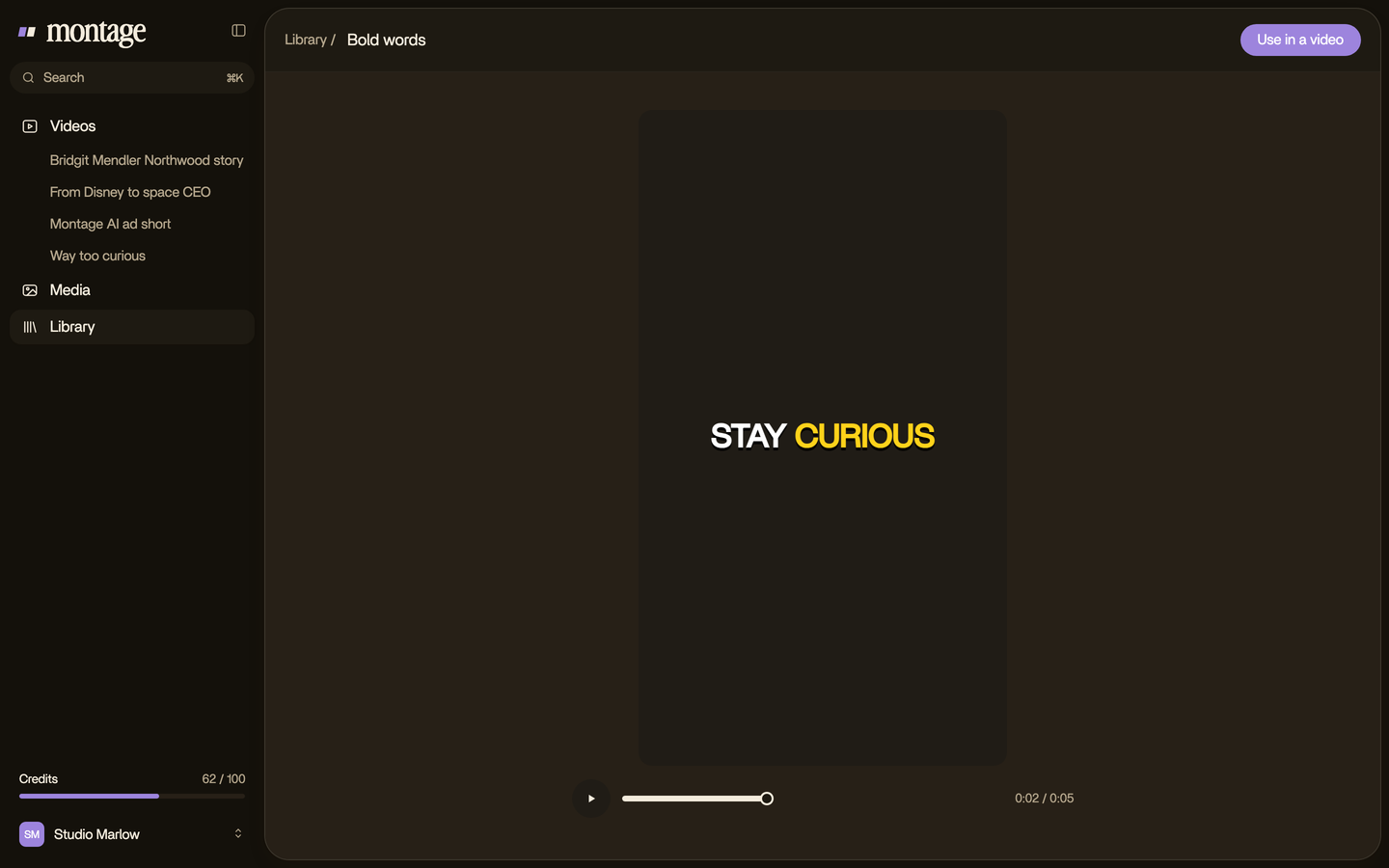
And the way your videos look can be kept as a style in the Library, for the next video.
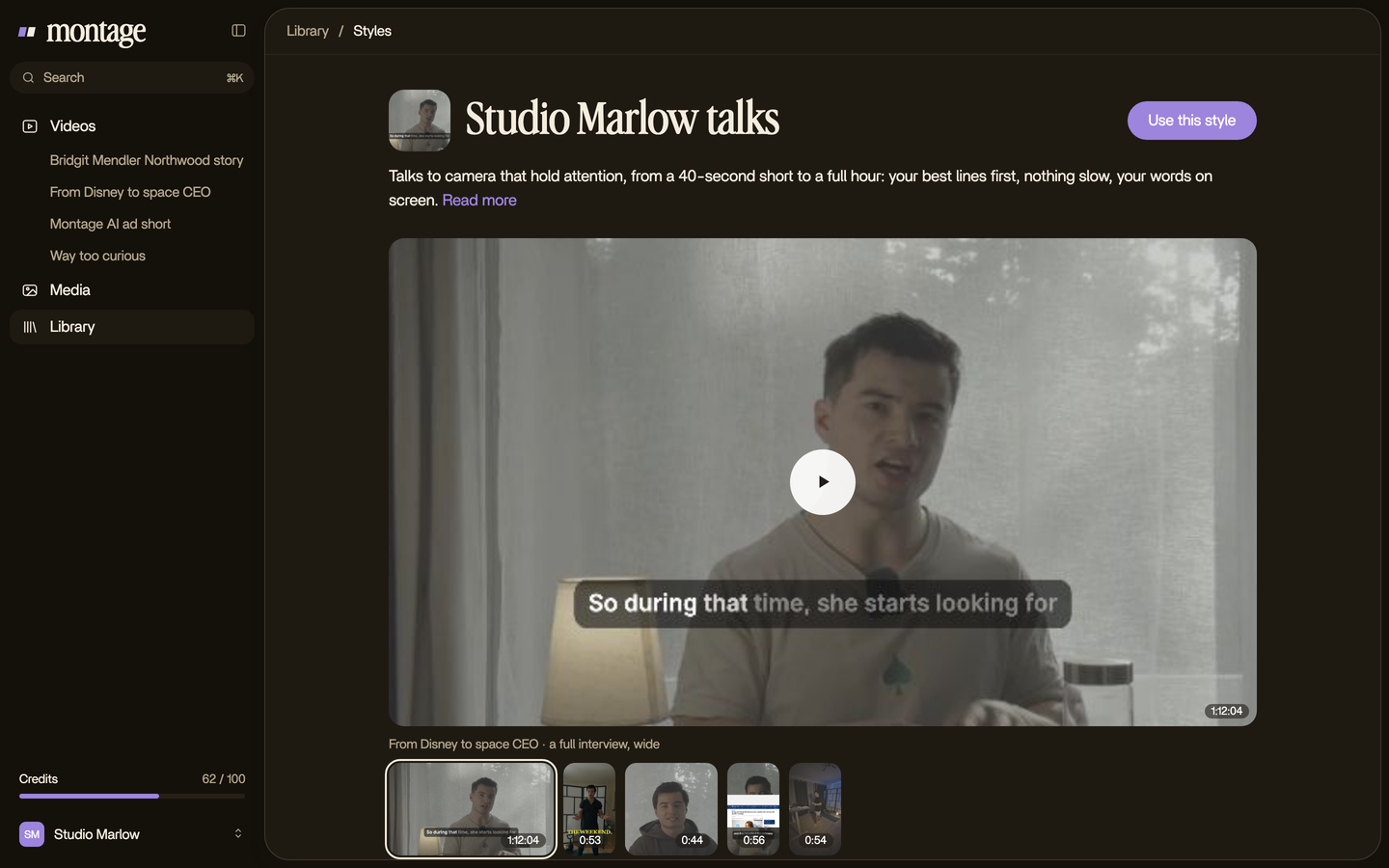
Make it once. Use it every week. That's the whole job of a channel's software.
3. The Shorts
Way too curious is a 56-second vertical video. When I say GTA VI, a photo drops in. That Photo drop is a component Montage made from my words. The captions? Yellow, uppercase, a blue drop shadow, and the key word drawn bigger. One sentence. Boom.
 ComponentsThe Photo drop is a component Montage made from my words: I say GTA VI, it drops in.
 CaptionsYellow, uppercase, a blue drop shadow, and the key word drawn bigger.
Here's how Shorts captions in your own style work.
4. The look
Phones don't always get the picture right. On From Disney star to space CEO, takes 4 to 7 were filmed flat: the NOMAD LUT went on each of them, and the first three were left as they were. Way too curious was filmed too dark on an iPhone. I asked for a grade, no LUT, and Montage lifted it on its own.
 Color correctionTakes 4 to 7 were filmed flat: the NOMAD LUT on each, the first three left as they were. Same frame, split.
 Color correctionFilmed too dark on an iPhone. I asked for a grade, no LUT: Montage lifted it on its own. Same frame, split.
The best video editing software for YouTube, side by side.
Let's put the five next to each other.
| Best for | Not for | Runs on | How you pay | |
|---|---|---|---|---|
| Premiere Pro | Career editors, teams passing projects | Beginners in a hurry | Windows, Mac | Subscription, £21.98 a month¹ |
| DaVinci Resolve | Free, color first | Old computers | Windows, Mac, Linux | Free; Studio $275.68 once¹ |
| Final Cut Pro | Mac, no subscription | Windows users | Mac, iPad | One-off purchase, 90-day trial¹ |
| CapCut | Free Shorts on a phone | Long videos with a lot going on | Phone, computer | Free (watermark on 720p exports); paid tiers¹ |
| Montage | Creators who film themselves, every week | Learning editing as a trade | Browser | Free to start; $25, $50 or $100 a month |
¹ Creative Bloq, last updated 7 September 2026.
You don't have to choose for life.
Here's the thing: it's not either-or.
Montage exports three things: the MP4, the sound only, or the cut for Premiere Pro or DaVinci Resolve. So you can let Montage do the weekly edit, then open the cut in Premiere Pro or Resolve when you want to touch something by hand.

Which one for your channel?
So, which one should you pick? Here's my verdict.
- You want a job as an editor, or you work with other editors: Premiere Pro. Simple as that.
- You want free, you have a strong computer, and color matters: DaVinci Resolve.
- You're on a Mac and hate subscriptions: Final Cut Pro.
- You only make Shorts, on your phone, for free: CapCut, and live with the watermark on free 720p exports.
- You film yourself, post every week, and want the edit done by asking: Montage.
And if you're thinking of handing the whole thing to someone else, here's the cost of hiring an editor instead.
The best software is the one you'll still open in week ten.
Questions about the best video editing software for YouTube.
What is the best video editing software for YouTube?
It depends on your channel. Premiere Pro for career editors, DaVinci Resolve if you want it free, Final Cut Pro on a Mac
without a subscription, CapCut for Shorts on a phone, and Montage if you film yourself and want the edit done by asking.
What is the best free video editing software for YouTube?
DaVinci Resolve. Its free version goes very far, and Creative Bloq says most YouTubers don't need the paid Studio
version. It needs a decent computer, though.
What is the best video editing software for YouTube Shorts?
CapCut is built for them. If you want your Shorts in your own caption style, with the things you reuse made once,
Montage does that by asking.
Which video editing software for YouTube has no watermark?
The one Creative Bloq flags is CapCut: its free tier adds a watermark to 720p exports. Whatever you pick, export one
test video from the free or trial version before you commit.
What is the best video editing software for YouTube on PC?
Premiere Pro, DaVinci Resolve and CapCut all run on Windows. Final Cut Pro doesn't: it's Mac and iPad only. Montage runs
in the browser.
What is the best video editing software for YouTube beginners?
In my opinion, the one where you don't have to learn the program first. If you want a timeline, Creative Bloq points
beginners to Premiere Elements, a one-off purchase with a 30-day trial.
What do most YouTubers use to edit their videos?
Among the YouTubers Creative Bloq names, Premiere Pro (PewDiePie, Linus Tech Tips) and Final Cut Pro (Marques Brownlee,
iJustine). Here's more on what the big channels edit with.
What is the 3:2:1 rule in video editing?
It's a backup rule: keep 3 copies of your footage, on 2 different kinds of storage, with 1 copy somewhere else, like the
cloud.
Do YouTubers use CapCut?
Yes. Creative Bloq picks CapCut as the best for Shorts, and says its color and audio tools stay basic.
What does MrBeast use to edit his videos?
To be honest, none of the sources I read says, so I won't guess.
See it in real videos.
Everything in the « work you repeat every week » part was done in real videos, each one asked for in sentences. The four real videos show what went in and how each one was made.
 9:18
 2:07
 0:56
 0:38
That's it for this one. Now go pick one, and make video number two.
See you in the next one.