How long does it take to edit a YouTube video:
the real answer.
Everybody says « it depends ». Sure. But on what? Here's the rule of thumb, and one real 9-minute YouTube film, counted cut by cut.
 Ben, founder of Montage · · 9 min read
In this post8 parts
The short answer.
Ladies and gentlemen, let's start with the answer.
How long does it take to edit a YouTube video? The rule of thumb most people quote is 1 to 1.5 hours of editing per minute of finished video. That's the figure the RV channel Changing Lanes gives on its FAQ, and for them, « a 30-minute video takes about 40 hours of editing ». So a 10-minute video, edited by hand in a timeline editor, is somewhere around a day and a half of work.
Now, it's one channel's number, not a law. On Quora, one answer puts a 15-minute video cut from 2 hours of footage at anywhere from 4 to 15 hours. That's a big range. And yes, it depends.
So what does it depend on? That's what the rest of this is about. If you want the whole process first, here's how to edit a YouTube video, step by step.
You don't edit minutes. You edit decisions.
What really sets the time.
Here's the thing: the length of the finished video is only the start. Six things decide how long the edit takes.
- The raw footage. How many takes, how many minutes filmed. Two hours of footage for a 15-minute video means a lot of watching before you cut anything.
- The number of cuts. Every pause, every « um », every retake is a decision. In my opinion, the number to watch isn't the length of the video. It's the number of cuts.
- The finishing layers. Color, B-roll, captions, titles, music, sound. Each one is a pass over the whole video. The more you do for editing for retention, the more passes.
- The repeats. The same face cam, the same media card, the same zoom, placed again and again.
- The review rounds. You watch it, you find what's wrong, you fix it, you watch it again.
- You and your setup. Your skill, your software, and whether you have a laptop fast enough for editing.
And there's a difference worth knowing, one Gling makes well on its blog: the time your hands are on the edit, and the time you wait. Rendering, exporting, waiting for someone's feedback. Both count on your calendar. Only one is work.
How long does it take to edit a YouTube video, by length.
Okay. Let's put the rule of thumb against real lengths. The hours below are 1 to 1.5 hours per finished minute, done by hand, as the arithmetic gives them. Your own will be different. The examples are the four videos in Montage's showcase.
| Finished length | Rule of thumb, by hand | What's typically inside | Real example |
|---|---|---|---|
| Under a minute (a short) | About 1 to 1.5 hours | Cuts, captions, a few B-roll shots | Way too curious, 0:56; Edit it all with AI, 0:38 |
| About 2 minutes | About 2 to 3 hours | Cuts, captions, B-roll, color | How to be creative, 2:07 |
| 9 to 10 minutes | About 9 to 15 hours | Hundreds of cuts, a face cam, B-roll, cards, color | From Disney star to space CEO, 9:18 |
| 15 to 30 minutes | About 15 to 45 hours | All of the above, longer | Changing Lanes: about 40 hours for 30 minutes |
So how long does it take to edit a 1-minute video? By the rule, about an hour. But a short still has its own work.
 CaptionsYellow, uppercase, a blue drop shadow, and the key word drawn bigger.
 RotateThe notebook shots were filmed from above, upside down. Montage turned them the right way up.
In Way too curious, the captions are yellow, uppercase, with a blue drop shadow and the key word drawn bigger. In How to be creative, the notebook shots were filmed from above, upside down, and had to be turned the right way up. Short doesn't mean nothing to do.
One real 9-minute YouTube video, counted.
Every page on Google says the time depends on « the complexity ». None of them shows what complexity looks like. So let me show you one.
From Disney star to space CEO is a long-form YouTube film. It started as seven takes, 33 minutes filmed on an iPhone. The finished video is 9 minutes and 18 seconds, in 16:9. Here's what's inside it:
- 216 cuts. The pauses and the retakes taken out, the best take of each line kept.
- A face cam on every one of those 216 cuts: a macOS window over the James Webb images.
- One media card used 26 times: a picture or a clip, its caption, on the dark page.
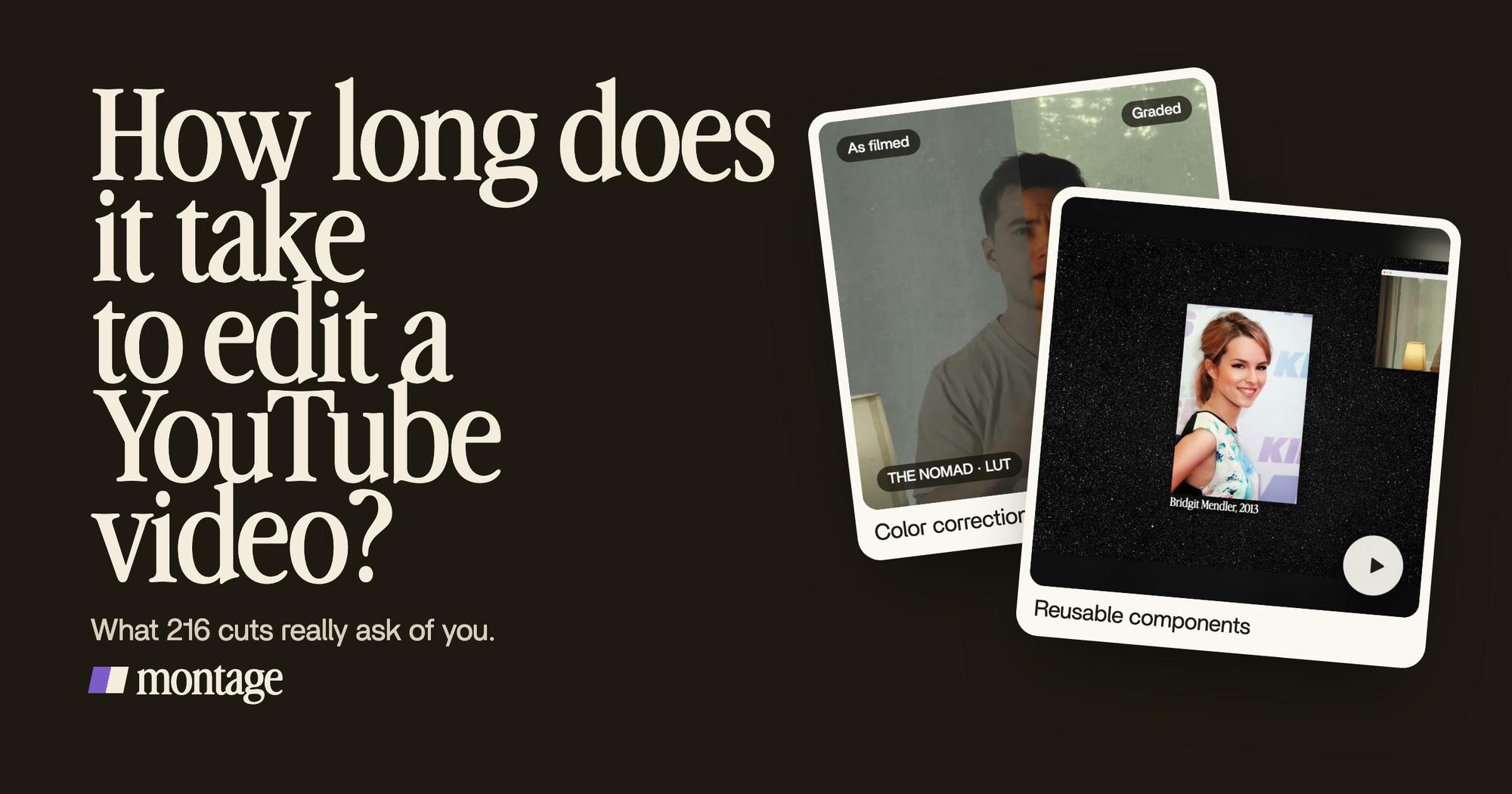
 ComponentsMy face cam is a component: a macOS window over the James Webb images, on every one of the 216 cuts. Click to watch it.
 Reusable componentsOne media card, used 26 times: a picture or a clip, its caption, on the dark page. Click to watch it.
Then the finishing work, the part that adds the hours:
- Color on four takes out of seven. Takes 4 to 7 were filmed flat and got the NOMAD LUT. The first three were left as they were.
- B-roll with the face cam moving. Good Luck Charlie, Ready or Not, Billboard, the TODAY antenna: while each one plays, the face cam moves to the corner.
- A real headline, highlighted in yellow while it's read. The guest in a window of her own. A sponsor card.
 Color correctionTakes 4 to 7 were filmed flat: the NOMAD LUT on each, the first three left as they were. Same frame, split.
 B-rollGood Luck Charlie, Ready or Not, Billboard, the TODAY antenna: the face cam moves to the corner while each plays.
By the rule of thumb, a 9:18 film is 9 to 14 hours by hand. So where do the hours go? Let me explain.
Not into the 9 minutes you see. Into 216 cut decisions. Then into placing the same face cam 216 times, and the same media card 26 times. That's the « complexity ». You can count your own video against it.
The hours aren't in the minutes. They're in the decisions, and in doing the same thing again.
You can watch the 9-minute film and how it was made.
How to make the edit shorter.
So if the time is decisions and repeats, the levers are pretty simple: make fewer decisions by hand, and build the repeated things once. Here's how I'd do it.
- Film fewer, better takes. Know what you're going to say before you hit record. Here's how to record so the edit goes faster.
- Drop everything in, as it is. No sorting, no renaming.
- Let the pauses and retakes be cut for you. That's the 216 decisions. Montage can cut the ums and dead air for you and keep the best take of each line.
- Build a repeated element once. The face cam, the media card, the sponsor card: each one is a component, made once and reused. You can build the face cam once and reuse it.
- Review by commenting, not rebuilding. Watch it all the way through, pause where something's off, and point at it on the picture.
- Do one round of fixes. Collect every comment, then fix them all at once. Not one at a time.
- Export once. The video, the sound only, or the cut for Premiere Pro or DaVinci Resolve if you want to finish it there.
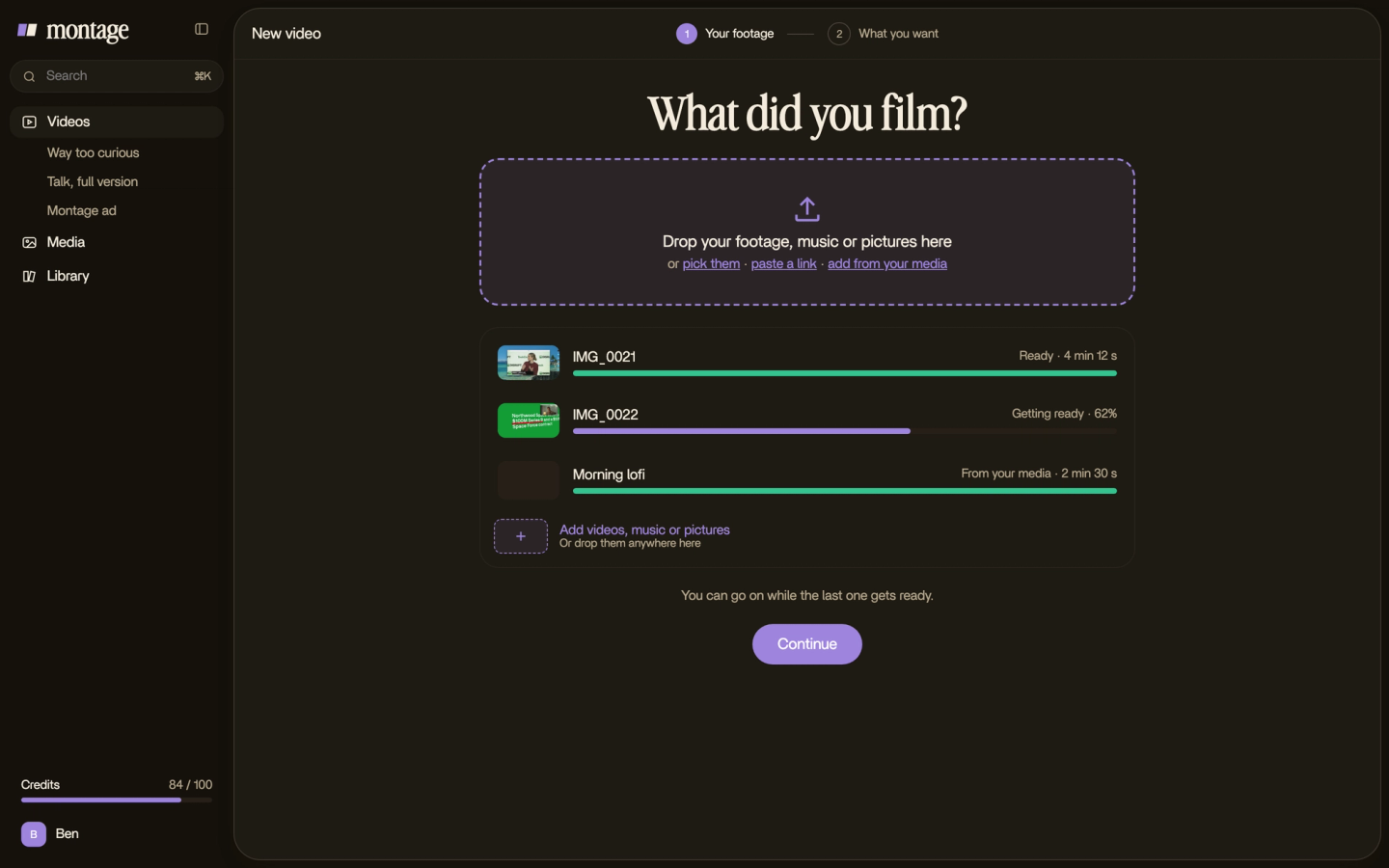


Now, let's be clear about one thing. I'm not going to give you a stopwatch time for Montage. Nobody timed it, and I won't show you a guess as if it were a measure. What I can show you is the loop: drop the takes, say what you want, watch, comment, « Fix all », export. The hand work moves from your timeline to your comments.
For more ways to cut the hours, here are editing tips that save time.
Timeline editor or describing the edit?
Okay. Who should do it which way?
| Edit by hand in a timeline editor | Describe it to an AI editor | |
|---|---|---|
| Examples | Premiere Pro, DaVinci Resolve, CapCut | Montage |
| Where your time goes | Every cut, every repeat, placed by hand | Saying what you want, watching, commenting |
| Repeated elements | Copied and adjusted, again and again | Built once as a component, reused |
| Best for | A job as an editor, full manual control | Creators and founders who film themselves and want videos out |
If you want a job as an editor, those hours are the training. Truth is, there's no shortcut to learning a timeline, and studios use one. Here's the editing software YouTubers use if that's your road.
Sure. But if you film yourself and just want the video out? Then the hours you spend placing the same face cam for the 216th time aren't making you better. They're just hours. And if you're thinking of hiring someone instead, here's what it costs to hire an editor.
Montage is an editor made for YouTube videos like that one: long ones, short ones, in your own style.
Questions about how long it takes to edit a YouTube video.
How long does it take to edit a YouTube video?
The rule of thumb is 1 to 1.5 hours of editing per finished minute, by hand (Changing Lanes' figure). So a 10-minute
video is about 10 to 15 hours. More cuts, more finishing layers and more review rounds push it up.
How long should it take to edit a YouTube video?
There's no « should ». Track your own: write down the hours for your next three videos, and the number of cuts in each.
That's your real rate. Then work on the cuts and the repeats, not on the length.
Is it hard to edit a YouTube video?
Not hard. Long. Each decision is small. There are just a lot of them: 216 cuts in a 9-minute film. Start with a short
video, and learn what to cut before you learn where to click.
How long does it take to edit a 1-minute video?
About an hour by the rule of thumb. More if it has styled captions, B-roll or color to fix, which most shorts do.
What is the 3:2:1 rule in video editing?
It's a backup rule: keep 3 copies of your footage, on 2 different kinds of storage, with 1 copy somewhere else, like the
cloud.
See it in real videos.
Every video in the showcase, from 38 seconds to 9 minutes 18, was asked for in sentences. Here they are, with what went in.
 9:18
 2:07
 0:56
 0:38
That's it for this one. Now go count your cuts.
See you in the next one.