How much does it cost to edit a video:
the real numbers.
Every page that gives you a number is selling you an editor. So let's do it differently: the published rates, with their sources, and one real 9-minute video priced line by line.
 Ben, founder of Montage · · 8 min read
In this post9 parts
The short answer.
Ladies and gentlemen, let's start with the answer.
How much does it cost to edit a video? Usually $200 to $2,000 per finished video. That's the range moonb.io, a creative studio, gives in its guide (updated July 2026). Broken down another way:
- Per hour: $15 to $150+ for a freelancer, depending on experience (moonb, in line with Upwork's data).
- Per finished minute: $75 to $200+ at a studio (moonb).
- Per YouTube video of 10 to 15 minutes: $150 to $500 (becreatives.co, an editing service).
So why such a wide range? Because you don't pay for the length. You pay for what's in it. Let me show you, with a real video. And if you'd rather do it yourself, here's how to edit a YouTube video yourself.
The ways to pay for an edit.
Okay. There are five ways to buy an edit, and a sixth: doing it yourself. Here they are side by side.
| How you pay | What it costs | Source | Best for |
|---|---|---|---|
| Per hour | $15–40 entry level, $40–85 mid, $85–150+ senior | moonb.io (2026), in line with Upwork | One-off edits with a clear brief |
| Per finished minute | $75–200+ | moonb.io, studio rates | Polished videos: ads, brand films |
| Per video | $200–2,000 | moonb.io | Most YouTube and business videos |
| A monthly service | $495–2,000 a month | becreatives.co (its own plans) | Channels posting every week |
| A salary | $70,980 a year, the median | US Bureau of Labor Statistics, via moonb | Companies with video every day |
| Do it yourself | Software from free (DaVinci Resolve, CapCut) to $299 (Final Cut Pro); Montage $25, $50 or $100 a month | moonb.io; Montage's own prices | Creators who want control of the edit |
A few things to know about that table.
The per-hour rate only means something if you know how many hours an edit takes. A cheap rate on a slow edit isn't cheap. On marketplaces, basic edits start at $15 to $30 (becreatives.co).
The software prices come from moonb too: DaVinci Resolve free or $295 for Studio, CapCut free or about $10 a month, Final Cut Pro $299 once, Premiere Pro about $23 a month. If you're picking one, here's the software YouTubers edit in, and the best editing software for YouTube.
And if you hire in-house, the salary isn't the only cost. They need a computer that can handle the edit too.
What moves the price.
So where does the money go? Let me explain.
- How much footage you hand over. moonb puts it first: the raw footage matters more than the finished length. A 9-minute video from 33 minutes of takes is a lot more work than a 9-minute video from 10. That's why it pays to film so the edit costs less.
- Motion graphics. Titles, cards, a face cam in a window, animated text. moonb calls it usually the single biggest line. It's also most of what makes editing that keeps people watching.
- Color and sound. A grade, a LUT on flat footage, music, cleaning up the voice. Each one adds to the quote.
- Revisions. Two rounds are usually included (moonb). After that, the meter runs.
- Versions. A vertical cut for Shorts, a 30-second ad, a second language: each one is another edit.
- Rush. Need it tomorrow? Add 25 to 50 % (moonb), or 50 to 100 % (becreatives.co).
You don't pay for the minutes. You pay for the decisions, and for every time they're made twice.
What it costs by kind of video.
Here are becreatives.co's ranges by kind of video. Keep in mind they sell an editing subscription, so these are a seller's numbers.
| Kind of video | What it costs | Source |
|---|---|---|
| A social clip, under a minute | $50–200 | becreatives.co |
| A YouTube video, 10 to 15 minutes | $150–500 | becreatives.co |
| A corporate video, 3 to 5 minutes | $500–2,500 | becreatives.co |
Now, here's the thing: even a short has line items. My 56-second short Way too curious has styled captions and a Photo drop made just for it.
 CaptionsYellow, uppercase, a blue drop shadow, and the key word drawn bigger.
 Motion designThe Photo drop itself, exported on its own. Click to watch it: a flash, the shutter, the print falls in and lands tilted.
Yellow, uppercase, a blue drop shadow, the key word drawn bigger. And a flash, the shutter, a print that falls in and lands tilted. Under a minute, and still two things a quote would list.
One real 9-minute YouTube video, priced.
Every page I read lists the line items. None puts them on a real video. So let's do it.
My film From Disney star to space CEO: seven takes, 33 minutes filmed on an iPhone, a finished film of 9 minutes 18 seconds, 216 cuts. Here's the 9-minute film, and how it was made.
Let's apply moonb's studio rate. 9:18 is 9.3 minutes.
- 9.3 minutes × $75 = about $700
- 9.3 minutes × $200 = about $1,860
Let's be clear: that's a published rate applied to a real video, not a quote anyone gave. But it tells you where you'd land. And then come the lines a quote charges on top.
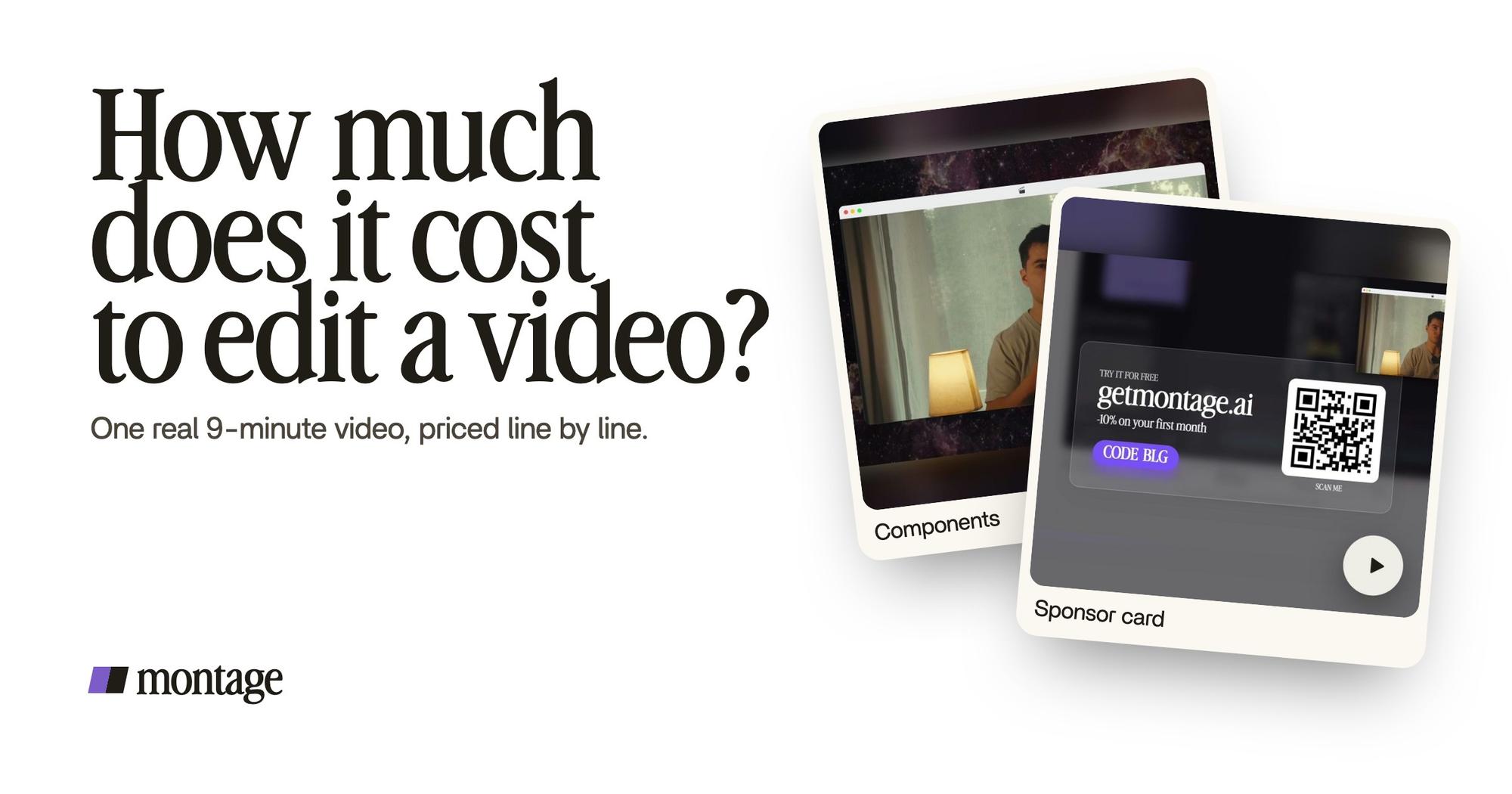
 ComponentsMy face cam is a component: a macOS window over the James Webb images, on every one of the 216 cuts. Click to watch it.
 Reusable componentsOne media card, used 26 times: a picture or a clip, its caption, on the dark page. Click to watch it.
Motion graphics, usually the biggest line (moonb). My face cam is a component: a macOS window over the James Webb images, on every one of the 216 cuts. And one media card, a picture or a clip with its caption, used 26 times. That's a face cam or a sponsor card made once and reused.
 Color correctionTakes 4 to 7 were filmed flat: the NOMAD LUT on each, the first three left as they were. Same frame, split.
 Sponsor cardA component made for the sponsor: frosted glass, the QR code and the code BLG. Click to watch it.
 Picture in pictureThe guest gets a window of her own: Bridgit at TechCrunch Disrupt, over a Mac desktop, while I keep talking.
The extras, each one more on the quote. Takes 4 to 7 were filmed flat, so each got the NOMAD LUT. A sponsor card in frosted glass, with its QR code and the code BLG. And the guest gets a window of her own: Bridgit at TechCrunch Disrupt, over a Mac desktop, while I keep talking.
Now count your own video against it. How much footage? How many cards, titles, windows? Is anything filmed flat? That's what your quote is made of.
The cost nobody puts in the table: review rounds.
In my opinion, the number to ask an editor isn't the rate. It's how many rounds are included.
Here's why. Sarb Johal, a YouTuber who writes The TechPacker, tried to hire an editor in 2024. Freelancers quoted him $200 to $400 per long-form video, at least $400 each for his five-to-eight-minute videos. So he tried an « unlimited » service: $500 for ten videos. The catch? Up to seven or eight rounds of feedback per video, his style notes ignored, and a 24-hour lag on every round because the editors were in another time zone. He got his money back and went back to editing himself.
What you're really buying is someone who gets the change right the first time.
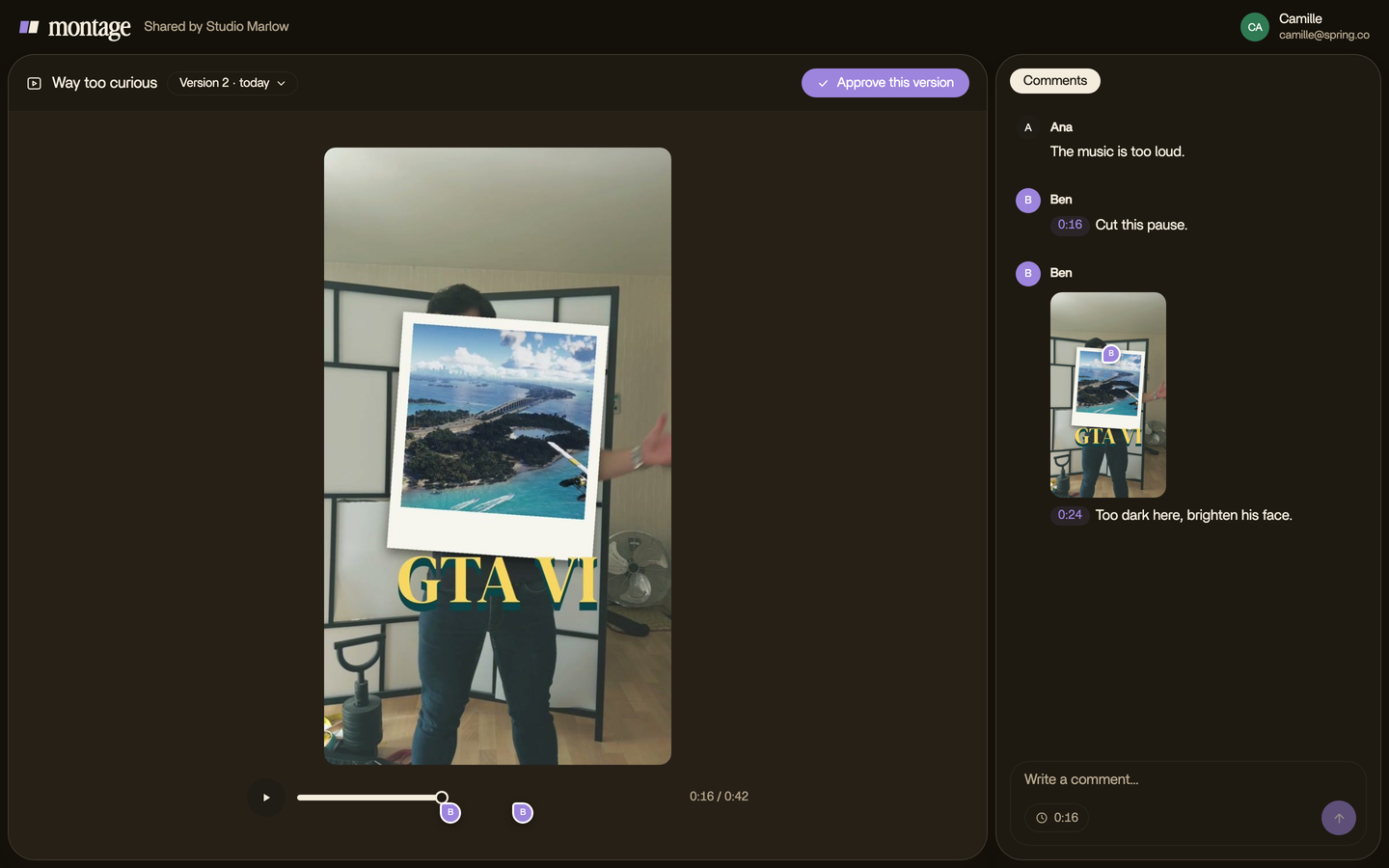
In Montage, you do the review round yourself. You pause, click on the spot of the picture that's wrong, and say what you want. Then « Fix all ».

And if a client reviews it? They get a link. No account. They comment on the video and press « Approve ».
Hire an editor, or describe it yourself?
Okay. So which one is for you?
Hire an editor if you want someone to take the whole thing off your hands. Truth is, that's what the money buys. Hire too if you're making a film or a TV show, or if you need an editor's judgement on the story itself.
Describe it yourself if you film yourself, post often, and the rounds are what's slowing you down. With an AI editor for YouTube videos, you say what you want, watch, and comment on what's wrong. Montage's plans and prices: Plus $25, Pro $50, Max $100, Ultra $200 a month, with teams on Max and Ultra.
Sure. But it doesn't have to be one or the other. Montage exports the MP4, the sound only, or the cut for Premiere Pro or DaVinci Resolve. So you can do the first pass yourself and hand the cut to an editor for the finish.

How much does it cost to edit a video? Your questions.
How much does it cost to edit a video?
Usually $200 to $2,000 per finished video (moonb.io, 2026). Freelancers charge $15 to $150+
an hour, studios $75 to $200+ per finished minute.
What is the average cost of video editing?
There's no single average. It depends on how you buy it: per hour, per minute, per video, a monthly service, or a
salary. For a salaried film and video editor in the US, the median is $70,980 a year (BLS, via moonb).
How much does it cost to edit a YouTube video?
For a 10-to-15-minute YouTube video, becreatives.co gives $150 to $500. One YouTuber was quoted $200 to $400 per
long-form video (The TechPacker, 2024). Motion graphics, a grade and extra rounds come on top.
How much do people charge to edit a 30-second video?
For a social clip under a minute, becreatives.co gives $50 to $200. Motion graphics, like an animation made for the clip, push it up (moonb).
Is it cheaper to hire an editor or edit it yourself?
Editing yourself costs less money and more time. Software goes from free to $299 (moonb), Montage is $25, $50 or $100 a
month. Hiring costs more and saves your time, as long as the rounds stay few.
See it in real videos.
Every card in this article comes from a real video, each one asked for in sentences. Here are the four.
 9:18
 2:07
 0:56
 0:38
That's it for this one. Now go count your own video.
See you in the next one.