Video podcast:
what it is, and what people actually see.
A video podcast is a podcast you can watch as well as hear. Here's what that means on screen, where it plays in 2026, and what an edited one looks like.
 Ben, founder of Montage · · 9 min read
In this post10 parts
- The short answer
- Is a YouTube video with a mic in it a video podcast?
- The four kinds of video podcast, by what's on screen
- What an edited video podcast shows
- Where a video podcast plays in 2026
- Audio and video from one edit
- Should you make a video podcast?
- What Montage doesn't do
- Questions about video podcasts
- See it in real videos
The short answer.
Ladies and gentlemen, let's start with the answer.
A video podcast is a podcast you can watch as well as hear. Same show, same episodes, but with a picture: the people talking, and sometimes what they're talking about.
You'll also hear it called a vodcast. Wikipedia gives both names, and defines it simply as a podcast that features video content.
Now, that's the definition. The question most people actually have is the next one.
Is a YouTube video with a mic in it a video podcast?
So is a YouTube video with a mic in it a podcast? Kind of. Let me explain.
It's a real question. People ask it on Reddit's r/podcasts. And here's the thing: the mic isn't what makes it a podcast. The show is. A podcast is a series, episode after episode, that people follow, usually through a feed they subscribe to. Transistor, a podcast host, describes video podcasts as on-demand talk shows, made to work in audio too.
So one long talking video on YouTube isn't a podcast. A weekly show with numbered episodes, in a podcast playlist, is.
The mic makes it look like a podcast. The series makes it one.
The four kinds of video podcast, by what's on screen.
Every page that ranks for « video podcast » explains it by where the file goes: a feed, a playlist, a format. Useful. But it doesn't tell you what your viewer actually sees. So let's sort them by the screen.
| What the viewer sees | What it costs you per episode | Still works by ear? | |
|---|---|---|---|
| 1. A still picture | The show's cover art, over the audio | No extra work: podcast hosts can make this video for YouTube for you | Yes, it is the audio |
| 2. A camera on the mic | The people talking, recorded as is | Setting up the camera and the light | Yes |
| 3. The same, cut | Retakes, pauses and dead air gone, the angle changing now and then | An edit pass on every episode | Yes |
| 4. An edited show | What you talk about appears on screen, the guest gets a window, the sponsor read gets a card | A real edit on every episode | Yes, if what's shown is also said |
Kind 1 is what The Podcast Host's guide describes: host integrations turn each episode into a static-image video for YouTube. Kind 2 is « point a camera at the mic », and it's what most advice stops at. If that's where you're starting, here's the camera, mic and light to film it.
Sure. But that's only the start.
Kind 3 is the first real edit: you cut the retakes and dead air, so the episode moves. Kind 4 is where the picture starts adding something the audio can't. And to edit either one, here's the software to edit a podcast, compared.
A camera on the mic makes it a video. What's on screen makes it worth watching.
What an edited video podcast shows.
Okay. Let me show you kind 4 with a real edit.
To be clear: this isn't a podcast. From Disney star to space CEO is a long YouTube video of mine, about Bridgit Mendler. But it's built like an episode: one person talking to the camera for 9 minutes and 18 seconds. It started as seven takes, 33 minutes filmed on an iPhone. The finished film has 216 cuts.
Here's what's on screen while I talk.
 ComponentsMy face cam is a component: a macOS window over the James Webb images, on every one of the 216 cuts. Click to watch it.
 B-rollGood Luck Charlie, Ready or Not, Billboard, the TODAY antenna: the face cam moves to the corner while each plays.
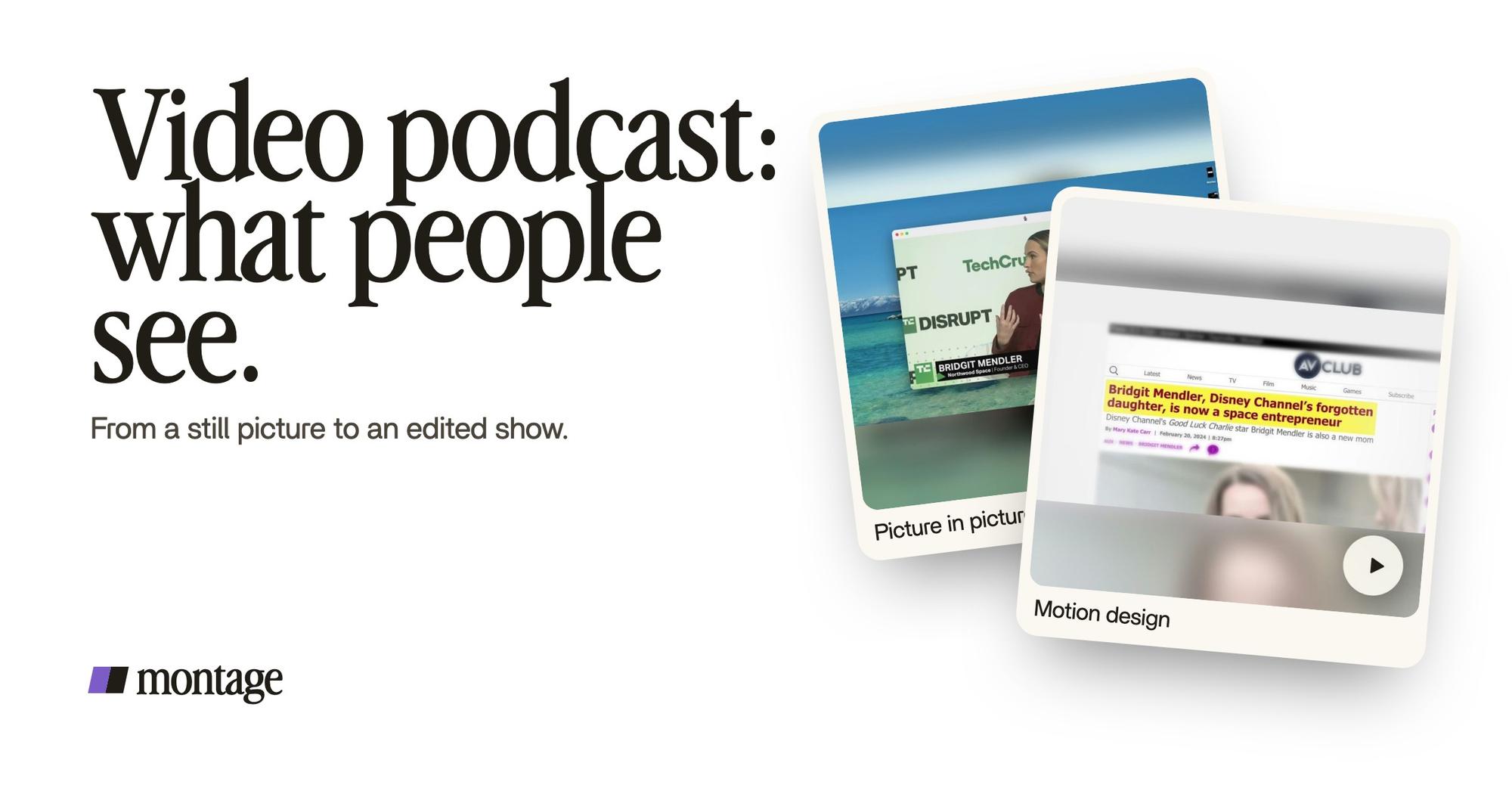
 Picture in pictureThe guest gets a window of her own: Bridgit at TechCrunch Disrupt, over a Mac desktop, while I keep talking.
- The face cam is a component. A macOS window over the James Webb images, on every one of the 216 cuts. Made once, then reused: a face cam window you reuse every episode.
- B-roll, with the face cam in the corner. Good Luck Charlie, Ready or Not, Billboard, the TODAY antenna: while each plays, my face cam moves to the corner.
- The guest gets a window of her own. Bridgit at TechCrunch Disrupt, over a Mac desktop, while I keep talking.
Now, the part that matters most for a podcast: what happens to the people who only listen?
 Motion designA real headline, highlighted in yellow while I read it. Click to watch it.
 Sponsor cardA component made for the sponsor: frosted glass, the QR code and the code BLG. Click to watch it.
A real headline comes up, highlighted in yellow, while I read it out loud. On screen and in the sound at the same time. The viewer sees it, the listener hears it. Nobody loses anything. And the sponsor read gets a card of its own: a component made for the sponsor, with frosted glass, the QR code and the code BLG.
That's the rule Wikipedia points at: the audio version suffers when something is shown that listeners can't follow. So show it, and say it. Every time.

Where a video podcast plays in 2026.
Let's put the platforms side by side. Checked on 29 October 2026, from the pages linked under the table.
| How video works there | The catch | |
|---|---|---|
| YouTube | You upload each episode and group them in a podcast playlist; they show up in YouTube Music too | Your YouTube subscribers don't carry over to your podcast feed (Transistor) |
| Spotify | Video podcasts since 2020, hosted on Spotify or sent from your host | Spotify then serves the audio from the video file, and the episode stops dynamic ad insertion (The Podcast Host) |
| Apple Podcasts | HLS video, launched in spring 2026: listeners can switch from listening to watching where they left off | Only through some podcast hosts, a list Apple says is growing: check Apple's page |
| Open RSS apps | HLS video through the podcast:alternateEnclosure tag, in apps like Fountain, TrueFans and Pocket Casts (Transistor) |
Smaller audiences, and your host has to support it |
Sources: Transistor, The Podcast Host, Apple.
How big is it? Bloomberg reported in March 2025 that a billion people a month watch podcasts on YouTube (as Wikipedia cites it). And Spotify says that in 2024, 40% of its users who streamed a new show chose a video podcast (as Transistor gives it).
So where do viewers find shows? YouTube's podcast page, Spotify, and Apple Podcasts' video section. That's where people watch. Which is why, honestly, I'd start where the viewers already are. The Podcast Host's advice says the same: focus on YouTube and Spotify for now.
Audio and video from one edit.
Here's the thing a lot of people miss: you don't need two edits. One for the video platforms, one for the audio feed. You need one edit, exported twice.
In Montage, export works the same on every plan: the MP4, or the sound only, from the same edit. Or the cut for Premiere Pro or DaVinci Resolve, if someone on your team finishes it there. That's the MP4 and the sound only, from the same edit.

The video goes to YouTube and Spotify. The sound goes to your podcast host. And if you want the audio version to stand on its own, here's how to make the audio version work by ear.
Edit once. Export the picture and the sound.
Should you make a video podcast?
You wouldn't be alone. In The Podcast Host's 2025 Independent Podcaster Report, 31% of indie podcasters publish full video versions of their shows, and another 32% are considering it.
In my opinion, yes, if your show is people talking and you can film it. The video gives you YouTube, where a lot of the watching happens, and it gives you short clips from each episode for TikTok, Reels and Shorts.
Sure. But not every show needs it. If people mostly hear yours while driving or running, it can stay audio. The Podcast Host puts it well, after James Cridland: the show must work when the eyes are busy. Video should add to that, never replace it.
Ready? Here's how to start one, step by step.
What Montage doesn't do.
Let's be clear, so you know what you're getting.
- Montage doesn't record your show. You film it with your camera or your recording tool, then drop the files in.
- Montage doesn't host your podcast or publish it. Your podcast host, YouTube and Spotify do that. No RSS feed, no scheduling.
- Montage doesn't import from a YouTube link. You drop in the files themselves.
- I won't promise Montage rescues noisy audio. Record clean sound first, and for the rest, here's cleaning up the sound.
What it does: you drop in the footage, say what the episode needs, watch it, and comment at the moment or on the spot of the picture that's wrong. Then « Fix all ». It runs in your browser, and your originals stay on your computer.
Questions about video podcasts.
What is a video podcast?
A video podcast is a podcast you can watch as well as hear: a series of episodes with a picture, from a still cover to a
camera on the people talking to a fully edited show. It plays on YouTube, Spotify and Apple Podcasts.
What is a podcast with video called?
A video podcast, or a vodcast. Both names mean the same thing.
Where can I watch video podcasts?
On YouTube (its podcast page and YouTube Music), on Spotify, and in Apple Podcasts, which added video in spring 2026.
Some open podcast apps play video too, like Fountain and Pocket Casts.
What is the best video podcast platform?
For most people, YouTube, because that's where a lot of the watching happens. Then Spotify. The Podcast Host's advice in
2026 is to focus on those two for now.
Can you put a video podcast on Spotify?
Yes. Spotify has taken video podcasts since 2020, hosted on Spotify or sent from your podcast host. One catch: the episode
stops dynamic ad insertion, according to The Podcast Host.
Are there free video podcast platforms?
YouTube costs nothing to upload to. Podcast hosts that send video to Spotify or Apple have their own prices: check their
pages.
See it in real videos.
Everything on screen in this article came from real edits, each one asked for in words. The four videos in the showcase show what went in and how each one was made.
 9:18
 2:07
 0:56
 0:38
That's it for this one. Now go film an episode.
See you in the next one.