Video podcast setup:
what to buy, and what to skip.
Most gear lists want you to buy everything, just in case. Here's the short one: what has to be right on the day, and what the edit can still fix.
 Ben, founder of Montage · · 8 min read
In this post8 parts
The short answer.
Ladies and gentlemen, let's start with the answer.
A video podcast setup needs four things. A good microphone for each voice. A quiet room with soft things in it. A camera at eye level, and your phone or a webcam is fine to start. And light on your face: a window, or one light. When there are two of you, add a second angle. That's it.
Everything else on the long lists (the mixer, the capture card, the two mirrorless cameras) can wait.
Why? Because a video podcast has two kinds of problems. The ones you have to get right on the day, and the ones the edit can still fix. Most gear lists treat them the same. They're not.
Buy for the sound. Fix the picture after.
When the episode is recorded, you'll need podcast editing software to turn it into something people watch. More on that at the end.
What the guides get wrong.
So what do the pages that rank for this search say? RØDE, Videomaker, Rob Cressy, Spotify. Let me explain.
They're shopping lists. Good ones, with real advice in them. But three of the four come from a brand or carry affiliate links, so every list ends in a cart.
And none of them says the thing a beginner needs to hear: some problems can't be fixed later, and some can. So you buy everything, just in case.
Truth is, most of that list you don't need on day one. Even Rob Cressy, who has made more than 1,000 episodes and owns a full studio, puts it simply on his site (2021): the only real need-to-have is a microphone. Start, publish, upgrade later.
The video podcast setup, part by part.
Okay. Let's go through it, in the order it matters.
1. Sound: get it right on the day
Sound is the one thing the edit can't rebuild. A voice recorded too far from the mic, or in an empty room that echoes, stays that way.
- One mic per voice. Every host and every guest gets their own.
- Close to the mouth. Spotify's audio experts (creators.spotify.com, March 2025) say that if you record on a phone, keep it 6 to 12 inches from your mouth, in airplane mode.
- A soft room. The same experts say the room often matters more than the price of the gear. Curtains, a sofa, a rug. Bare walls bounce your voice around.
- Wired headphones, not Bluetooth (Spotify's experts again).
- Separate tracks. RØDE's guide says to record each voice on its own track, so the edit can work on each one.
If the sound is bad, the episode is bad. If the picture is a little off, the edit can still save it.
2. Cameras: eye level, and one angle per person
So how many cameras do you need? Let me explain.
Alone, one is enough. With a guest, RØDE's rule is the one I'd follow: at least two angles. A wide shot of both of you, and a close-up of each. Cameras at eye level, always.
What camera? Videomaker says it plainly: your smartphone is often good enough to start with. For the lens, Videomaker notes that 24 mm is common on podcasts, and some go as wide as 16 mm.
3. Light: even, and on your face
RØDE says the light should be even on both hosts. My advice: a window in front of you, not behind. Or one light if the window isn't there.
Now, here's the good news. If the light isn't perfect, that's one of the problems the edit can fix. More on that in a second.
4. Recording: how the episode looks
Videomaker lists four ways to record a video podcast: a static image over the audio, in a studio, a remote interview, or the conversation with B-roll mixed in. Pick the one that fits your show.
And Rob Cressy's advice here is worth keeping: record the video even if you don't use it yet. You can't go back and film an episode you already recorded.
What the edit can fix later.
Now let's be clear about the other list. These are problems I had on real videos, two of them filmed on an iPhone, and how they came out after Montage edited them.
One thing first, to be honest: none of these videos is a podcast. They're talking-head videos and a long YouTube film with a guest. But that's what a solo or one-guest video podcast looks like on screen.
Light and color that came out wrong
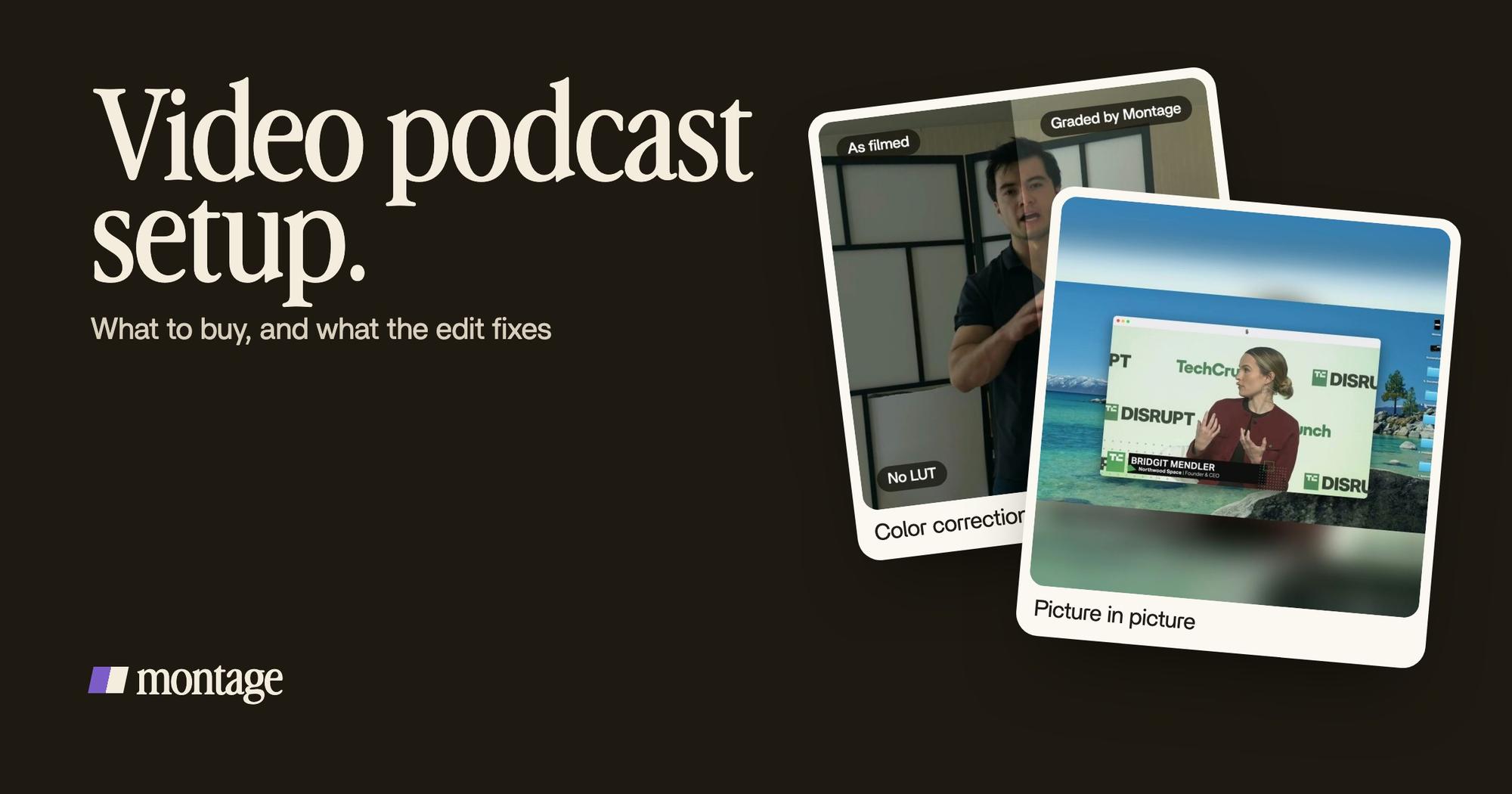
 Color correctionFilmed too dark on an iPhone. I asked for a grade, no LUT: Montage lifted it on its own. Same frame, split.
 Color correctionFilmed flat in Apple Log, my LUT on every shot. Same frame, split down the middle.
Way too curious was filmed too dark on an iPhone. I asked for a grade, no LUT, and Montage lifted it on its own. How to be creative was filmed flat in Apple Log, and Montage put my LUT on every shot. So if your room is a little dark, you can fix the color after.
One camera that feels static
 ZoomsA slow push-in on every shot, and on « everything » and « curious » the picture pulls back on black.
 TrackingLocked on me: Montage tracks me as I walk around the room.
 RotateThe notebook shots were filmed from above, upside down. Montage turned them the right way up.
One camera, one angle, for a whole episode? It can feel flat. In Way too curious, there's a slow push-in on every shot, and on two words the picture pulls back on black: punch-ins on every cut. In How to be creative, Montage tracks me as I walk around the room, so the frame follows you. And the notebook shots, filmed from above, upside down? Montage turned them the right way up.
The guest and the host on screen
 Picture in pictureThe guest gets a window of her own: Bridgit at TechCrunch Disrupt, over a Mac desktop, while I keep talking.
 ComponentsMy face cam is a component: a macOS window over the James Webb images, on every one of the 216 cuts. Click to watch it.
From Disney star to space CEO is 9 minutes and 18 seconds, from seven takes, 33 minutes filmed on an iPhone. The guest gets a window of her own, Bridgit at TechCrunch Disrupt over a Mac desktop, while I keep talking. And my face cam is a component: a macOS window over the James Webb images, on every one of the 216 cuts.
Do you see the pattern?
Light, color, framing, movement: all of it came after. The sound didn't.
The setup by budget.
Here's how I'd think about it. No prices: they change, and the sources' lists are theirs.
| Starting out | Stepping up | Full studio | |
|---|---|---|---|
| Sound | A phone 6 to 12 inches from your mouth, or one mic each | A dedicated mic per voice, separate tracks | The same, plus a console (Rob Cressy uses a RØDECaster Pro) |
| Camera | Your phone or a webcam, at eye level | A second angle when there are two of you | Mirrorless cameras (Rob Cressy: a Sony A6400 with a Sigma 16 mm) |
| Light | A window in front of you | One light | Key lights on each host (Rob Cressy: an Elgato Key Light) |
| Room | Soft things: curtains, a sofa, a rug | The same | The same |
| What the edit fixes | Light, color, framing, a static shot | The same | The same |
Who should go straight to the full studio? A show that streams live, or switches cameras in real time while it records. That needs a switcher or a console, as RØDE's and Videomaker's guides describe. Montage doesn't do that: it edits what you've already filmed.
Sure. But for everybody else? Start with the first column. Simple as that.
From the recording to the episode.
Here's how it goes once you've hit stop.
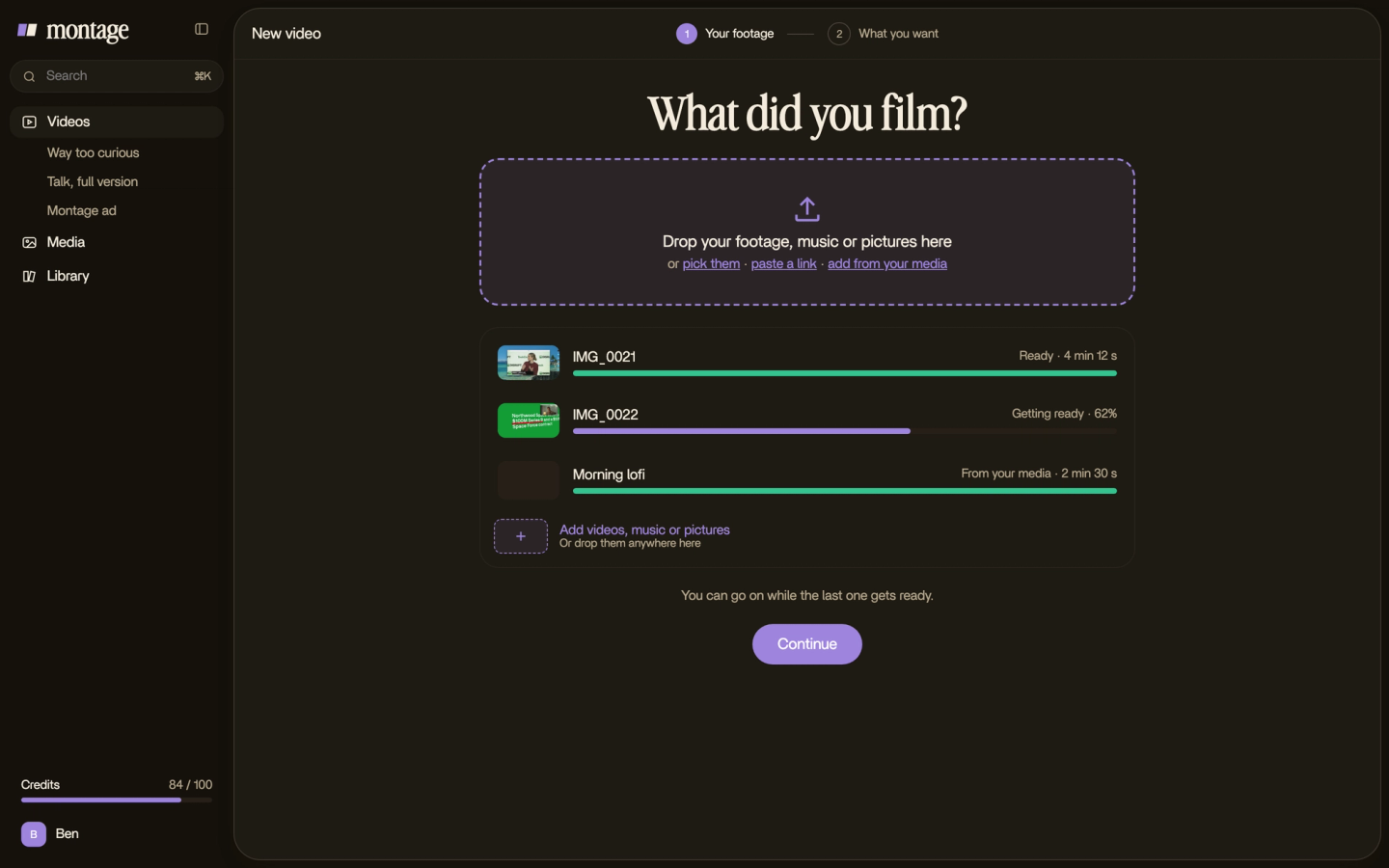
- Drop the footage in, as it is.
- Say what the episode is for. « A 30-minute episode for YouTube. Cut the pauses, fix the color, give the guest her own window. »
- Watch, and comment on what's wrong. Pause, point at the picture, say it. Then fix everything at once.
- Export. The MP4, the sound only for your audio feed, or the cut for Premiere Pro or DaVinci Resolve.


Want short videos from the episode too? Here's how to make clips from your video episode. For the sound itself, see editing the audio of your podcast.
Video podcast setup: your questions.
What do I need for a video podcast setup?
A microphone for each voice, a quiet room with soft things in it, a camera at eye level (your phone or a webcam is fine),
and light on your face. With a guest, add a second angle. That's the whole video podcast setup to start.
How many cameras for a two-person podcast?
RØDE's guide says at least two angles: a wide shot of both of you, and a close-up of each. With one camera, the edit can
still add movement with slow push-ins on every shot.
Can I film a video podcast on my phone?
Yes. Videomaker says your smartphone is often good enough to start with. Put it at eye level, and give the sound its own
mic.
How do you create a video podcast?
Set up the sound, the camera and the light, record the episode, then edit it and publish it. Here's the whole path, step
by step: how to start a video podcast. And if you're not sure what counts as one,
here's what a video podcast is.
What is the best platform for a video podcast?
The one where your audience already watches and listens. To be honest, the platform matters less than publishing every
week in the same place. Already have videos on YouTube? Here's turning a YouTube video into a
podcast.
See it in real videos.
Every card here comes from a real video, each one asked for in a sentence. The four real videos show what went in and what came out.
 9:18
 2:07
 0:56
 0:38
So buy the mic. Find a quiet room. Hit record.
See you in the next one.