Editing audio for podcast:
cut first, then clean.
Editing podcast audio is two jobs, and only one of them takes the hours. Here's the order I'd do them in, the free tools for each, and a real long talking video cut tight on camera.
 Ben, founder of Montage · · 10 min read
In this post11 parts
- The short answer
- The two jobs, and where the hours go
- Step 1: organise and listen once
- Step 2: the cut, the part that takes the time
- Step 3: cutting a video podcast without it looking jumpy
- Step 4: the sound passes, in order
- Step 5: export one edit, three files
- Free ways to edit podcast audio
- What Montage doesn't do
- Questions about editing audio for podcast
- See it in real videos
The short answer.
Ladies and gentlemen, let's start with the answer, because that's what you came for.
Editing audio for podcast comes down to two jobs. The first is the cut: the retakes, the pauses, the false starts, the tangents, the order. The second is the sound: noise, EQ, compression, music, loudness.
Here's the thing: they don't cost the same. The sound is a few passes with presets, or one AI button. The cut is where the hours go.
So my order is simple. Cut first. Then clean only what you kept. Then export one file for the feed and one for YouTube. That's it.
If you're still choosing your tools, I compared the podcast editing software in its own article. This one is about what to do to the audio, and in what order.
The two jobs, and where the hours go.
So where do the hours go? Not where you think. Let me explain.
Every guide that ranks for this search gives most of its page to the sound: noise profiles, EQ in hertz, compression ratios, LUFS. Then the cut gets a handful of bullets. But read their own numbers.
- The Podcast Host says a rough average is one hour of editing per hour recorded, and three to five hours for a « highly produced » episode.
- LucidLink puts it at 2 to 3 times the runtime for a light solo show, and 4 to 6 times for a heavily edited interview.
Those hours aren't spent dragging an EQ curve. They're spent listening, finding the bad take, and cutting it.
Cleaning a voice is a button now. The cut isn't.
Most of those pages name a one-click cleaner: Adobe Podcast Enhance, Descript's Studio Sound, and others. Sure, you can still do it by hand. But for most shows, the sound is the short job.
Step 1: organise and listen once.
Before you cut anything, get everything in one place.
- Put every file in one folder: each mic, the camera, the music. Keep the originals untouched.
- Sync by the clap. Hollyland's guide suggests a clap or a « 3, 2, 1 » at the start of the recording, so every track lines up on one spike.
- Listen once, all the way through. Don't fix anything yet. Drop a marker wherever you get bored, lose the thread, or hear a retake.
That first listen is your map. The cut follows it.
Step 2: the cut, the part that takes the time.
Now the real work. Four things go in this pass.
- Retakes. You said the line twice. Keep the best one.
- Pauses. The dead air while you think.
- False starts. « So the… actually, the thing is… »
- Tangents. The five minutes that went nowhere. If a tangent is good on its own, don't throw it away: Hollyland's advice is to save it as a clip. That's what clips from your video episode are for.
How much should you cut? Here's where people go wrong. Cut too little and the episode drags. Cut too much and the voice sounds robotic, a warning both Hollyland and LucidLink give.
Hollyland's starting values are a good rule:
- Remove fillers when they come in clusters of three or more, not every single « um ».
- Leave 0.3 to 0.5 seconds between thoughts, so the speaker still breathes.
And for the fillers alone? The Podcast Host ran its own test: its tool, Alitu, cut 4 minutes from a 40-minute interview. Four minutes. On a show your listener plays every week, that adds up.
In Montage, this pass is a sentence. You say cut the ums, pauses and retakes, and it keeps the best take of each line.
Cut the boring part first. Nobody listens to a clean recording of a boring minute.
Step 3: cutting a video podcast without it looking jumpy.
A lot of shows are filmed now. If yours is, here's the problem: the audio can't be cut alone. Every cut in the sound is a cut in the picture. That's what a video podcast is, after all: the sound and the picture, together.
The Podcast Host says it plainly: on video, « you really can't go as granular as audio ». So their advice is to barely cut the video at all. Top and tail, and that's it.
I think that's too careful. Let me show you why, with a real video.
My film From Disney star to space CEO isn't a podcast. But it's made like an episode: me, talking, for a long time. It started as seven takes, 33 minutes filmed on an iPhone. The finished video is 9 minutes and 18 seconds, with 216 cuts. Every retake and every pause is gone.
So why doesn't it look jumpy? Two things.
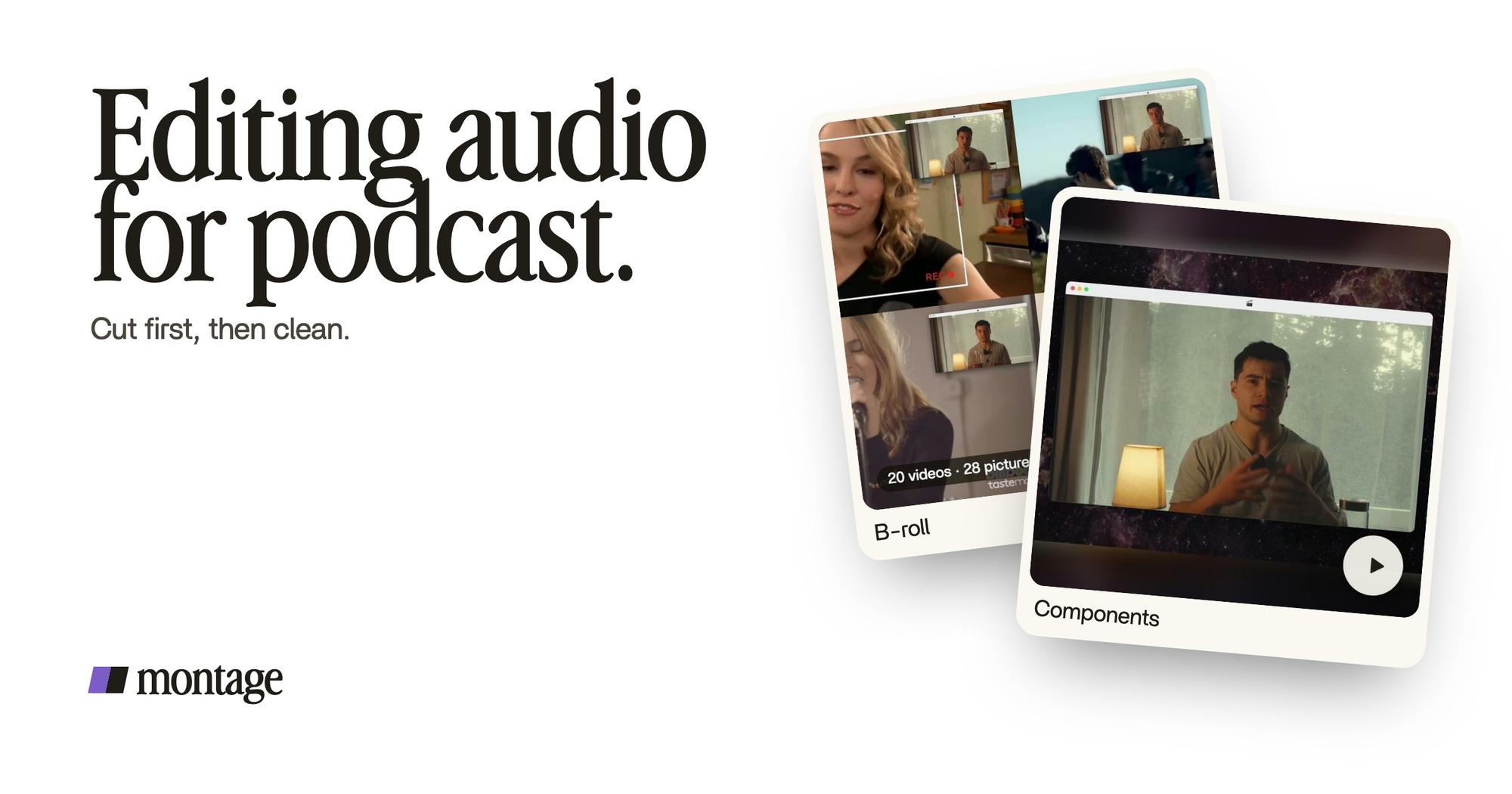
 ComponentsMy face cam is a component: a macOS window over the James Webb images, on every one of the 216 cuts. Click to watch it.
 B-rollGood Luck Charlie, Ready or Not, Billboard, the TODAY antenna: the face cam moves to the corner while each plays.
First, my face cam is a component: a macOS window over the James Webb images, on every one of the 216 cuts. A jump inside a small window reads as a beat, not a mistake. Second, B-roll that covers the cut: when Good Luck Charlie or the TODAY antenna plays, the face cam moves to the corner. The cut happens under the picture.
On camera, you don't cut less. You hide the cut better.
Here's how that cut works in Montage, with a recording dropped in as it is.

Montage cuts the sound and the picture together. So one edit feeds both: the video for YouTube and the sound for the feed. If you're not filming yet, here's how to start a video podcast.
Step 4: the sound passes, in order.
Okay. The cut is done. Now clean what you kept.
Why after? Because it's quicker to clean what you kept than everything you recorded. And because the free denoisers have limits. LucidLink notes that Adobe Podcast Enhance's free plan takes uploads up to 500 MB, files up to 30 minutes, and one hour of processed audio a day. So on the free plan, you run it on your final edit.
Sure. Hollyland and the CEU podcast guide put noise first. And inside the sound pass, they're right: noise goes before EQ and compression. But only on what you kept.
Here are the passes, in order, with a safe place to start. The values are Hollyland's.
| Pass | What it fixes | Where to start | A free tool |
|---|---|---|---|
| Noise | Hum, hiss, room echo | One-click enhance, or a noise profile | Adobe Podcast Enhance (free plan), Audacity |
| EQ | Rumble, a boxy or dull voice | High-pass at 80 to 100 Hz | Audacity, GarageBand (Mac) |
| Compression | A voice that jumps from quiet to loud | A ratio of 3:1 to 4:1 | Audacity, GarageBand (Mac) |
| Music | Intro, outro, breaks | 15 to 20 dB under the voice | Audacity |
| Loudness | One episode louder than the next | Apple -16 LUFS, Spotify -14 LUFS | Audacity |
In plain words: EQ is the tone of the voice, compression evens out the loud and the quiet, and LUFS is how loud the whole episode feels.
One trick from the CEU guide I like: a loud breath? Paste a bit of silent room tone over it. It sounds more natural than pure silence.
And the best noise fix happens before you edit: record cleaner sound in the first place.
Where does this happen with Montage? Not in Montage. I'll come back to that below.
Step 5: export one edit, three files.
Here's what to keep at the end.
- An MP3 for the feed. Hollyland's starting point: 128 kbps, mono, for a voice show.
- A WAV master. The full-quality file, in case you ever need to re-export.
- The MP4 for YouTube, if you filmed.

From Montage, you export the MP4, the sound only, or the cut for Premiere Pro or DaVinci Resolve. The sound only is the file you clean and put on the feed. More on that in turn a YouTube video into a podcast.
Free ways to edit podcast audio.
Where can you edit podcast audio for free? These are the ones the guides name.
- Audacity: free, a download, Mac and Windows. Every sound pass in the table above.
- GarageBand: free on a Mac.
- Adobe Podcast Enhance: runs in the browser, with the free-plan limits above.
- Descript: has a free tier.
Prices on the paid tools change, and the pages I read don't agree on them. Check their pricing pages.
What Montage doesn't do.
Let's be clear, because this matters.
- Montage doesn't clean your sound. No noise reduction, no EQ, no compression, no loudness metering. Use a denoiser or a DAW for that, on the sound-only export, or in Premiere Pro or DaVinci Resolve from the exported cut.
- It doesn't record your show, host it, or publish it.
- An audio-only show doesn't need Montage. If there's no camera, a DAW like Audacity does the whole job. Start with the podcast editing software comparison.
What Montage does is the cut, on the picture and the sound together, plus the music, the B-roll and the sponsor card. It runs in the browser, and your originals stay on your computer.
 Sponsor card
That's the sponsor break LucidLink's guide mentions: a component made for the sponsor, frosted glass, the QR code and the code BLG.
Questions about editing audio for podcast.
What is the best way to edit podcast audio?
Cut first, then clean. Listen once and mark the problems, cut the retakes, pauses, false starts and tangents, then run the
sound passes on what you kept: noise, EQ, compression, music, loudness. Export an MP3 for the feed and keep a WAV master.
What audio editing software is best for podcasts?
It depends on the show. Audacity is free and does every sound pass. Descript and Adobe Audition are the common paid
choices. For a filmed show, a video editor that cuts picture and sound together saves the double work. Here's
the podcast editing software, compared.
Where can I edit podcast audio for free?
Audacity (a download, Mac and Windows), GarageBand on a Mac, Adobe Podcast Enhance's free plan in the browser, and
Descript's free tier.
How long does it take to edit a podcast?
The Podcast Host says about one hour per hour recorded on average, and three to five hours for a highly produced episode.
LucidLink says 2 to 3 times the runtime for a light solo show, 4 to 6 times for a heavy interview.
Should I remove every um?
No. Cut fillers when they come in clusters, leave a short breath between thoughts, and stop before the voice sounds
robotic.
Can I edit a video podcast and its audio in one go?
Yes, if the editor cuts the picture and the sound together. In Montage, one edit gives you the MP4 for YouTube and the
sound only for the feed. You still clean that sound in a denoiser or a DAW.
See it in real videos.
If you've never edited anything before, start with video editing for beginners. And to see the long film above, and how each video was made, here are the four videos in the showcase.
 9:18
 2:07
 0:56
 0:38
That's it for this one. Now go cut that episode.
See you in the next one.