Podcast editing software:
what to use for your show.
Most lists sort podcast editing software by audio features. But a lot of shows now are videos people watch. So let's sort the tools by your show, and by who does the editing.
 Ben, founder of Montage · · 9 min read
In this post11 parts
- The short answer
- How this guide sorts podcast editing software
- Audio editors: Audacity, GarageBand, Hindenburg, Reaper, Audition
- Record-and-edit platforms: Riverside, Zencastr, Alitu
- Text-based editors: Descript and Adobe Podcast
- Video podcasts: the picture is the work
- Free podcast editing software, honestly
- Clips from your episode
- How to choose your podcast software
- Questions about podcast editing software
- See it in real videos
The short answer.
Ladies and gentlemen, let's start with the answer.
The best podcast editing software is the one that fits your show. And that comes down to one question: do people watch your show, or only hear it? Then a second one: who does the editing? You on a waveform, you in a transcript, or an AI you talk to?
Here are the four kinds of tools, side by side.
| Kind | Tools | Audio | Video | Who edits | Best for |
|---|---|---|---|---|---|
| Audio editors (DAWs) | Audacity, GarageBand, Hindenburg, Reaper, Adobe Audition | Yes, in depth | No | You, on the waveform | Audio-only shows, fine sound work |
| Record-and-edit platforms | Riverside, Zencastr, Alitu | Yes | Riverside and Zencastr, yes | You, mostly by text | Recording remote guests, all in one place |
| Text-based editors | Descript, Adobe Podcast | Yes | Descript, yes | You, in the transcript (Descript also takes prompts) | Editing a talk like a document |
| Video editors | Premiere Pro, DaVinci Resolve, Montage | Basic to full | Yes | You on a timeline, or an AI you talk to (Montage) | Video podcasts on YouTube, and clips from your video episode |
My verdict, in one line each:
- An audio-only show? A DAW. Audacity if you want free, Hindenburg if you want it made for spoken word.
- Remote guests? A record-and-edit platform like Riverside.
- You like editing words, not waveforms? Descript.
- A video show on YouTube, and you'd rather ask than edit? That's where Montage fits. I'll show you why below.
How this guide sorts podcast editing software.
So how did I pick? Let me be clear about it.
I didn't test every tool for this guide. I read the guides that rank for this search, read the tools' own pages, and sorted the tools by the one thing that changes your work: what your show is, and who does the cutting. Every price below comes from the page that gives it: The Podcast Host's guide (updated 29 March 2026) or Riverside's (updated 2 July 2026). Prices move, so check each tool's pricing page before you buy.
And one more thing. Two of the top guides on Google are written by a company ranking its own tool first. I make Montage, so I'll tell you exactly where it fits, and where it doesn't.
Audio editors: Audacity, GarageBand, Hindenburg, Reaper, Audition.
A DAW (a digital audio workstation) is where you edit sound on a waveform. Cut, move, level, clean, add music. A lot of podcasters start here.
How many? In The Podcast Host's 2024 survey of more than 500 podcasters, Audacity came first with 24 %, then Adobe Audition with 16 % and GarageBand with 9 %.
- Audacity: free, on Mac, Windows and Linux. The most used in that survey.
- GarageBand: free on a Mac. Simple, and enough for a lot of shows.
- Hindenburg: made for spoken word. $12 a month, per The Podcast Host.
- Reaper: a full DAW for a $60 licence, per Riverside's guide.
- Adobe Audition: Adobe's audio editor. $34.49 a month, per Riverside.
Who are they for? Audio shows, and anyone who wants full control of the sound. Who aren't they for? Anyone with a video show. They don't touch the picture. If audio is your whole show, here's how to edit the audio step by step.
Record-and-edit platforms: Riverside, Zencastr, Alitu.
These record the call and edit it in the same place. Riverside and Zencastr record video too, and Riverside lets you edit by text. Alitu records and edits audio.
- Riverside: from $29 a month, per its own guide, which ranks it first. It has an AI agent (Co-Creator), clips (Magic Clips), and, in its words, you still get a traditional timeline.
- Zencastr: from $30 a month, per Riverside.
- Alitu: $38 a month, per The Podcast Host. Their own product, ranked in their own guide.
Here's the thing: if your guests are remote, recording well is half the battle, and these tools are built for it. Here's the setup to film it.
Text-based editors: Descript and Adobe Podcast.
So what's text-based editing? You get the transcript, and you edit the words. Delete a sentence, and the audio and video go with it.
- Descript: « multitrack audio editing, just like editing text », in its own words. It removes filler words and retakes, makes clips, cleans the voice (Studio Sound), and takes prompts through its agent, Underlord. From $24 a month, per Riverside.
- Adobe Podcast: records in the browser, and its Enhance tool cleans a voice recorded in a bad room.
Truth is, this is a big step up from a waveform for a talking show. Sure. But you're still the editor. You still read every line and decide every cut.
Video podcasts: the picture is the work.
Now, the part every guide I read puts in one paragraph.
A lot of shows are watched on YouTube now. And once your podcast is a video, the work moves. Riverside says it plainly: for a video podcast, you need « 2 tools… or one that can handle both ». Cleaning a voice? One click, in Descript or Adobe Podcast. Cutting the retakes, choosing what's on screen while you talk, the captions, the sponsor read? That's the real work.
Cleaning a voice is one click now. Editing the picture isn't.
Let me show you with a real video. It's not a podcast. It's my long talking film, From Disney star to space CEO. But it's exactly the work of a video episode: one person talking for a long time, a guest I talk about, a sponsor.
Seven takes. 33 minutes filmed on an iPhone. The finished video: 9 minutes and 18 seconds, with 216 cuts. Montage cut the ums and dead air and the retakes, and kept the best take of each line.
 ComponentsMy face cam is a component: a macOS window over the James Webb images, on every one of the 216 cuts. Click to watch it.
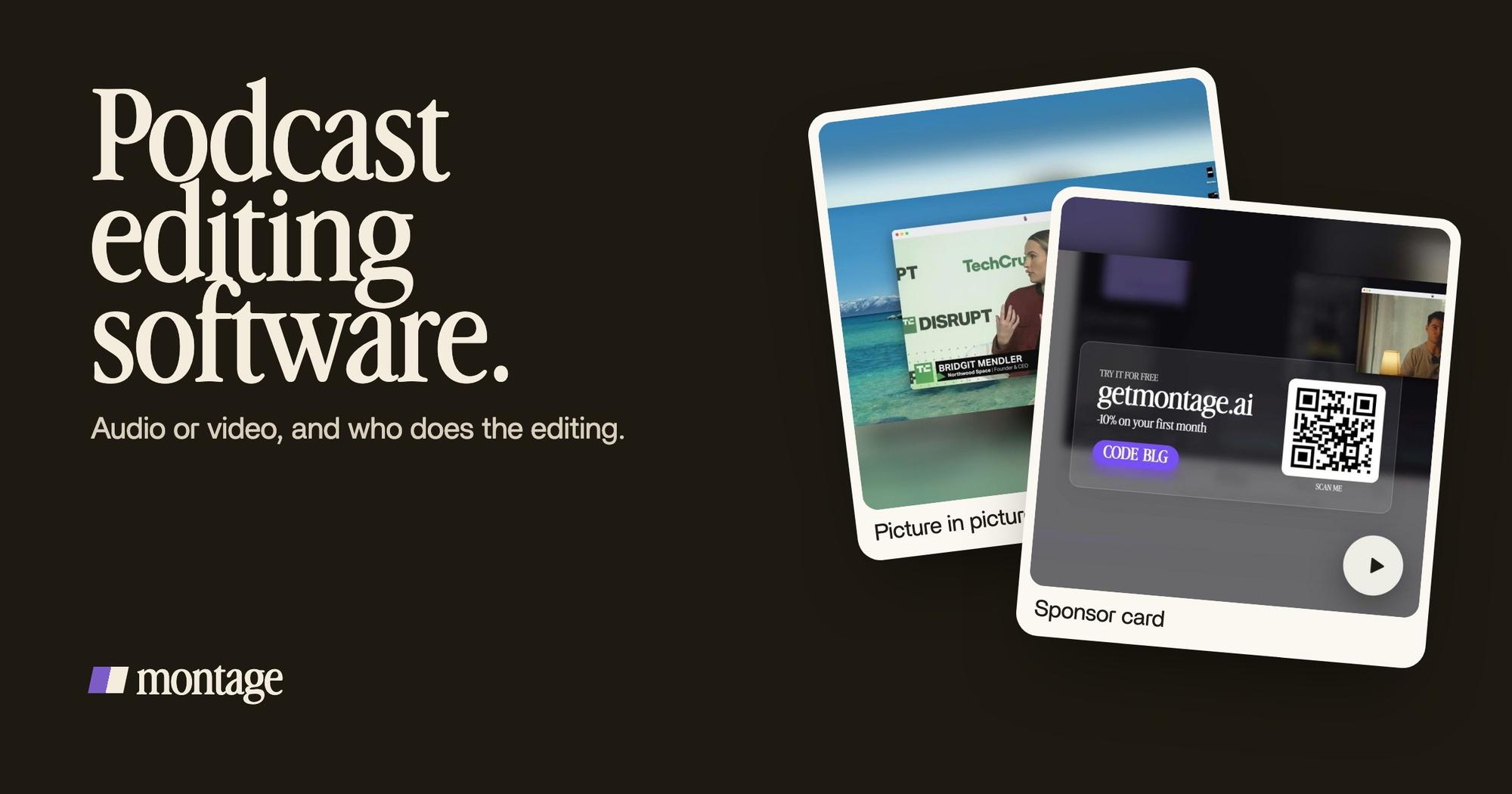
 Picture in pictureThe guest gets a window of her own: Bridgit at TechCrunch Disrupt, over a Mac desktop, while I keep talking.
 B-rollGood Luck Charlie, Ready or Not, Billboard, the TODAY antenna: the face cam moves to the corner while each plays.
My face cam is a component: a window that stays on every one of those 216 cuts. When I talk about Bridgit, she gets a window of her own, her footage from TechCrunch Disrupt, while I keep talking. And when a clip plays, the face cam moves to the corner.
Then the sponsor read. A lot of video podcasts have one.
 Sponsor card
A sponsor card: frosted glass, the QR code, the code BLG. Like the face cam, it's a component, so you get a face cam and a sponsor card you reuse, episode after episode.
And how do you ask for all that? Like this.

Now, honestly: what doesn't Montage do? It doesn't clean your sound. There's no noise remover in it today. It doesn't record, and it doesn't host or publish your show. So if your voice needs cleaning, run it through a denoiser first (Adobe Podcast Enhance or Descript's Studio Sound), then drop it in.
And if you want to finish the mix in a real audio tool, you can. Montage exports the MP4, the sound only, or the cut for Premiere Pro or DaVinci Resolve.

Want the full picture of the format first? Here's what a video podcast is.
Free podcast editing software, honestly.
Is there free podcast editing software that's good? Yes.
- Audacity: free, for audio.
- GarageBand: free on a Mac, for audio.
- DaVinci Resolve: a free version, for video.
- Soundtrap, GarageBand, Audacity and Descript were Transistor's free picks in 2023. That list is old, so check each one's plan today.
Free costs you something else: time. You do every cut by hand. For an audio show, that's fine. For a weekly video show, it adds up fast.
Clips from your episode.
Then come the clips. One episode, a few vertical shorts for TikTok, Reels and Shorts.
The record-and-edit platforms and Descript make clips. In Montage, you ask for them: a moment, vertical, with captions in your own fonts. These two are shorts, not podcast clips, but it's the same job.
 Auto captionsEvery line on screen in my own font, timed to my voice.
 CaptionsYellow, uppercase, a blue drop shadow, and the key word drawn bigger.
How to be creative has every line in my own font. Way too curious has yellow, uppercase captions with the key word drawn bigger.
One thing to know: Montage doesn't take a YouTube link yet. You drop the file itself.
How to choose your podcast software.
Here's how I'd do it. Three questions.
- Do people watch it, or only hear it? Only hear it: a DAW or Descript. Watch it: a video editor, or a platform that records video.
- Who edits? You, by hand: Audacity, Hindenburg, Premiere Pro, Resolve. You, by text: Descript, Riverside. Nobody, you just ask and comment: Montage.
- Do you need clips? Then pick a tool that makes them, so you don't add a third one.
Pick the tool for the show you make, not the one you used to make.
If you haven't started yet, here's how to start a video podcast. And if you already have a YouTube channel, you can turn a YouTube video into a podcast. New to editing altogether? Start with video editing for beginners.
Questions about podcast editing software.
What is the best software to edit podcasts?
It depends on your show. For audio only, Audacity (free) or Hindenburg. For editing by text, Descript. For recording
remote guests, Riverside. For a video podcast you'd rather describe than edit by hand, Montage. In The Podcast Host's
2024 survey, Audacity was the most used, at 24 %.
Which app is best for podcast editing?
On a Mac, GarageBand is free and simple. For a phone-filmed video show, an editor that handles the picture, like Montage
in the browser, or Premiere Pro and DaVinci Resolve on a computer.
What is the best way to edit podcast audio?
Clean the voice first, then cut the ums and long pauses, level the speakers, and keep music quiet under the voice. A DAW
or Descript does all of it. Here's how to edit the audio in full.
Is there free podcast editing software?
Yes. Audacity and GarageBand for audio, and DaVinci Resolve's free version for video.
Can AI edit a podcast?
Yes, more and more. Descript's Underlord and Riverside's Co-Creator take prompts. In Montage, you describe the whole edit,
then comment on the video until it's right. It doesn't clean the sound, though: use a denoiser for that.
See it in real videos.
Everything I showed you on the video side comes from real videos, each asked for in sentences. The four videos in the showcase show what went in and how each one was made.
 9:18
 2:07
 0:56
 0:38
That's it for this one. Pick the tool for your show, and get the next episode out.
See you in the next one.