Apple Log 2:
what changed from Apple Log.
Your iPhone says « Apple Log 2 » now. Your footage still comes out grey. So what actually changed? Let me explain, with real Log footage before and after.
 Ben, founder of Montage · · 8 min read
In this post9 parts
What is Apple Log 2?
Let's start with the answer.
Apple Log 2 is the second version of Apple's Log format, on the iPhone 17 Pro. It records « an even wider color gamut » than Apple Log, in ProRes or HEVC. Those are Apple's own words, in its newsroom post on Final Cut Camera 2.0 (September 9, 2025).
So what does that mean for you? Your footage still comes out flat and grey, on purpose. What changes is the step after: the LUT that brings the color back. Apple Log 2 takes its own LUT. Apple calls it the « Log 2 LUT », and it applies in Final Cut Pro for iPad and Mac.
That's the whole article in two lines. Now let's go through it.
Same grey footage. A different LUT.
Apple Log vs Apple Log 2.
Okay. Let's put the two side by side, with only what a source says, and who says it.
| Apple Log | Apple Log 2 | |
|---|---|---|
| iPhones | iPhone 15 Pro and 16 Pro (loggate) | iPhone 17 Pro (Apple) |
| Arrived | With the iPhone 15 Pro, in 2023 (loggate) | With the iPhone 17 Pro, in 2025 (Apple) |
| Color gamut | The baseline | « An even wider color gamut » (Apple) |
| Highlights | The baseline | A smoother roll-off (loggate) |
| Curve | The baseline | Flatter, lower contrast (Absoluts) |
| Codec | Not in the sources read | ProRes or HEVC (Apple) |
| The LUT | A LUT made for Apple Log | Apple's Log 2 LUT (Apple) |
One thing to know: some pages say Apple Log 2 « requires ProRes ». Apple's own page says ProRes or HEVC. I go with Apple.
And a funny detail. Blake Calhoun, on iPhoneographers, noticed that Apple added Apple Log 2 « quietly »: not a word at the iPhone 17 Pro launch, only a line in the tech specs. After months of using it, his verdict is that it's better than Apple Log, « but probably not the way you think ».
Which iPhones shoot Apple Log 2?
Only the iPhone 17 Pro, per Apple's newsroom.
The iPhone 15 Pro and the iPhone 16 Pro shoot the original Apple Log, not Apple Log 2 (loggate, « What filmmakers need to know »). So if you have a 16 Pro, you're not missing a setting. Your phone simply shoots the first version.
How do you turn it on? You pick it in the recording formats, in Final Cut Camera or in the Camera app. Final Cut Camera is free and needs iOS 18.6 or later, and some of its features need iOS 26 or an iPhone 17 Pro (Apple). For the filming side, exposure, white balance and the rest, here's how to shoot Apple Log.
What Apple Log 2 changes in the edit.
So what actually changed, for you, after filming? Let me explain.
Log footage looks grey because it keeps as much of the light and color as it can, and leaves the look for later. That's the point. Then a LUT, a file that turns flat footage into a finished color, brings it back. If you want the bigger picture, here's what color grading is.
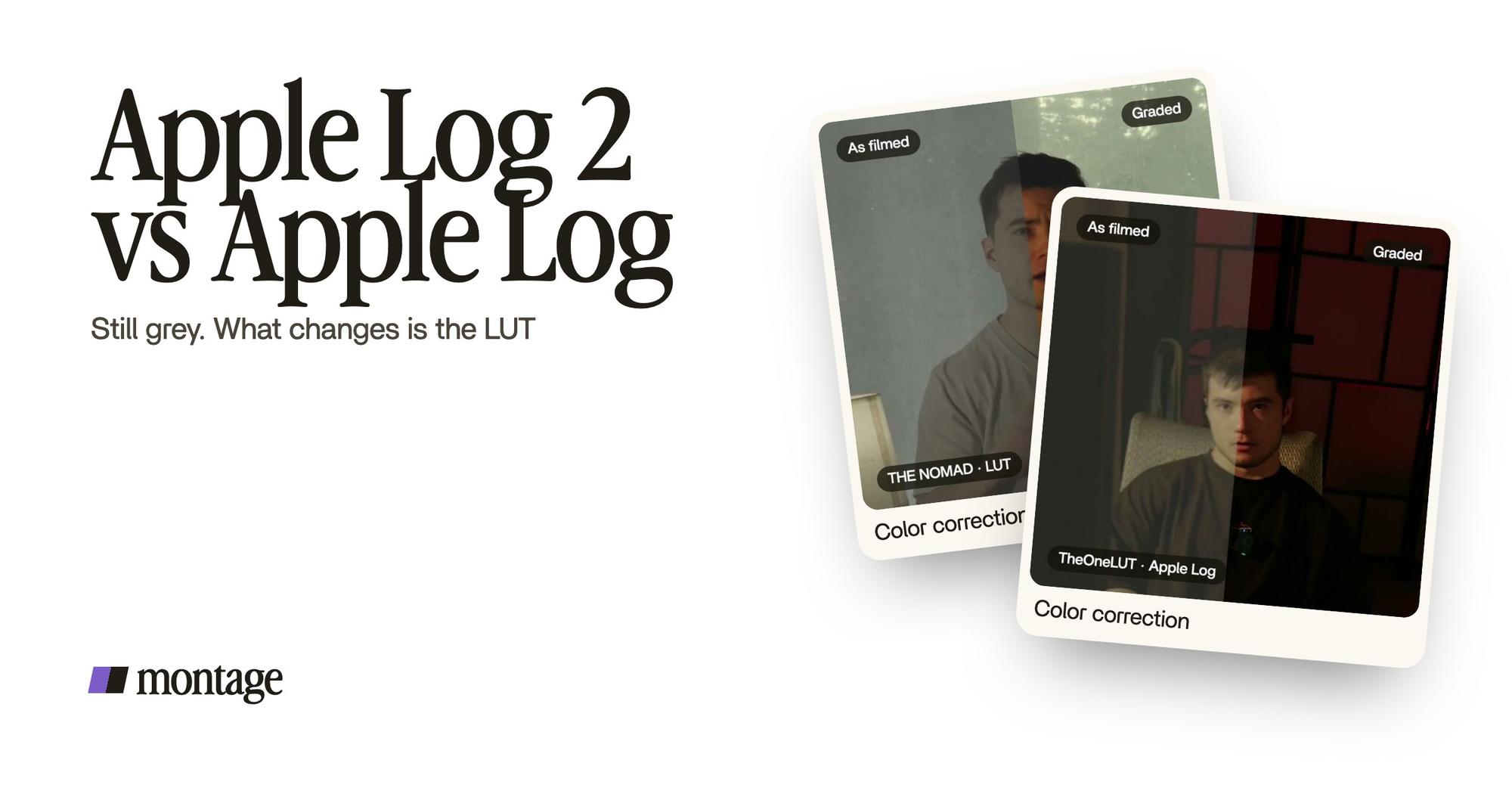
Here's what Log footage looks like before and after its LUT. This short, How to be creative, was filmed in Apple Log, the first version. Same frame, split down the middle.
 Color correction
With Apple Log 2, it's the same idea. Grey in, color out. The only difference is which LUT you put on it. Use the Log 2 LUT, or one made for Apple Log 2.
Can you use your old Apple Log LUT? Calhoun says the original Apple Log LUTs « do work » on Apple Log 2, but they need more finessing, because the color space changed. Getting and applying one is its own topic: here's the guide to an Apple Log LUT.
Grey in, color out. Just use the LUT made for your format.
Where do you apply it? Final Cut Pro 11.2 and later, and Final Cut Pro for iPad 2.3 and later, have the Apple Log 2 LUT built in. DaVinci Resolve converts it with a Color Space Transform. Premiere's color management auto-detects iPhone log (loggate, checked on 2026-10-29: editor support moves fast, so check again). More on picking a color grading program.
And three mistakes loggate warns about, in its iPhone 17 Pro guide:
- Adding exposure because the preview looks dark. Log looks flat on purpose.
- Converting twice. One conversion per clip, not a LUT on top of a transform.
- A LUT made for another camera's log. It won't look right.
One clip, one treatment.
Now, here's the part that trips people up.
What if your video mixes formats? An old iPhone and a new one. Some takes in Log, some normal. loggate's FAQ says you can mix Apple Log and Apple Log 2 on one timeline, but each clip needs the right transform.
Let me show you what that looks like on a real video. From Disney star to space CEO is 9 minutes and 18 seconds, from seven takes. Takes 4 to 7 were filmed flat: the NOMAD LUT went on each of them, and the first three were left as they were. And the ad Edit it all with AI was filmed flat in HDR, with the NOMAD LUT on every shot.
 Color correctionTakes 4 to 7 were filmed flat: the NOMAD LUT on each, the first three left as they were. Same frame, split.
 Color correctionFilmed flat in HDR, the NOMAD LUT on every shot. Same frame, split.
To be clear, neither of those was filmed in Apple Log 2. But the lesson is the same for you. Each clip gets the LUT made for its own format. Apple Log clips get the Apple Log LUT, Apple Log 2 clips get the Log 2 LUT.
And normal clips? They get no LUT at all. Way too curious was filmed too dark on an iPhone, not in Log. I asked for a grade, no LUT, and Montage lifted it. That's correcting exposure and white balance, not undoing Log.
 Color correction
One clip, one treatment. Every time.
Applying the LUT without a color panel.
So how do you do this in Montage? You say it. Which clips are Apple Log 2, which LUT goes on them. « My LUT on every shot » is exactly what happened in How to be creative. Then you look at the split frame.

If one shot is still off, pause on it, click on the picture, and say what's wrong. Then « Fix all ».

That's color grading done by asking. More on grading with AI here. And if you'd rather finish the grade yourself, you can export the cut to Premiere Pro or DaVinci Resolve.
Should you use Apple Log 2?
If you have an iPhone 17 Pro and you grade your videos, yes. It's the newer format, with « an even wider color gamut » to work with (Apple).
Sure. But for everybody else? Honestly, if you post straight to TikTok with no grade, you don't need Log at all. Normal video looks finished out of the camera. Log only pays off if you put the LUT on afterwards. And if you do shoot Log, Calhoun's advice: a LUT can preview the look in camera apps like Blackmagic Camera or Kino, without baking it in. He'd only bake it in for fast social posts.
And if you have a 15 Pro or a 16 Pro? Apple Log is still Log. Same idea, same grey, its own LUT. You're fine.
Apple Log 2: your questions.
What is Apple Log 2?
Apple Log 2 is the second version of Apple's Log format, on the iPhone 17 Pro. It records an even wider color gamut than
Apple Log, in ProRes or HEVC, and takes Apple's Log 2 LUT (Apple newsroom, September 9, 2025).
What iPhones have Apple Log 2?
The iPhone 17 Pro. The iPhone 15 Pro and 16 Pro shoot the original Apple Log.
What is the difference between Apple Log and Apple Log 2?
Apple Log 2 has a wider color gamut (Apple), a smoother highlight roll-off (loggate) and a flatter curve (Absoluts). For
you, the practical difference is the LUT: each format takes its own.
How do I turn on Apple Log 2?
On an iPhone 17 Pro, pick it in the recording formats, in Final Cut Camera or the Camera app. Here's how to shoot Log on
an iPhone once it's on.
Can I use an Apple Log LUT on Apple Log 2 footage?
It works, says Blake Calhoun, but it needs more finessing, because the color space changed. A LUT made for Apple Log 2
is the better fit. More in the Apple Log LUT guide.
See it on real footage.
The before and afters in this article are from real videos, each one asked for in a sentence. Watch the Log short, or the four videos in the showcase.
 9:18
 2:07
 0:56
 0:38
That's it for this one. Now go film something grey.
See you in the next one.