What is color grading:
the meaning, with real examples.
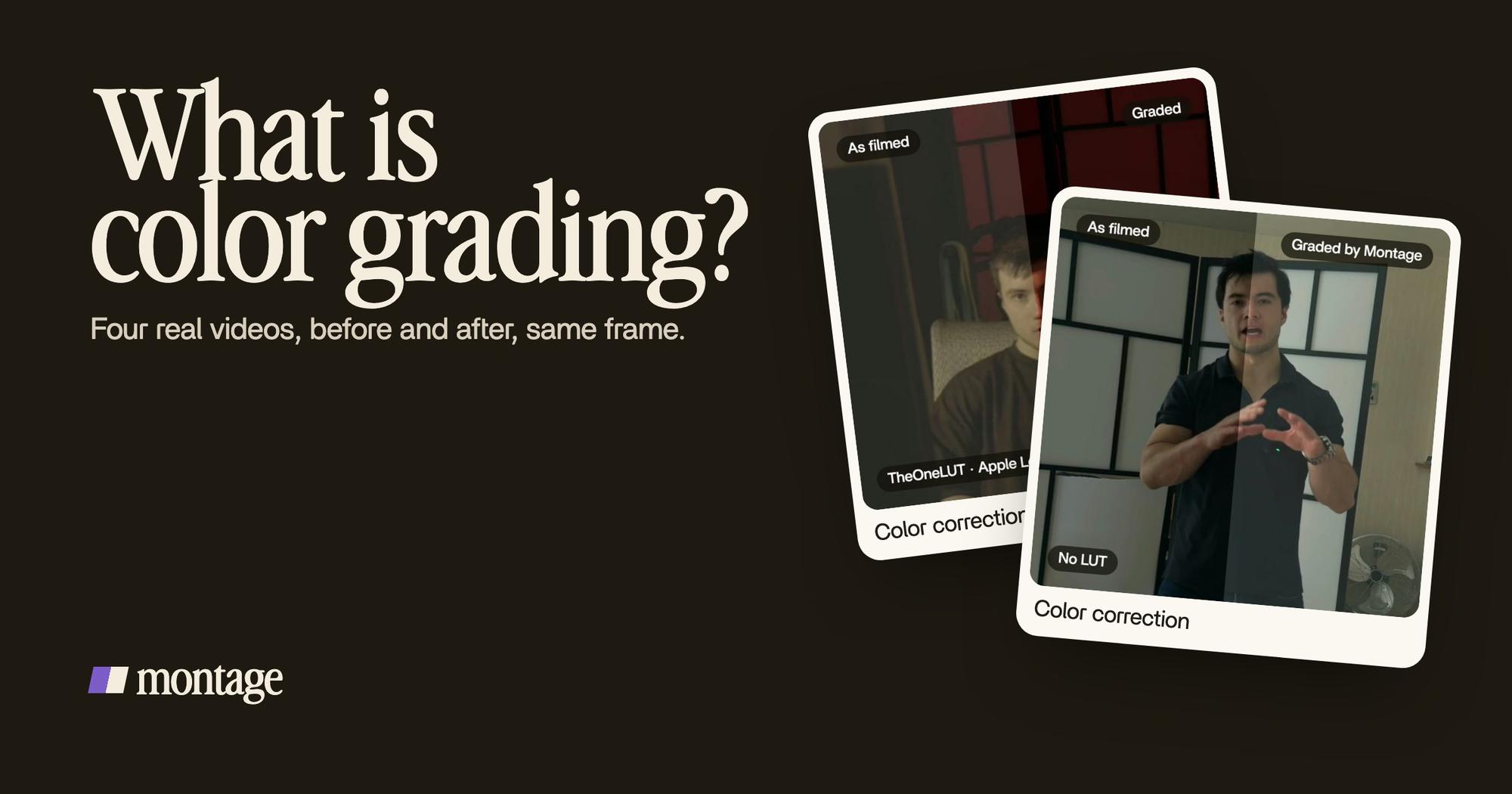
Color grading is what turns footage that came out grey or too dark into a video with a look. Let me show you what it means, on four real videos, the same frame before and after.
 Ben, founder of Montage · · 8 min read
In this post10 parts
- The short answer
- Color grading vs color correction
- Where the word comes from
- What a LUT is, and why flat footage needs one
- Four real grades, same frame before and after
- Is color grading just a filter?
- Is color grading hard?
- How to grade your own video
- What is color grading: your questions
- See it in real videos
The short answer.
Ladies and gentlemen, what is color grading? Let's start with the answer.
Color grading is the step of editing that gives a video its look: its colors, its contrast, its mood. It comes after color correction. Correction makes the picture right. Grading makes it feel a certain way: warm, cold, soft, punchy, like a film.
That's it. Same footage, same frame, a different feeling.
Now, the word comes from film, and most guides explain it with film stills and with the controls of a big program. I'm going to do it differently: with four real videos, and what a grade did to each one. Grey Log footage, flat HDR, a clip that came out too dark. Because that's the footage you actually have.
Color grading vs color correction.
Okay. These two words get mixed up all the time. Even Wikipedia says they're often used as synonyms. But they're two different jobs, and they come in a fixed order: correction first, grading after (Vimeo, StudioBinder and Creative Bloq all say the same).
Color correction is the technical clean-up. The exposure, the white balance, the shots that don't match each other. There's a whole guide on video color correction, if that's the part you need.
Color grading is the creative part. Once the picture is right, you give it a look.
| Color correction | Color grading | |
|---|---|---|
| What it does | Fixes the picture: too dark, too blue, too flat | Gives the picture a look and a mood |
| When | First | After the correction |
| The question | « Is this right? » | « How should this feel? » |
| Shot by shot? | Mostly, so every shot matches | Mostly the whole video, one look |
| The result | A clean, natural picture | A picture that's yours |
Correction makes it right. Grading makes it yours.
Where the word comes from.
So why « grading »? Let me explain.
Before digital, film was colored in the lab. It was called color timing: the lab changed the light going through the film to make a print warmer or cooler (Wikipedia). Digital grading took over from there, and the word stayed.
Two more words you'll hear, from the same source:
- Primary grading: a change to the whole frame. Brighter, warmer, more contrast.
- Secondary grading: a change to one part only. One range of colors, like the skin or the sky, or one area of the picture.
And the look everyone knows? Orange skin, teal shadows. That's the « orange and teal » of a lot of Hollywood films (Wikipedia again). It's a grade. Somebody decided it.
What a LUT is, and why flat footage needs one.
Here's the thing: if you film in Apple Log on an iPhone, or flat in HDR, your footage looks grey on purpose. Log and RAW footage look flat until they're graded (Creative Bloq). The camera keeps as much detail as it can, and leaves the look to you.
A LUT is the fastest way to give it one. It's a file that applies a fixed formula to every pixel, a bit like a preset (Creative Bloq). There are two kinds:
- An input LUT turns Log footage into normal-looking video. Rec. 709 is the most common target.
- A look LUT adds a style on top: a film stock, a mood, a color.
If you film in Log, you'll want an Apple Log LUT. And if your iPhone shoots the newer profile, here's what changed with Apple Log 2.
Four real grades, same frame before and after.
Now let me show you. Four videos, four kinds of footage, each card the same frame split down the middle: as filmed on one side, graded on the other.
Flat footage and a LUT
 Color correctionFilmed flat in Apple Log, my LUT on every shot. Same frame, split down the middle.
 Color correctionFilmed flat in HDR, the NOMAD LUT on every shot. Same frame, split.
How to be creative was filmed flat in Apple Log, with my LUT on every shot. Edit it all with AI was filmed flat in HDR, with the NOMAD LUT on every shot. This is the grade most creators meet first: grey footage in, a look out. You can see the whole Apple Log video here.
Too dark, and no LUT at all
 Color correction
Way too curious was filmed too dark on an iPhone. I asked for a grade, no LUT, and Montage lifted it on its own. No file, no preset. Watch the video filmed too dark to see it moving.
Only the shots that need it
 Color correction
From Disney star to space CEO is the interesting one. Takes 4 to 7 were filmed flat, so each got the NOMAD LUT. The first three were left as they were.
Do you see why? Grading isn't putting the same thing on everything. It's knowing which shots need it, and making them match the ones that don't.
A good grade is the one you don't notice between two shots.
Is color grading just a filter?
Sure, color grading can start like one. A LUT is the closest thing to a filter: Creative Bloq calls LUTs « comparable to presets or filters ». Three of the four videos above used one.
But the fourth didn't. Way too curious was graded with no LUT at all. And the Disney film used a LUT on four takes only, on purpose.
So here's my answer: sometimes a grade starts with a filter. It's never only one. A filter does the same thing to every picture. A grade looks at your picture first.
Is color grading hard?
To be honest, it depends on where you grade.
In a program built for colorists, yes, there's a lot to learn. Color wheels, nodes, scopes, and a calibrated monitor if you want the colors you see to be the colors people get. The guides that rank for this word cover all of that, and it's real craft. DaVinci Resolve is the standard, and it has a free version (Creative Bloq). If you want to choose one, here's how to pick a color grading program.
But I think for a creator, the hard part isn't the controls. It's knowing what you want it to look like. Warmer feels lighter, cooler feels moodier (Creative Bloq). Once you know the feeling, the rest is how you get there.
And for a film or a series? Hire a colorist. Truth is, that's a job, and a good one. Here's what a colour grader actually does.
How to grade your own video.
Okay. Here's how I'd do it today.
- Correct first. Fix what's wrong: too dark, too blue, shots that don't match.
- Pick one look. Say it in words before you touch anything: « warm and soft », « cold and clean ».
- If you filmed in Log, start with a LUT. It gets you from grey to normal in one step.
- Check every shot. Some won't need it. Leave those alone, and match the rest to them.
- Watch the whole video once. The shot that jumps out is the one to fix.
You can do every one of those steps by hand in a program. Or you can ask for them. In Montage, you say « put my LUT on every shot » or « it's too dark, grade it, no LUT », and you watch the result.

Then you comment on the one shot that's still off, right on the picture, and it gets fixed.

That's color grading done by asking. If you want to go further, here's what AI color grading can and can't do today, and how to shoot Apple Log so the grade has something to work with. And if you're just starting out, grading is one of the five things every edit does in video editing for beginners.
What is color grading: your questions.
What is color grading?
Color grading is the step of editing that gives a video its look: its colors, contrast and mood. It comes after color
correction, which makes the picture right first.
Is color grading just a filter?
No. It can start with a LUT, which works a lot like a filter. But a grade looks at each shot, and it can be done with no
LUT at all, like Way too curious.
Is color grading hard?
In a program made for colorists, there's a lot to learn. For a creator, the hard part is knowing what you want it to look
like. In my opinion, start with one look, in words.
How much does it cost to get color graded?
It depends on the job and on who does it: a colorist on a film is a different budget from a short on your phone. In
Montage, you ask for the grade as part of the edit; the paid plans are Plus $25, Pro $50, Max $100 and Ultra $200 a month.
What's color timing?
Color timing is the film-lab ancestor of grading: the lab adjusted the light through the film to set each print's color
(Wikipedia).
Is color grading only for video?
No, the word is used for photos too. This guide is about video.
See it in real videos.
Every grade in this guide was asked for in a sentence, on real footage. The four videos show what went in and what came out.
 9:18
 2:07
 0:56
 0:38
That's it for this one. Now go film something flat, and give it a look.
See you in the next one.