How to make a TikTok video:
from the idea to the post.
Here's the thing: your first take doesn't have to be good. Let me show you how to make a TikTok video the whole way, from the idea to the post, with three real shorts.
 Ben, founder of Montage · · 8 min read
In this post6 parts
The short answer.
Let's start with the answer, because that's what you came for.
How to make a TikTok video comes down to five steps. Pick one idea. Film it on your phone, vertical. Edit it. Add the last details. Post it. That's it. Every TikTok goes through those five, whether it took ten minutes or a whole weekend.
Now, most guides only show you the first two and the last one, all inside TikTok's camera. Tap +, add a sound, record, post. That works for a dance on a trending sound. But for a video of you talking to the camera, the edit is where most of the work is. So in this guide, the edit gets its real place.
Two ways to make a TikTok.
Before the steps, one choice. Where do you make it?
| All in TikTok's camera | Film on your phone, edit, then upload | |
|---|---|---|
| How it works | Record, add a sound, text and effects, post, all in one place | Film with the phone's camera, edit in another app, upload the finished video to TikTok |
| Editing | Basic: trim, text, effects, sounds, captions | A timeline by hand (CapCut, free, by ByteDance, TikTok's owner), or describe the edit to an AI editor like Montage and comment on the result |
| Best for | Trends and dances built on a sound | Videos of you talking: tips, stories, explainers |
| Not for | Anything with many takes, B-roll or a color fix | A 10-second trend you could post right now |
In my opinion, a dance trend belongs in TikTok's camera. It's faster there, and the sound is the whole point.
Sure. But for everything else? Film first, edit after. That's the way the rest of this guide follows.
How to make a TikTok video, in five steps.
1. Pick one idea, and the line that opens it
One TikTok, one idea. Not three tips. One.
Then write the first line you'll say, because the first seconds decide if people stay or scroll. A question, a strong claim, something on screen that makes people look twice. Here's more on a hook that stops the scroll.
 Components
In Edit it all with AI, the hook is a white Instagram reply on screen. Montage made it as a component, and reused it.
One idea. One opening line. Then film.
2. Film it on your phone, as it comes
So, how do you film a TikTok? Phone vertical, at eye level, a window in front of you, not behind. TikTok's own tips for small businesses agree on the basics: go full-screen 9:16, keep it well lit, 720p or higher. Lo-fi works, they say, but lo-fi isn't low quality. (Source: TikTok's « 7 Top Tips for Making TikTok Videos », ads.tiktok.com.) Here's everything on the 9:16 size TikTok wants, and on filming vertical.
Three more things:
- Say each line two or three times. You'll keep the best take.
- Film the things you'll talk about. The book, the screen, the place. A few minutes of extra shots at the end.
- Don't stop to fix things. That's the part I want to talk about.
Is your footage good enough?
Let me explain. This is what stops a lot of people at their first TikToks. The footage looks too dark. Or grey. Or a shot came out upside down. So they film it again. And again.
Here's the thing: most of that gets fixed in the edit. Look at what went wrong in three real shorts, and what fixed it.
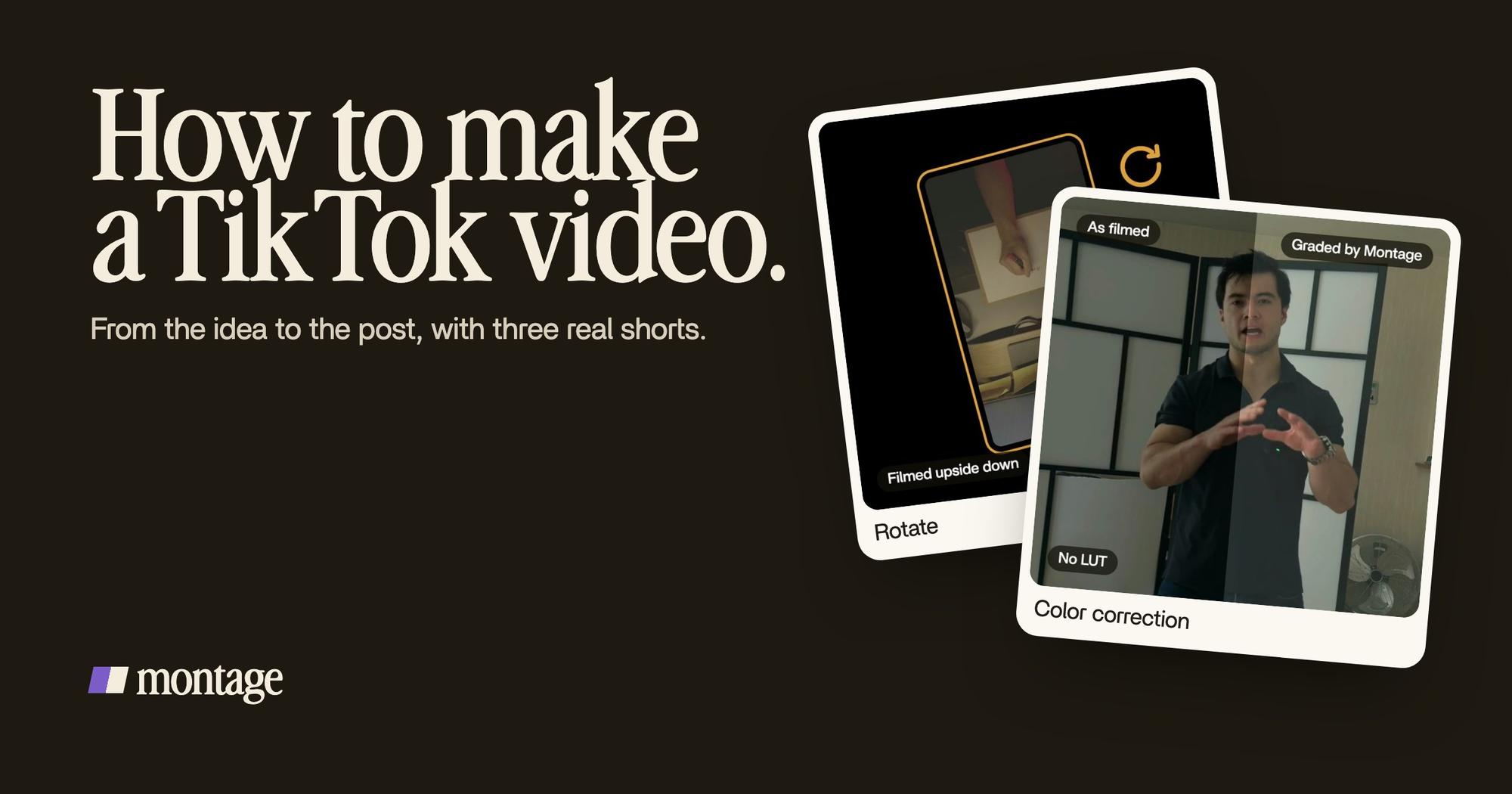
 Color correctionFilmed too dark on an iPhone. I asked for a grade, no LUT: Montage lifted it on its own. Same frame, split.
 RotateThe notebook shots were filmed from above, upside down. Montage turned them the right way up.
 TrackingLocked on me: Montage tracks me as I walk around the room.
- Way too curious (0:56) was filmed too dark on an iPhone. I asked for a grade, no LUT, and Montage lifted it on its own. More on fixing footage that's too dark.
- How to be creative (2:07) has notebook shots filmed from above, upside down. Montage turned them the right way up. Here's turning a shot the right way up.
- In the same video I walk around the room, and Montage tracks me as I go. That's a frame that follows you.
And How to be creative was filmed flat in Apple Log, which looks grey until a LUT goes on it. Edit it all with AI (0:38) was filmed flat in HDR, with the NOMAD LUT on every shot. Grey footage is normal. It's the start, not the result.
Film it as it comes. Fix it after.
3. Edit it
Now the step where most of the time goes. Editing a TikTok is a handful of decisions: cut the pauses, show what you're talking about, put the words on screen, fix the color, get the sound right. I go through each one in the seven edits every TikTok needs, with a real short taken apart. Here, let's just see how it goes from takes to a finished video.
With Montage, it's three moves. Drop your takes in, as they are. Say what the video is for. Then watch it and comment.
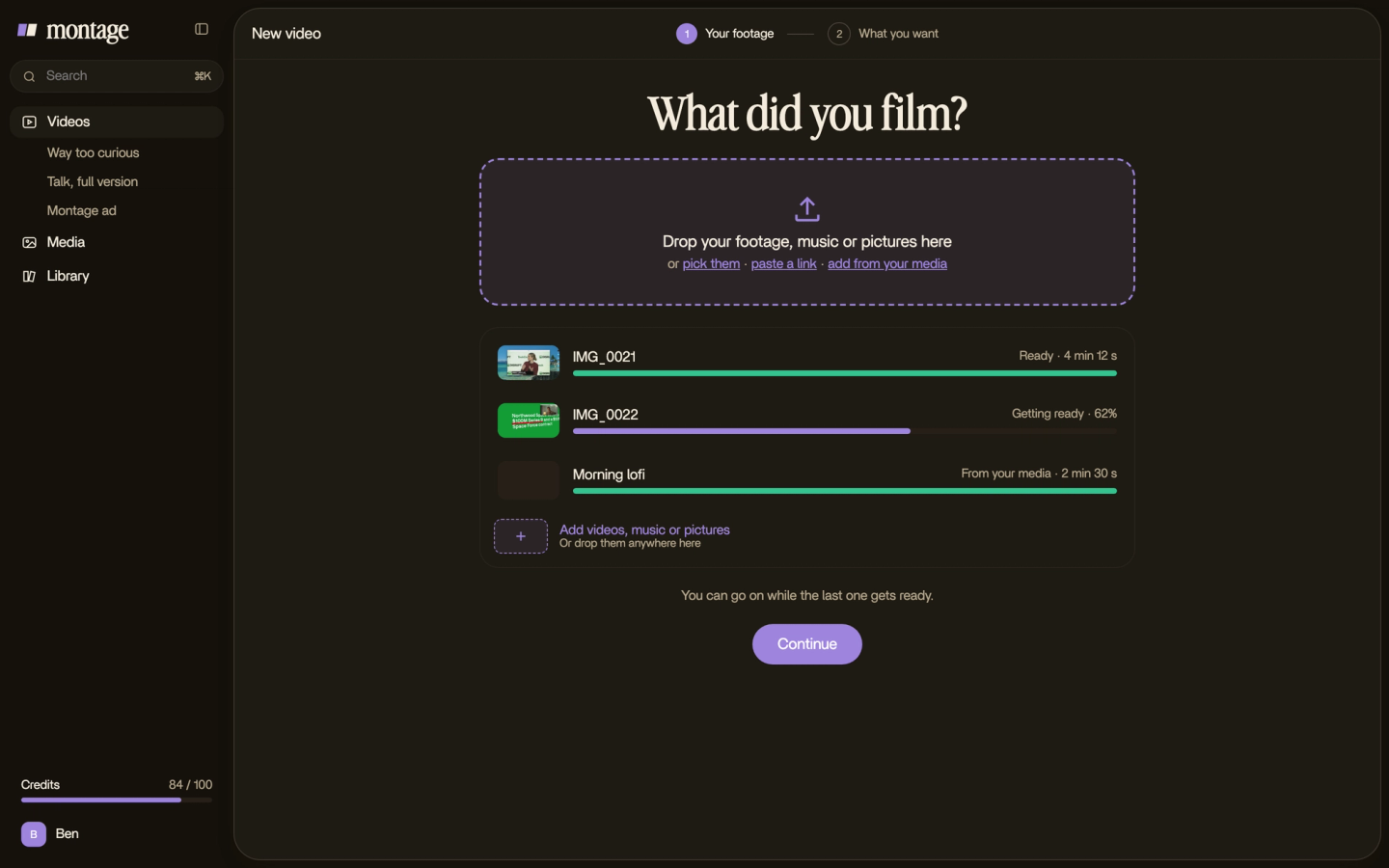
What do you say? Something like: « A TikTok, 9:16. Cut the pauses and keep the best take of each line. Captions in my font. Show the notebook when I talk about it. »
 B-rollWhile I talk, it cuts to the right shot: the book, the notebook, the whiteboard.
 Auto captionsEvery line on screen in my own font, timed to my voice.
Here's what that looks like in How to be creative. While I talk, it cuts to the right shot: the book, the notebook, the whiteboard. And every line is on screen in my own font, timed to my voice.
Then you watch it once, all the way through. Pause where something's off, click on the picture, and say what's wrong: « cut this pause », « make this word bigger ». Then « Fix all ».

If you'd rather do it by hand, CapCut's timeline does the same decisions, one clip at a time. And if you're starting from zero with editing, here's where to start with editing. For more on Montage itself, here's an AI editor made for TikToks.
4. Add the last details
Okay. The video works. Now the last pass, before it goes out.
- Captions on. A lot of people watch with the sound off. TikTok's tips list captions and short text as part of a good video.
- Text away from the edges. TikTok puts its own buttons and your caption over the video. TikTok calls the space that stays clear the safe zone.
- Sound. TikTok's tips call sound essential. Your voice clear first, music under it.
- The length. Only as long as the idea needs. TikTok's tips name 21 to 34 seconds as the recommended length, but for in-feed ads, from its 2021 ads research. A video that isn't an ad can run longer: Way too curious is 0:56, How to be creative is 2:07.
Cut it until it's as short as the idea. Not shorter.
5. Export it, then post it on TikTok
Export the video as an MP4, the size TikTok wants, 9:16. Then open TikTok, tap +, pick the video from your phone, write the caption and post it.

Let's be clear: Montage doesn't post for you. You export the video, and you post it on TikTok yourself.
The same video can go to Reels and Shorts too. Here's one video in every size, and what to know about how long a Reel should be and the length of a YouTube Short.
The mistakes to skip.
- Filming it again because the footage looks wrong. Too dark, grey, upside down: fix it in the edit.
- One take of each line. You can't keep the best take if there's only one.
- A slow first line. Say the interesting thing first. The intro can go.
- Text at the very bottom. That's where TikTok puts your caption.
- Three ideas in one TikTok. Make three TikToks.
If you want the bigger picture first, here's short-form video, explained.
Questions about how to make a TikTok video.
How do you make a TikTok video?
Pick one idea and the line that opens it. Film it vertical on your phone, a few takes of each line. Edit it, add
captions and check the sound, then export it and post it on TikTok. Five steps.
What is the 3 second rule on TikTok?
It's the idea that the first seconds decide if people watch or scroll. I don't know of a source that proves the exact
number, so take it as advice, not a fact: open on the most interesting thing you have. Here are intro hooks that
work.
How do I make a TikTok with photos and music?
In TikTok's camera, you can add a sound to what you record. In an editor, you can drop the photos in where you talk
about them. In Way too curious, I say CrossFit and my photo drops in, one picture for each thing I love. Then ask for
music under your voice.
How do I make a TikTok with multiple videos?
Film each part as its own take, then put them all in one edit and say the order. With Montage, you drop every take in
and say what the TikTok is for; it keeps the best take of each line.
Can I make a TikTok on my computer?
The edit, yes. Montage runs in the browser, and your originals stay on your computer. Then you export the video and post
it on TikTok.
See it in real videos.
Every short in this guide started as raw takes, some too dark, some grey, some upside down. The four videos in the showcase show what went in and how each one was made.
 9:18
 2:07
 0:56
 0:38
That's it for this one. Now go film your first take. It doesn't have to be good.
See you in the next one.