Talking head video:
what it is and how to make one.
A talking head video is you, talking to the camera. The face is the easy part. Here's what it needs on top, shown on two real videos.
 Ben, founder of Montage · · 8 min read
In this post9 parts
- The short answer
- What a talking head video is (and where the name comes from)
- The formats of a talking head video
- Why a bare talking head isn't enough
- How to make a talking head video people watch
- Two real talking-head videos, taken apart
- How the layers get made without a timeline
- Talking head video: your questions
- See them in real videos
The short answer.
Let's start with the answer.
A talking head video is a video of one person talking straight to the camera, framed from the chest or shoulders up. No actors, no set, no story told in pictures. Just you, saying something worth hearing. A YouTuber explaining a thing, a TikTok or a Reel to camera, a founder video: talking heads.
Now, here's the thing. Filming one is easy. Making one people watch to the end is another job. That job is what you put on top of your face: B-roll footage, captions, movement, a fixed picture.
Your face gets them to click. What's on top gets them to stay.
I'll show you both: what a talking head video is, and how to make one, on two of my real videos taken apart layer by layer.
What a talking head video is (and where the name comes from).
So what is a talking head video, really? Let me explain.
The name comes from TV. StudioBinder traces it to the news: the anchor's head and shoulders, talking to you. Then documentaries used it for interviews, and social media turned it into the selfie video. TechSmith puts it simply: the speaker addresses the camera directly.
That's the whole definition. One person, the camera, and words. TechSmith counts its low cost as one of its strengths, and that's exactly why there are so many of them.
The formats of a talking head video.
Okay. A talking head comes in a few shapes. Here they are side by side.
| Format | What you see | Where you see it | A real one |
|---|---|---|---|
| Straight to camera | One person, looking into the lens | Shorts, Reels, TikTok, YouTube | How to be creative, Way too curious |
| Interview | Someone talking to a person next to the camera, cut between two or more set-ups | Documentaries, podcasts | |
| Picture in picture | The speaker in a window, over something else | YouTube, tutorials | From Disney star to space CEO: the guest gets a window of her own |
| Face cam over a screen | A small face in a corner, the main picture behind | Tutorials, explainers, long YouTube | From Disney star to space CEO: my face cam as a macOS window |
Picture in picture is one of the styles TechSmith names. The face cam over a screen is its cousin: the face stays, but it shares the frame.
Which one? If you film yourself on a phone, start with straight to camera. It's the one every other format is built on.
Why a bare talking head isn't enough.
Here's the surprising part. TechSmith links a study that found a talking head with nothing else on screen was only marginally more effective than a voiceover with a picture of the speaker. Your face, on its own, adds a little. Not a lot.
And on a short video it's worse. A lot of people watch with the sound off, so a face with no captions says nothing at all. One still frame for a minute? They scroll.
In my opinion, a bare talking head can work on a long, podcast-style video, where people come for the conversation. Sure. But on a short? It needs the layers.
A face is the start of a talking head video, not the video.
How to make a talking head video people watch.
Here's how I'd do it. Three stages: film, cut, add the layers.
- Film one idea. Phone at eye level, the light in front of you, not behind. More on how to film yourself, and on doing it on a phone.
- Say each line two or three times. You'll keep the best take.
- Film what you'll talk about. The book, the screen, the place. If you're stuck, here are ideas for what to show.
- Cut the pauses and the retakes. And the filler words. Each cut inside one shot makes the picture jump a little: that's jump cuts, and on a talking head they're normal.
- Put something on screen while you talk. The thing you're naming, or a cutaway to show where you are.
- Add captions. For everyone watching on mute.
- Add movement. A slow push-in, a zoom on the word that matters. A still frame needs something to move.
- Fix the picture. Too dark, too flat, a shot upside down: fix it before anyone sees it.
- Watch it all the way through, then fix what's wrong. Not before.
Steps 1 to 3 are filming. Steps 4 to 8 are the edit, and that's where a talking head is made or lost.
Two real talking-head videos, taken apart.
Let me show you. How to be creative (2:07, vertical, filmed in Apple Log) and Way too curious (0:56, vertical, filmed too dark on an iPhone). In both, the face is the same from start to end. Everything that makes them watchable is on top of it.
What you see while I talk
 B-rollWhile I talk, it cuts to the right shot: the book, the notebook, the whiteboard.
 B-rollI say CrossFit, my photo drops in. One picture for each thing I love.
In How to be creative, it cuts to the book, the notebook and the whiteboard while I talk. In Way too curious, I say CrossFit and my photo drops in. One picture for each thing I love. That's the right shot over your words, and I think it's the layer that does the most.
Captions and movement
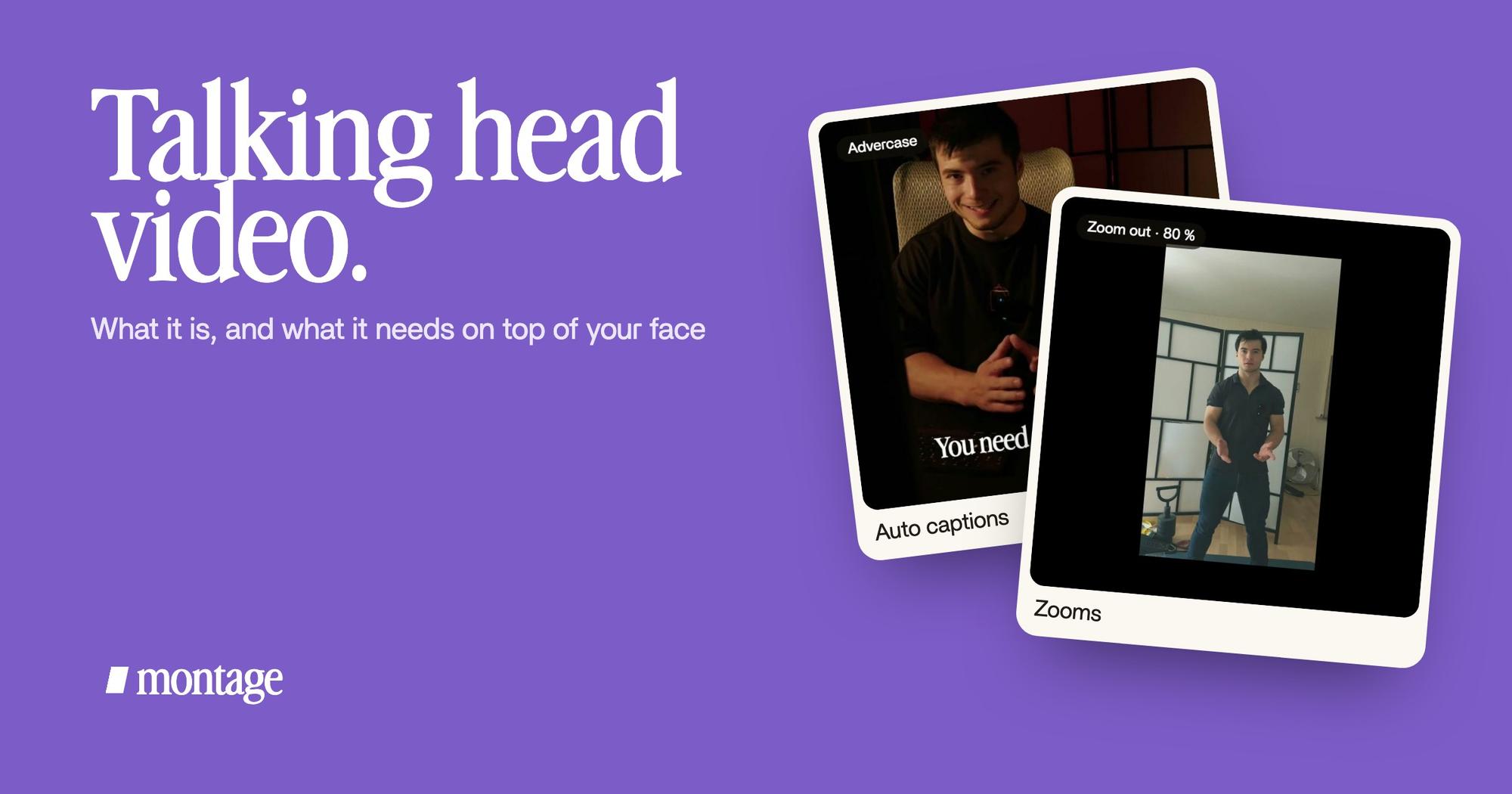
 Auto captionsEvery line on screen in my own font, timed to my voice.
 CaptionsYellow, uppercase, a blue drop shadow, and the key word drawn bigger.
 ZoomsA slow push-in on every shot, and on « everything » and « curious » the picture pulls back on black.
How to be creative has every line on screen in my own font, timed to my voice. Way too curious went the other way: yellow, uppercase, a blue drop shadow, and the key word drawn bigger. Same job, two looks. Here's how captions in your own font work.
For movement, Way too curious has a push-in on every shot, and on « everything » and « curious » the picture pulls back on black. In How to be creative, Montage tracks me as I walk around the room, so the frame follows me.
The picture, fixed
 Color correctionFilmed flat in Apple Log, my LUT on every shot. Same frame, split down the middle.
 Color correctionFilmed too dark on an iPhone. I asked for a grade, no LUT: Montage lifted it on its own. Same frame, split.
 RotateThe notebook shots were filmed from above, upside down. Montage turned them the right way up.
How to be creative was filmed flat in Apple Log, with my LUT on every shot. Way too curious was too dark: I asked for a grade, no LUT, and Montage lifted it on its own. And the notebook shots were filmed from above, upside down. Montage turned them the right way up.
Do you see it? Four layers. Not one of them is the face.
The long one
Same idea at YouTube length. From Disney star to space CEO is 9 minutes and 18 seconds, from seven takes, 33 minutes filmed on an iPhone, with 216 cuts. My face cam is a component, a macOS window over the James Webb images, on every one of those cuts. And the guest gets a window of her own: Bridgit at TechCrunch Disrupt, over a Mac desktop, while I keep talking.
How the layers get made without a timeline.
Now, how did those layers get there? Not by hand on a timeline.
In Montage, you drop the takes in and say what the video needs: cut the pauses and the retakes, put the right shot over my words, captions in my font. Then you watch it.

Where something's wrong, you pause, click on the picture and say it: « show the book here », « make this word bigger ». Then you fix everything at once.

That's how Montage cuts the pauses and the retakes and adds the rest. If you've never edited before, start with video editing for beginners.
Talking head video: your questions.
What is a talking head video?
A video of one person talking straight to the camera, usually framed from the shoulders up. The name comes from TV news,
and today it's everywhere on YouTube, TikTok and Reels.
What is an example of a talking head video?
A news anchor, a documentary interview, a YouTuber explaining something to camera. How to be creative and Way too
curious are two of mine: one person, a phone, and the layers on top.
What is the talking head video format?
The speaker, framed from the chest or shoulders up, looking at the camera or at someone next to it. Around that: straight
to camera, interview, picture in picture, or a face cam over a screen.
How do I make a good talking head video?
Film one idea in a few takes, in good light. Then cut the pauses, show what you talk about, add captions, add some
movement and fix the picture. The face is the start. The layers make it good.
Can AI make a talking head video?
Some tools make an AI avatar talk from nothing. Montage doesn't do that. Here, the AI edits a real person filmed for
real: you, your takes, your words.
See them in real videos.
Every layer in this article is in the four real videos, each made by saying what it needed.
 9:18
 2:07
 0:56
 0:38
That's it for this one. Now go film yourself talking.
See you in the next one.