B-roll footage:
what it is, with real examples.
B-roll is what people see while you keep talking. Here's what it is, where to get it, and four real videos that use it four different ways.
 Ben, founder of Montage · · 7 min read
In this post9 parts
The short answer.
Let's start with the answer.
B-roll footage is the extra footage you cut to while you keep talking. Your voice carries on, and the picture shows what you're talking about: the book, the place, the screen, a photo. The main shot, usually your face to camera, is the A-roll. Everything that plays over it is B-roll.
That's it. If you make a talking head video, B-roll is what stops it from being only a face for a minute straight.
Now, most guides tell you B-roll means a second shoot, a drone, a crew. It doesn't have to. I'll show you four real talking-head videos, each using B-roll a different way. And if you're new to all this, start with video editing for beginners, then come back here.
What is B-roll footage, in simple terms?
So what is it, really? Let me explain.
Picture someone telling you about their trip. If they show you a photo while they talk, that photo is B-roll. The story doesn't stop. You just see it now.
The name is old. Wikipedia tells the story: on 16 mm film, the splices showed on screen, so editors put the odd shots on one roll (the A roll) and the even shots on another (the B roll), and printed the two together. Later, in the tape suites of the 1980s, the « B deck » held the extra footage while the sound came from the A deck. The rolls are gone. The name stayed.
When you name it, show it.
A-roll vs B-roll: the difference.
Okay. Let's put the two side by side.
| A-roll | B-roll | |
|---|---|---|
| What it is | The main shot: you, talking to the camera | The shots that play over it |
| What you hear | Your voice, from this shot | Still your voice, from the A-roll |
| What it does | Tells the story | Shows what the story is about |
| Examples | Your face, an interview, a podcast camera | The book you mention, a photo, a clip, your screen |
| Without the other | A face for a minute straight | Pretty pictures with no story |
You need both. The A-roll is the message. The B-roll makes people see it.
And here's the thing: B-roll also hides your cuts. When you take out a pause or a stumble, the picture jumps a little. That's a jump cut. Put a B-roll shot over the join, and nobody sees the jump. invideo's guide makes the same point: B-roll covers the stutters and the pauses. So once you've cut the dead air, and the ums and filler words with it, B-roll is what smooths the result.
Examples of B-roll footage: four real videos.
Let me show you. Four videos from the showcase, four kinds of B-roll.
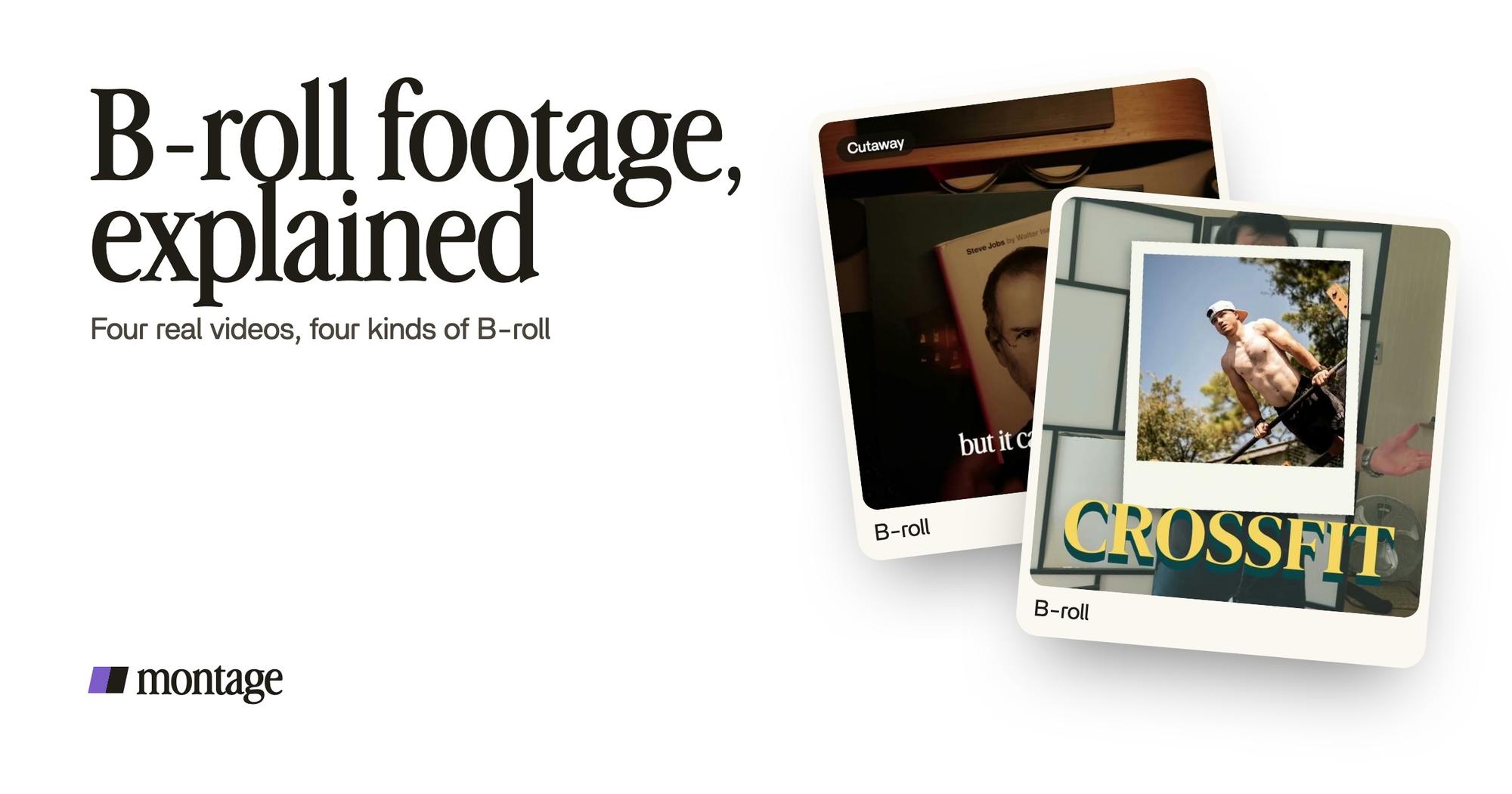
 B-rollWhile I talk, it cuts to the right shot: the book, the notebook, the whiteboard.
 B-rollI say CrossFit, my photo drops in. One picture for each thing I love.
 B-rollGood Luck Charlie, Ready or Not, Billboard, the TODAY antenna: the face cam moves to the corner while each plays.
1. Cut to a shot
In How to be creative, while I talk, the video cuts to the right shot: the book, the notebook, the whiteboard. These are shots of the things themselves. This is the classic kind, the one Wikipedia calls an insert shot. When the face leaves the screen completely for a moment, that's also called a cutaway shot.
2. Drop a picture over
In Way too curious, I say CrossFit, and my photo drops in. One picture for each thing I love. A photo is B-roll too. B-roll doesn't have to move.
3. Shrink the face
In From Disney star to space CEO, a 9-minute film, the B-roll is real clips of the subject: Good Luck Charlie, Ready or Not, Billboard, the TODAY antenna. While each one plays, the face cam moves to the corner. You keep the speaker on screen, and the clip takes the rest of the frame.
 Picture in picture
Same film, another way: the guest gets a window of her own, Bridgit at TechCrunch Disrupt, over a Mac desktop, while I keep talking. On a long video, picture in picture is B-roll too.
4. Show the screen
In Edit it all with AI, the site drops in on a white stage while I say « go to this app called Montage ». If you talk about an app, a website or a tool, its screen is your B-roll.
 B-rollThe site drops in on a white stage while I say « go to this app called Montage ».
 ComponentsThe Photo drop is a component Montage made from my words: I say GTA VI, it drops in.
 Reusable componentsOne media card, used 26 times: a picture or a clip, its caption, on the dark page. Click to watch it.
So that's the map. Cut to a shot. Drop a picture over. Shrink the face. Show the screen. Pretty simple, right?
When does B-roll go in?
This is the part the guides skip. They talk about mood and variety. Sure. But when, exactly, does a shot go in?
Look at the four videos again. Every time, the B-roll lands on the word. The book when I say book. The photo on « CrossFit ». The site on « go to this app ». That's the whole rule.
The cue is the word.
Do you see why it works? The viewer hears a thing and sees it at the same moment. Nothing to figure out. And it gives you a shot list for free: go through your script, underline every thing you name, and there's your B-roll. For more, here are B-roll ideas for your next video.
One more thing. Once a kind of B-roll works, keep it. In Way too curious, the Photo drop is a component Montage made from my words: I say GTA VI, it drops in. In the long film, one media card, a picture or a clip with its caption, is used 26 times. That's B-roll as a style you set once, not a shot you rebuild every time. That's what reusable components are for.
Where to get B-roll footage, free.
Okay. Where does it come from? Four places, in the order I'd use them.
- Film it yourself. After your take, spend five minutes filming the things you mentioned. If you're filming yourself, you already have the camera out. You can do all of it with just a phone.
- Your camera roll. Photos and clips you already have.
- Your screen. A screen recording or a screenshot of the thing you talk about.
- Free stock libraries. Pexels and Pixabay both offer free stock video. They're fine for a city at night or a cup of coffee.
Honestly, you don't need a stock library for most talking-head videos. Stock footage shows a book. Your footage shows your book. People notice.
Let's be clear about Montage here: it doesn't search for stock clips, and it doesn't make footage from nothing. It places the B-roll you give it.
How to add B-roll to a talking-head video.
Here's how I'd do it. Three steps.
First, drop everything in: the take and the B-roll files, no sorting.
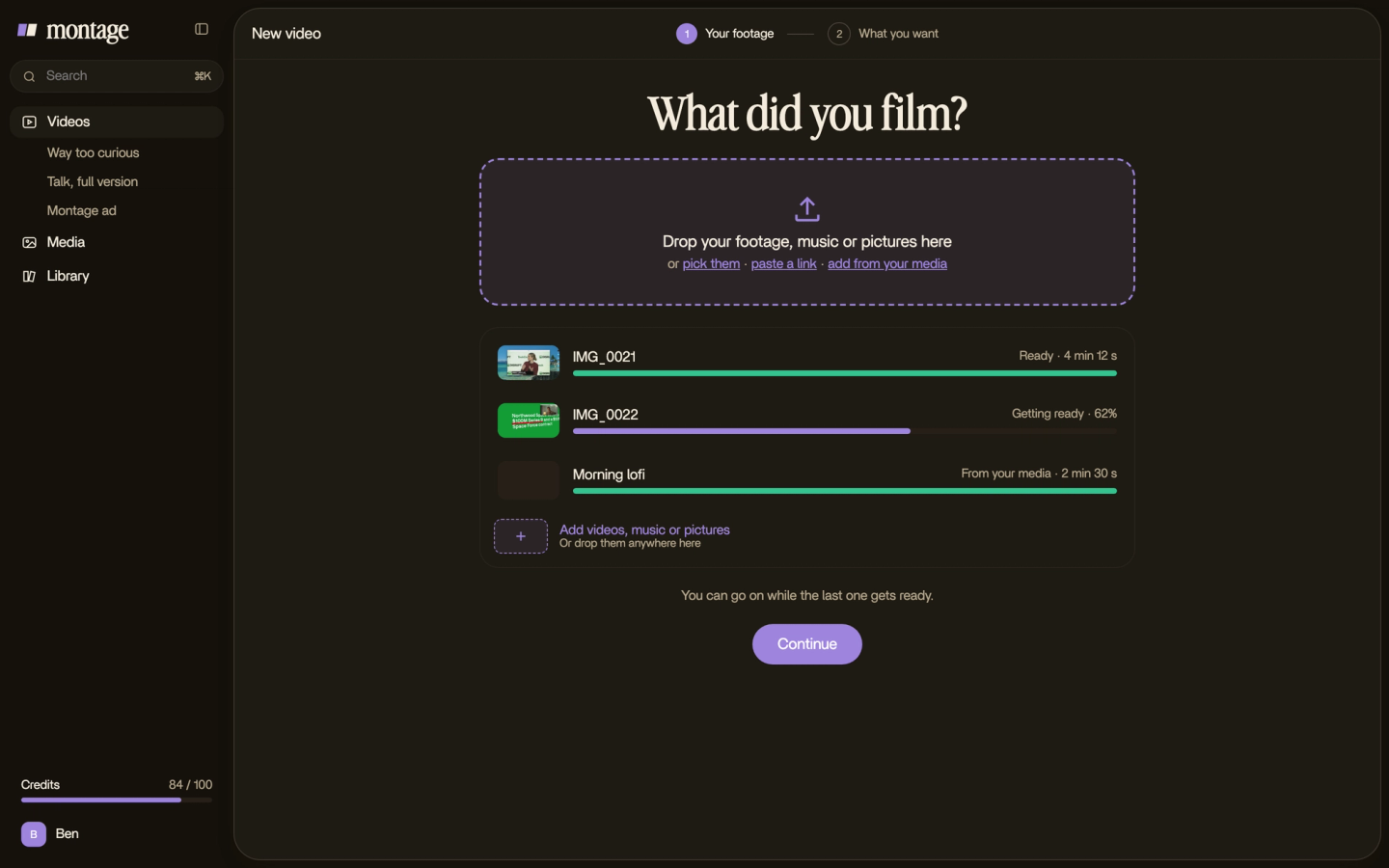
Then say where the shots go. For example: « when I say book, cut to the book shot ». The cue is the word, remember? Say it, and Montage puts it there. That's how you add B-roll automatically.
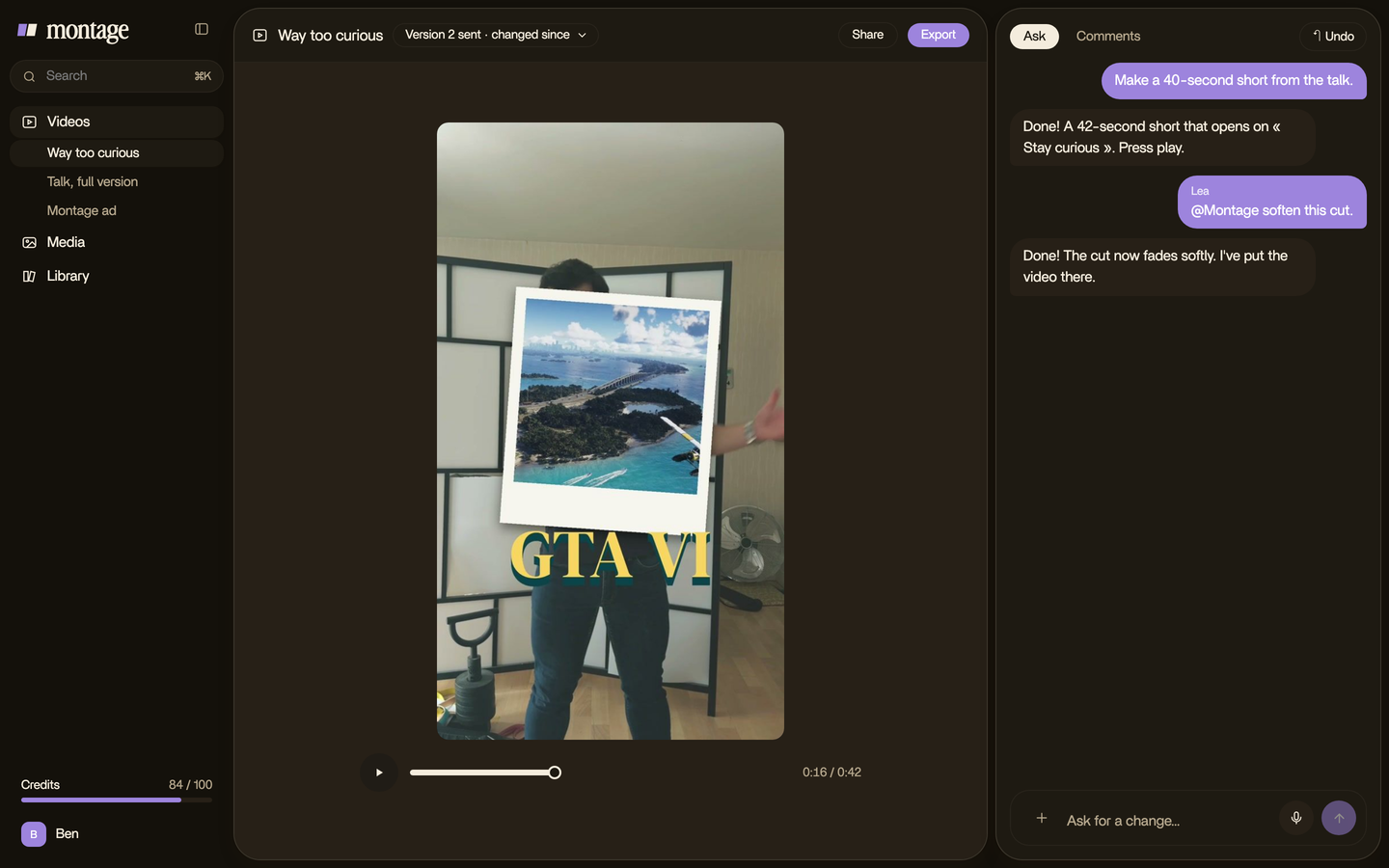
Then watch it once, all the way through. If one shot comes in too early or stays too long, pause on that moment and say so. One comment, one fix.

And with a timeline editor? Same idea: you put each B-roll clip on the track above your take, at the word, by hand.
Questions about B-roll footage.
What is B-roll footage?
B-roll footage is the extra footage that plays over your main shot while your voice keeps going: the things you talk
about, photos, clips, a screen. The main shot is the A-roll.
What is the difference between A-roll and B-roll footage?
The A-roll is the main shot, usually you talking to the camera, and it carries the sound. The B-roll plays over it to show
what you're talking about.
What is B-roll footage used for?
To show what words can't, to keep a talking-head video moving, and to hide the jump cuts where you took out a pause.
How do I get B-roll footage?
Film the things you mention right after your take, use your own photos and clips, record your screen, or take free stock
video from Pexels or Pixabay.
Is B-roll the same as a cutaway?
Close. A cutaway is one kind of B-roll: a shot that cuts away from the main action and comes back. B-roll is the bigger
family.
What's a smash cut, then?
Not B-roll: it's a sudden cut from one scene to a very different one. Here's a smash cut
compared with a jump cut, and jump cut vs match cut while you're at it.
See it in real videos.
Every kind of B-roll in this guide comes from a real video. The four videos show what went in and how each one was made.
 9:18
 2:07
 0:56
 0:38
That's it for this one. Next time you film, name a thing, and show it.
See you in the next one.