SaaS explainer video:
show the real product
Most pages on Google sell you a drawing of your product: an animation, a template, an avatar. There's another way: you, talking, and your real app on screen the moment you name it. Here's how, and what it costs each way.
 Ben, founder of Montage · · 9 min read
In this post9 parts
- The short answer
- Three ways to get a SaaS explainer video
- What a real SaaS explainer looks like
- The problem every SaaS explainer meets: the product changes
- How to make a SaaS explainer video yourself, step by step
- How long a SaaS explainer should be
- What Montage doesn't do
- Questions about SaaS explainer videos
- See it in real videos
The short answer.
Ladies and gentlemen, let's start with the answer.
A SaaS explainer video is a short video that shows how your software solves one problem for one kind of person. Zelios, an agency that makes them, puts it at « usually in 60 to 90 seconds ». There are three ways to get one: hire a studio to animate it, have an AI generator build it from a brief, or film it yourself, with your real product on screen, and edit it by asking.
Which one? If your product changes every month and you can talk about it to a phone, I think the third way is the one. If your idea is abstract and nobody on the team will be on camera, a studio is the right call. Simple as that.
This guide is part of the ads and launches cluster. If you want to see what works across every kind of ad, start with these video ad examples that work. And if you've already got a screen recording, here's how to turn a screen recording into a demo.
Three ways to get a SaaS explainer video.
So who should make it? Let me explain.
Every page that ranks for this search assumes the same thing: the explainer is a drawing of your product. An animation, a template, stock footage, an avatar. Your real screen shows up, at best, as a screenshot inside the cartoon.
Here are the three ways side by side, with the prices and timings their own pages give.
| A studio | An AI generator | Filmed by you, edited by asking | |
|---|---|---|---|
| Who makes it | An agency's team: script, design, animation, voice | A tool, from a brief, a feature list or a blog post (Agent Opus, Leadde) | You, on camera; Montage edits |
| What's on screen | An animated version of your product | Scenes from stock visuals, an AI voice-over, avatars | You, and your real product the moment you name it |
| Cost | $3,999 to $20,000 per video (Zelios); from £10K–£25K+ (Outmost Studio) | A subscription to the tool | Your time; Montage's plans are Plus $25, Pro $50, Max $100, Ultra $200 a month |
| Time | 20 to 40 days (Zelios); Outmost's page gives ranges from 4–6 weeks to 6–10 weeks | Minutes, by their own pages | The time to film, then to watch and comment |
| When the product changes | Agency updates « require restarting much of the process from scratch » (Leadde) | Generate it again | Drop the new screen in, say where it goes |
| Best for | An abstract idea, a big brand film, character animation | No one will be on camera, you need volume | A founder or small team, a product that ships every month |
Now the verdict, one row at a time.
A studio makes something polished, and for a big brand film that's worth it. But you pay thousands, you wait weeks, and you get a picture of your product as it was the day the brief was written.
An AI generator is fast. Agent Opus, on Opus Clip's own page, turns « a product brief » into scenes with stock visuals and an AI voice. « No timeline. No stock footage hunting. » Sure. But Leadde, which sells one of these tools, lists the pain itself: « robotic voiceovers, templated animations ».
Filmed by you is the one nobody on page one shows. The founder, talking, and the real product appearing as you say it.
Your product is the best picture of your product.
What a real SaaS explainer looks like.
Let me give you a real example. Edit it all with AI is a 38-second vertical ad for Montage, made in Montage. I talk to the camera, and the product appears the moment I name it. The whole 38-second ad is in the showcase.
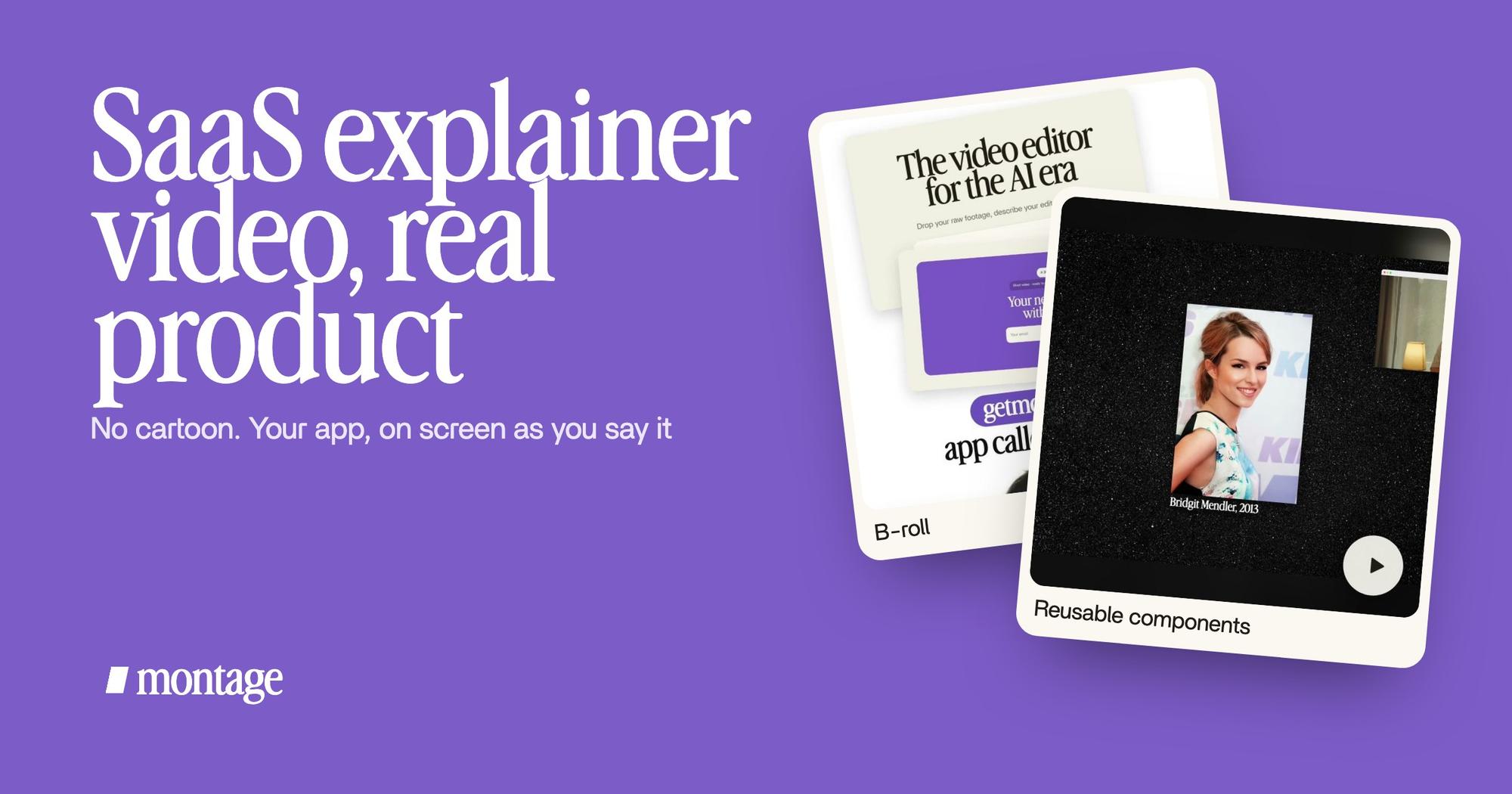
 B-rollThe site drops in on a white stage while I say « go to this app called Montage ».
 Motion designThe product card: frosted at 80 %, a fisheye, a big glow, swiped in from the right. Click to watch it on its own.
The site drops in on a white stage while I say « go to this app called Montage ». Then the product card, frosted at 80 %, with a fisheye and a big glow, swipes in from the right. No drawing of the app. The app.
Why does that matter? Leadde says it better than I could: « The closer to conversion, the more important realism becomes. » And on the same page: « Over-polished videos can reduce trust if they feel disconnected from the real product. » That's from a company that sells an AI video maker.
Honestly, a cartoon of your dashboard is out of date the day you ship.
If you want that ad taken apart card by card, here's the same ad taken apart for a launch. And for the trick of showing the thing as you say it, that's your product on screen at the word.
The problem every SaaS explainer meets: the product changes.
Here's the thing: your explainer goes out of date. Leadde says it plainly: it calls maintenance the hidden cost: script revisions, « UI updates breaking videos », re-recording and editing, coordinating with freelancers.
So what happens with a filmed explainer? The edit stays in the project. Your new screen is one more file dropped in, and one sentence: « use the new dashboard where I say dashboard ». Or you pause on the moment the old screen shows, comment on it, and press « Fix all ».

And the parts that give the video its look? You keep them.
 ComponentsThe hook: a white Instagram reply, made as a component and reused. Click to watch it on its own.
 Reusable componentsOne media card, used 26 times: a picture or a clip, its caption, on the dark page. Click to watch it.
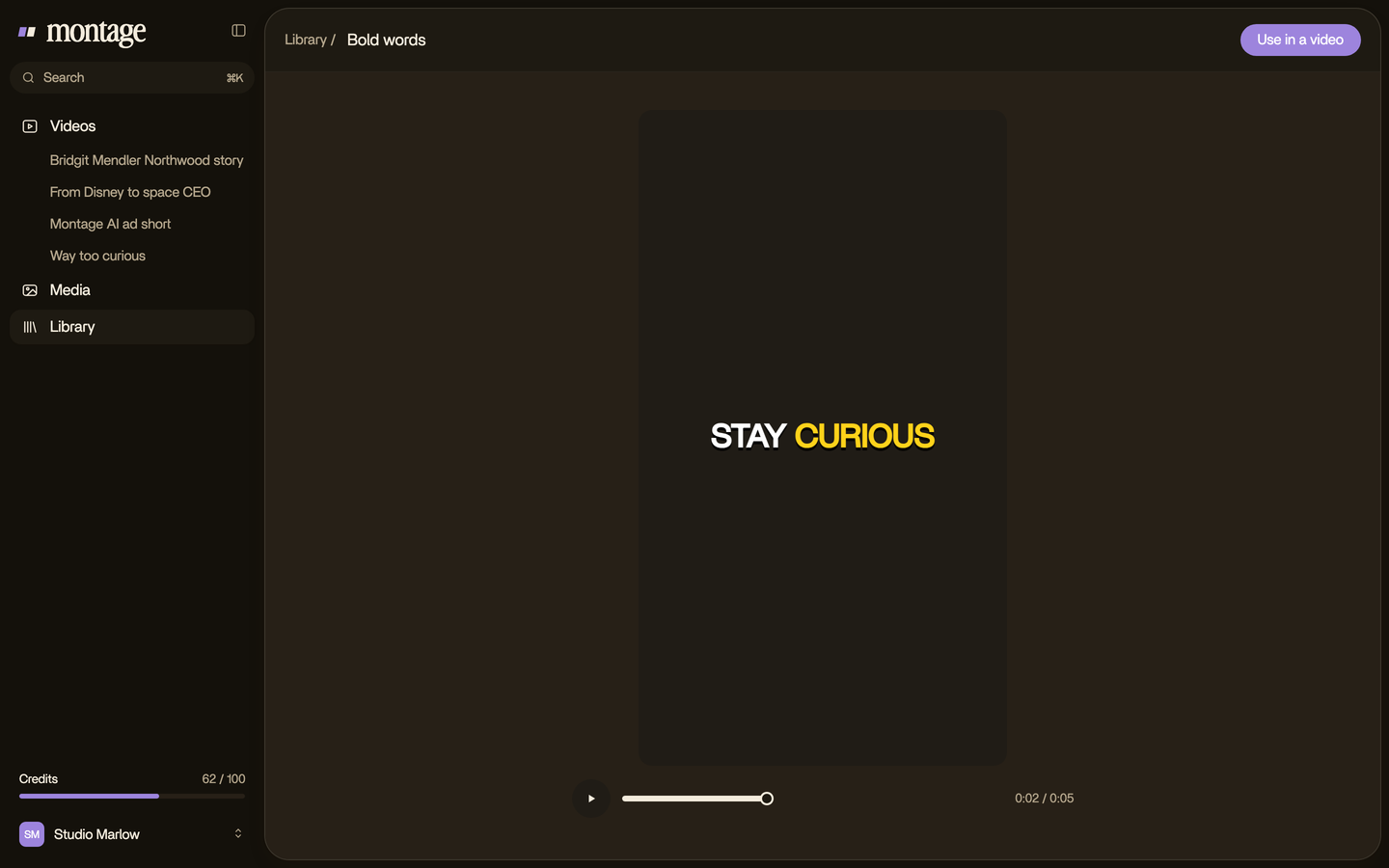
The hook of Edit it all with AI, a white Instagram reply, was made as a component and reused. In From Disney star to space CEO, one media card is used 26 times: a picture or a clip, its caption, on the dark page. Components and styles stay in the Library, so the next version starts from them, not from zero. More on parts you build once and reuse.
The video should change as fast as the product does.
How to make a SaaS explainer video yourself, step by step.
Here's how I'd do it. Six steps.
- Write the problem first. Zelios's pattern from its 15 examples: name the pain in the first seconds, one benefit, a clear call to action. One idea, not your whole feature list.
- Film yourself explaining it. Phone at eye level, short takes, each line two or three times. You'll keep the best one.
- Record the screens you'll mention. The page, the button, the result. Whatever you'll name out loud.
- Drop everything in, as it is. Your takes and your product's screens.
- Say the edit. « A 40-second vertical explainer. The product on screen when I name it, captions one line at a time, one product card. »
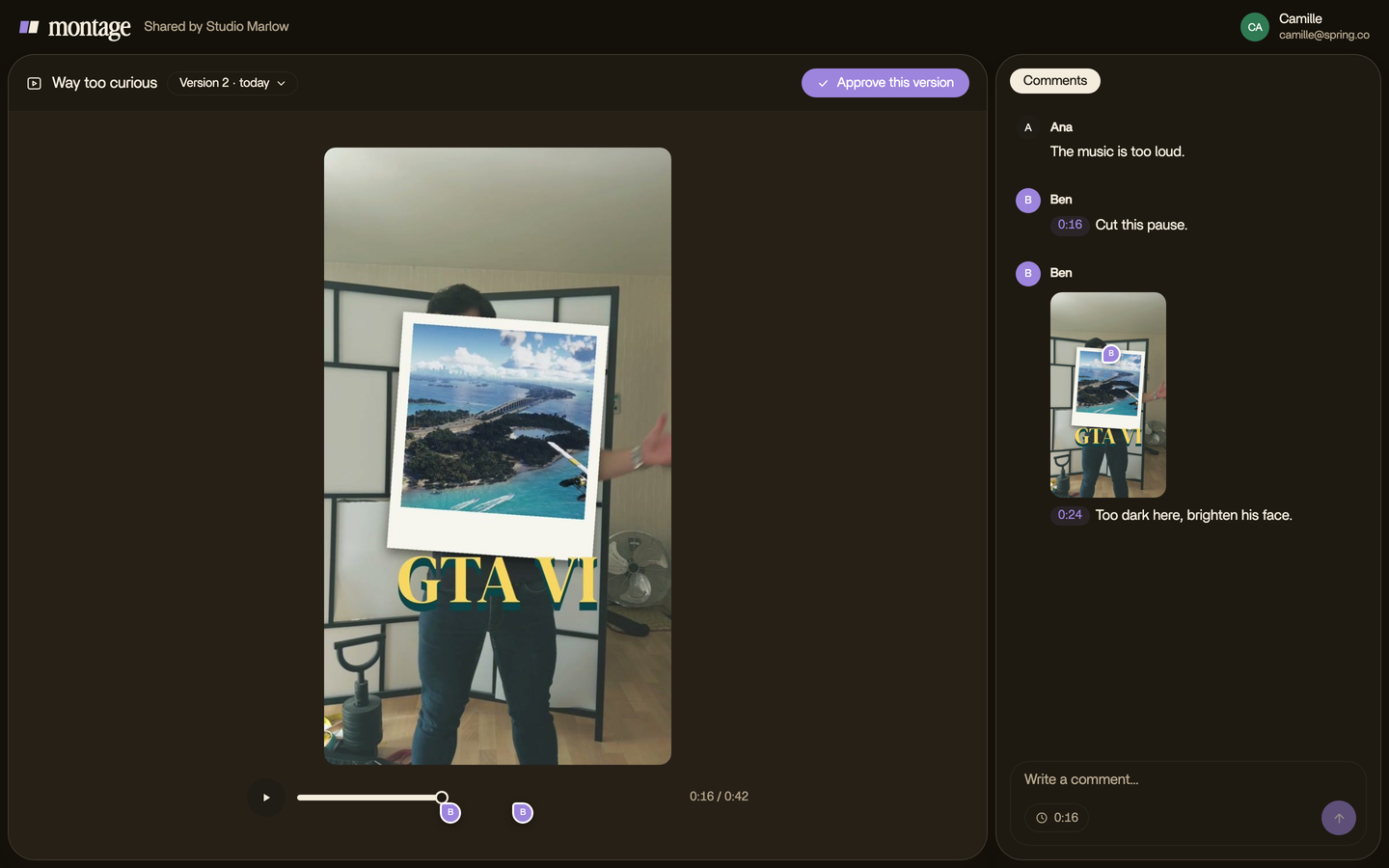
- Watch, comment, fix. Pause where something's off, point at it, then « Fix all ».
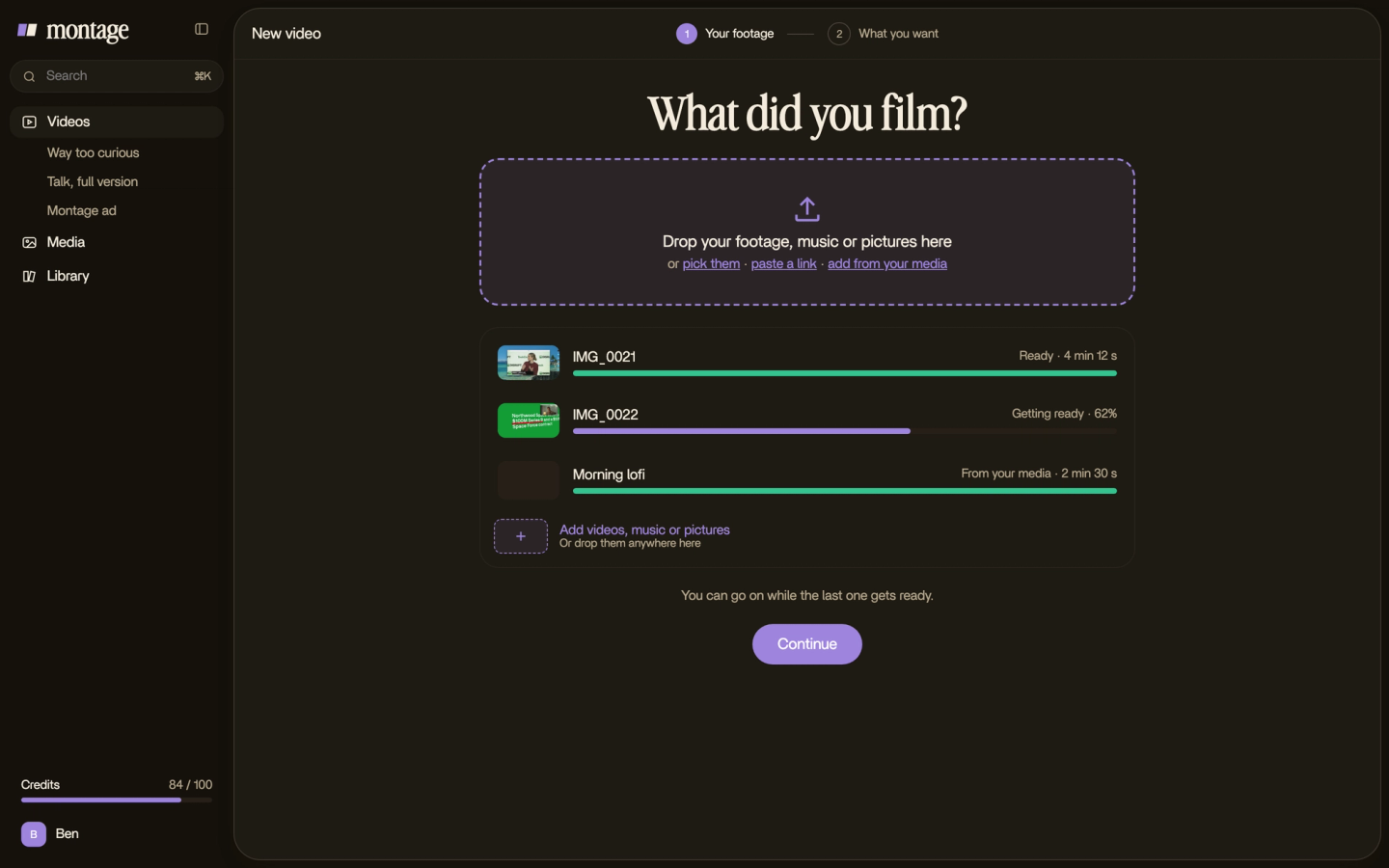
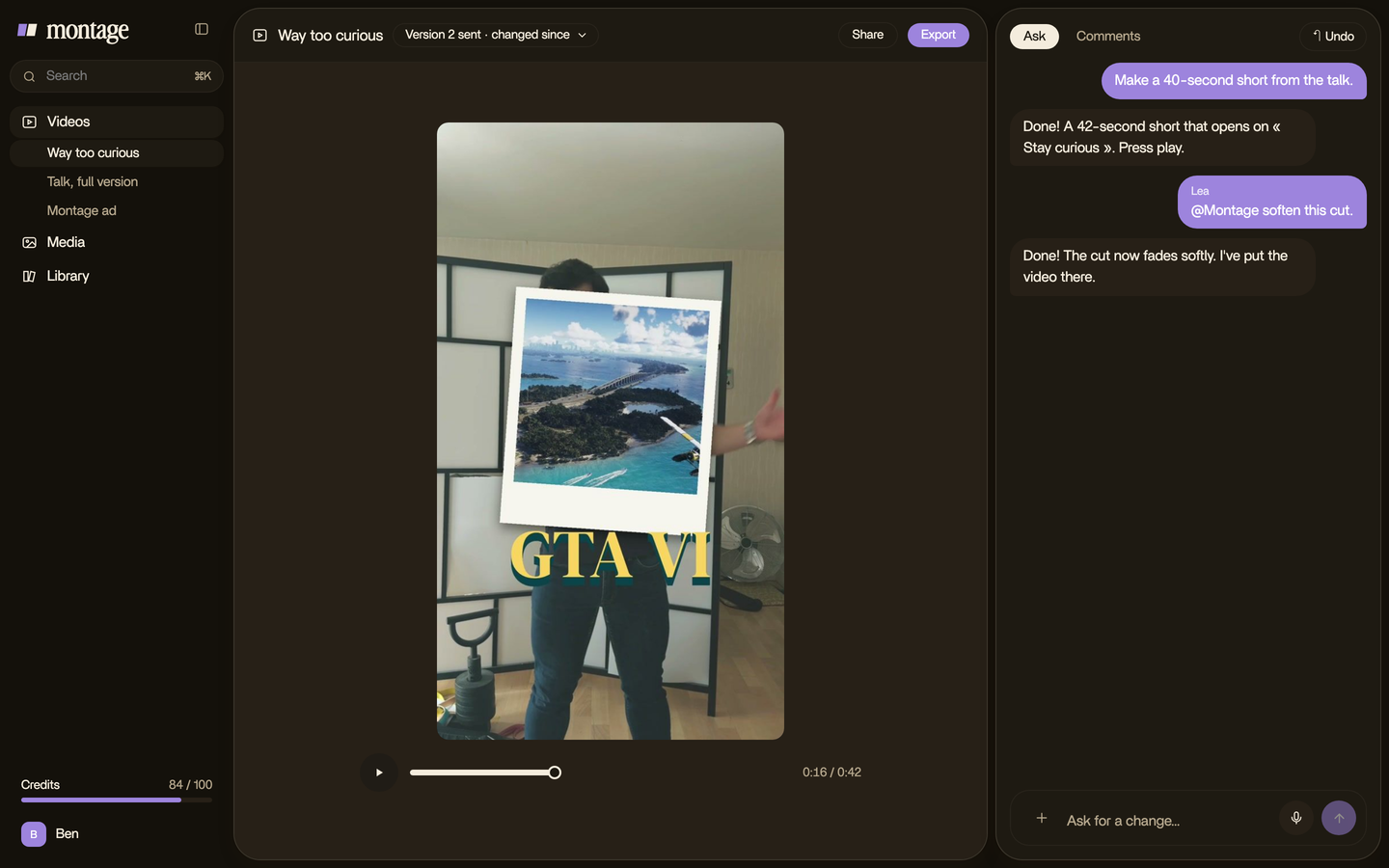
Working with a co-founder or a client? Send them a link. They comment on the video without an account and press « Approve ». That's a link your co-founder or client can comment on.
For the general version of this, without the SaaS part, here's how to make an explainer video, step by step. And for a longer walkthrough of the app itself, see a product demo from a screen recording.
How long a SaaS explainer should be.
It depends on where it plays. Here are the bands the sources give.
| Where it plays | Length | Source |
|---|---|---|
| Landing page | 30 to 60 seconds | Leadde |
| Standard explainer | 60 to 90 seconds | Leadde, Zelios |
| Onboarding | 2 minutes and more | Leadde |
| Social feeds | Short looping cuts that « work without sound » | Outmost Studio |
That last line matters. A lot of feeds play on mute, so captions aren't a bonus.
 CaptionsOne line at a time, white on the take, dark on the white stage.
 Color correctionFilmed flat in HDR, the NOMAD LUT on every shot. Same frame, split.
In Edit it all with AI the captions come one line at a time, white on the take, dark on the white stage. And it was filmed flat in HDR, with the NOMAD LUT on every shot. One edit, ready for a muted feed or a landing page. For the feeds themselves, there's a vertical cut for Instagram and explainer cuts for LinkedIn.

What Montage doesn't do.
Let's be clear about the limits.
Montage edits what you film and record. It doesn't make an explainer from a brief, a PDF or a blog post; Agent Opus and Leadde do. It has no avatars, no AI voice-over, no cartoon characters, no template library to pick from, and it doesn't publish or schedule.
So if your idea can't be filmed, if no one on the team will be on camera, or if you want a character-animated brand film, go with a studio or an animation tool. That's the honest answer.
Questions about SaaS explainer videos.
How do I make a SaaS explainer video?
Pick one problem your product solves. Film yourself explaining it in short takes, record the screens you'll mention,
then edit so the product appears the moment you name it, with captions for a muted feed. Or hire a studio, or use an AI
generator from a brief.
How much does a SaaS explainer video cost?
From a studio, Zelios gives $3,999 to $20,000 per video, and Outmost Studio says it typically starts from £10K–£25K+. Filmed yourself, it
costs your time and an editing tool; Montage's plans are $25, $50 or $100 a month. People also search for Fiverr prices: none
of the sources in this guide gives a figure, so there isn't one here.
How long should a SaaS explainer video be?
Leadde puts landing-page explainers at 30 to 60 seconds, a standard one at 60 to 90, and onboarding at 2 minutes and
more. Zelios says 60 to 90 seconds.
Can AI make a SaaS explainer video?
Yes, in two different ways. Generators like Agent Opus make one from a brief, with stock visuals, an AI voice and
avatars. Montage does something else: it edits your own footage, and you ask for the edit in words.
What happens when my product changes?
With a studio, Leadde says updates can mean restarting much of the process. With a filmed explainer in Montage, you drop
in the new screen, say where it goes or comment on the old one, and the rest of the edit stays.
See it in real videos.
Every card in this guide comes from a real video, each edit asked for in a sentence. For more to learn from, see explainer videos to learn from.
 9:18
 2:07
 0:56
 0:38
That's it for this one. Now go film your product.
See you in the next one.