Product launch video:
a real one, shot by shot.
Most launch videos you'll find were made by an agency for a company the size of Figma. Here's one made by a founder, from his own takes, taken apart part by part so you can copy it.
 Ben, founder of Montage · · 7 min read
In this post9 parts
The short answer.
Ladies and gentlemen, let's start with the answer.
A product launch video is a short video that shows people what you just shipped, who it's for, and what to do next. Its one job: show the product working, fast, so the person watching wants to try it.
That's it. Everything else is how you get there.
Now, most guides answer this with a list of famous launches: Notion, Linear, Figma, Apple. Great videos. Made by teams. If you're a founder with a few takes of yourself, a screen recording and a launch date, they don't tell you much about what to do on Monday. (If you want them anyway, here are more video ad examples.)
So in this one, I'm taking apart a real launch ad, the one I made for Montage: Edit it all with AI, 38 seconds, vertical. You can watch the whole 38-second ad first. Then let's see what each part does.
Show the product working. Fast.
What a launch video has to do.
So what makes a launch video work? Let me explain.
The pages that rank for this search mostly agree, and they're right. Arcade, which makes demo software, says the best launch videos put one value promise in the first seconds and show the real product rather than stock footage. Tapvid puts it as four things a launch video must say: what's new, who it's for, the proof you can see, and what to do next.
And on Reddit, someone who watched more than 400 Product Hunt launch videos gave an award to the one that was « fun, human, gets straight to demo ». That's from the thread's Google snippet: the thread itself was blocked for me.
Here's the thing: all of that is about the product, not the budget. A founder can do every one of those things alone.
The parts of a launch video, on a real one.
Okay. Here are the six parts of Edit it all with AI. Each one has a job.
1. The hook
The first seconds have to ask the question the video answers. In this ad it's a white Instagram reply on screen. It was made as a component, so it can be reused (more on that below).
2. The product on screen
The site drops in on a white stage while I say « go to this app called Montage ». Real product, not stock, landing on the word. That's the « gets straight to demo » part.
3. The product card
One moment of motion design, on the thing being launched: the product card, frosted at 80%, a fisheye, a big glow, swiped in from the right. One. Not ten. More on the product card's motion design.
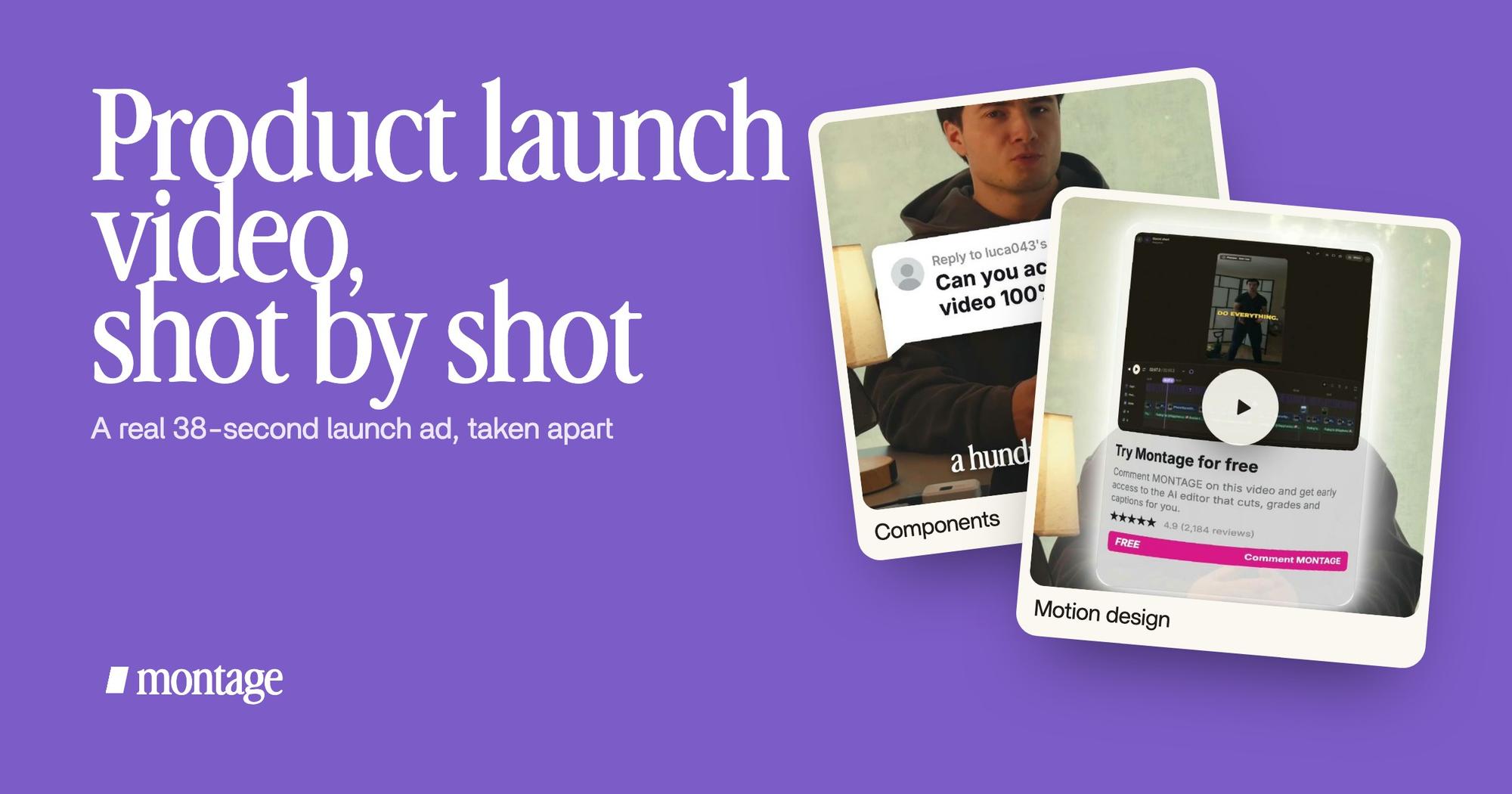
 ComponentsThe hook: a white Instagram reply, made as a component and reused. Click to watch it on its own.
 B-rollThe site drops in on a white stage while I say « go to this app called Montage ».
 Motion designThe product card: frosted at 80 %, a fisheye, a big glow, swiped in from the right. Click to watch it on its own.
4. Captions
A launch video lives in a feed, and in a feed a lot of people scroll with the sound off. So the captions come one line at a time, white on the take, dark on the white stage, so they stay readable on both.
5. The look
The takes were filmed flat in HDR, and the NOMAD LUT went on every shot. That's what gives every take the same finished look, shot after shot.
6. You, on top of it
Cut out of my background, my head rises over the top of the frame. A small thing. But it says a person made this, which is pretty much the only thing a big company's launch film can't say.
 CaptionsOne line at a time, white on the take, dark on the white stage.
 Color correctionFilmed flat in HDR, the NOMAD LUT on every shot. Same frame, split.
 Background effectCut out of my background, my head rises over the top of the frame.
So that's the map: the hook, you, the product on screen, captions, one card, the look. Copy it. Swap in your product.
The budget isn't the proof. The product is.
How to make a product launch video, in three steps.
Here's how I'd do it, from your own takes.
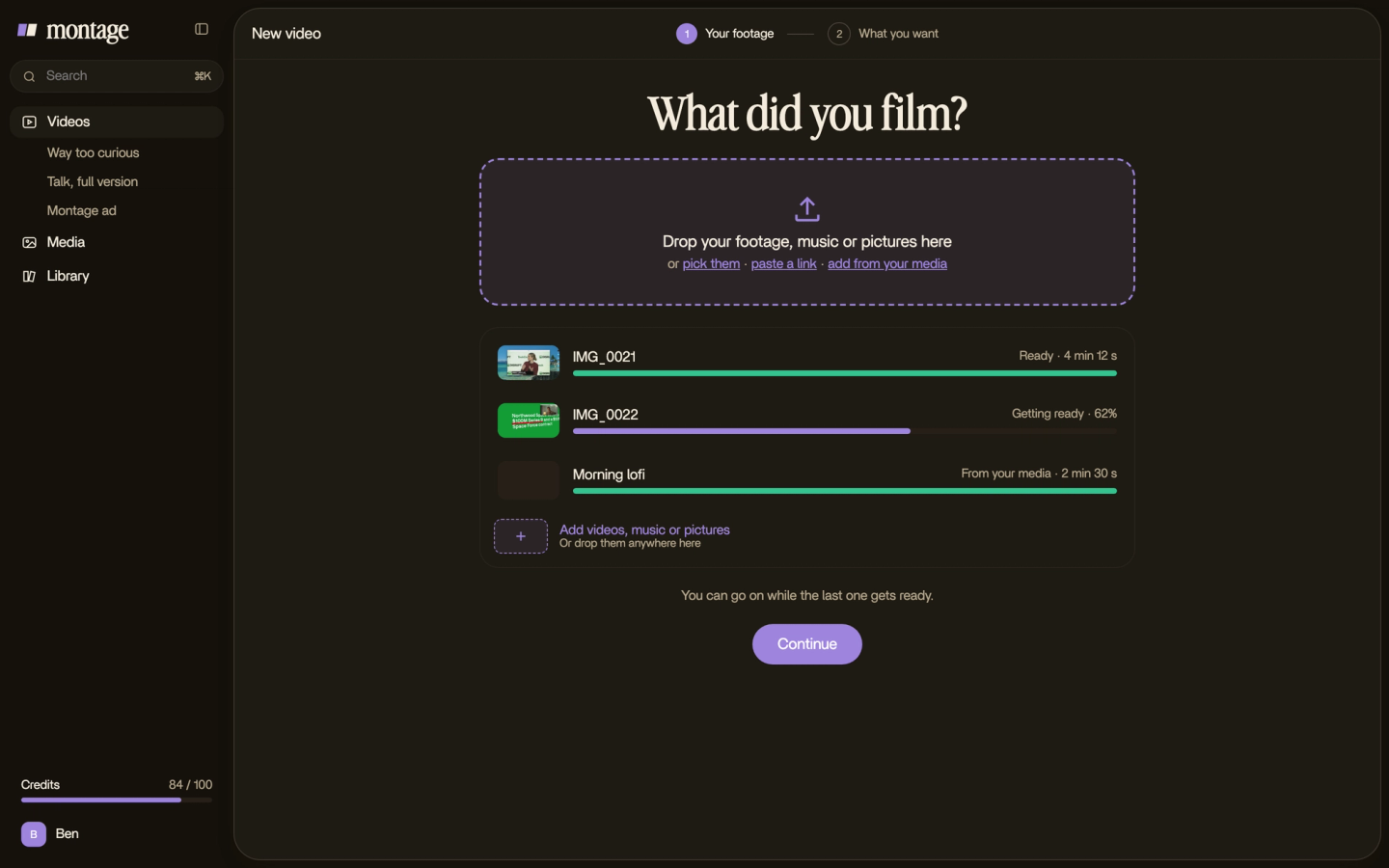
1. Drop your takes and your screen recordings
Film yourself saying the launch in a few takes: what's new, who it's for, what to do next. Record your product doing the one thing you're launching. Then drop everything in, as it is.
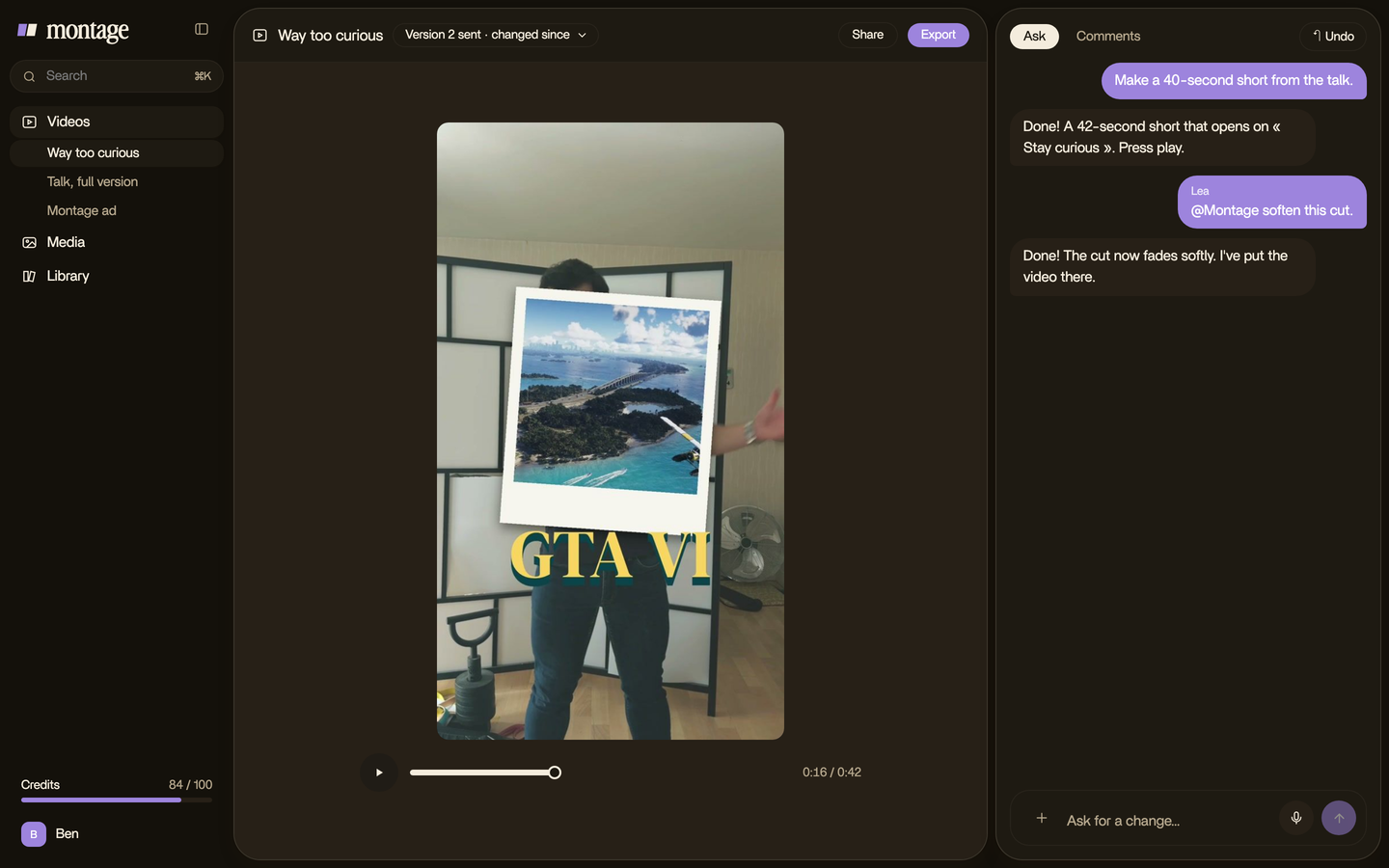
2. Say the edit
Describe the video in sentences, part by part. For example: « A vertical ad. Open on the hook. When I say the product's name, the site drops in on a white stage. Captions one line at a time. Put my LUT on every take. »
If you start from a screen recording more than from your face, that's closer to a product demo video, and here's how Montage makes a demo from a screen recording.
3. Watch it, comment, fix
Watch it once, all the way through. Then pause where something's off and point at it, on the picture: « the site comes in too late », « make this word bigger ». Then fix everything at once.

Honestly, you don't need an agency for a feature launch. You need your takes, your product on screen, and a few rounds of saying what's wrong until it isn't.
Sizes and lengths.
One launch is rarely one video. Arcade says the same: the same launch goes out in several formats. So plan the sizes before you film, and leave room around you in the frame.
| Where | Shape | What to keep in mind |
|---|---|---|
| TikTok, Reels, Shorts | 9:16, vertical | Captions on, the hook in the first seconds |
| YouTube, your site, a demo page | 16:9, horizontal | Room for the product to be readable |
| LinkedIn and other feeds | 9:16 or 16:9 | Plays on mute in the feed: captions on |
How long? There's no rule I can give you with a source behind it. Edit it all with AI is 38 seconds, and it says what it has to say. My advice: as short as it takes to show the product working once, then the call to action. Here's the vertical cut for Reels and Shorts, and how to get every version and size of an ad out of one edit.

Reuse the parts for the next launch.
Now, here's what most guides skip. You'll launch again. Next month, a new feature. So keep the parts.
The hook in this ad is a component: made once, reused. The same idea works at scale in my long film From Disney star to space CEO, where one media card is used 26 times.
 Reusable components
So for the next launch, you don't start over. Same hook, same card, same look. New words, new feature.
Make the parts once. Launch with them every time.
What to skip, and when to call an agency.
Let's be clear about what this way of making a launch video doesn't do.
- A video from nothing. Montage edits what you film and record. It doesn't generate a launch video from a text prompt.
- Avatars and AI narrators. Montage has none. You're in the video. That's the point.
- Publishing and scheduling. You export the video and post it yourself.
Sure. But what if you haven't built the product yet? For a pre-product concept film, or a big animated brand film, an agency is still the right call. Arcade says the same for pre-product launches. If that's closer to what you need, read about making an explainer video, look at explainer video examples, or see what goes into a SaaS explainer video.
For a launch that goes out as paid ads, there's more on video ads for Instagram and LinkedIn video ads.
Questions about product launch videos.
How do I make a product launch video?
Film yourself saying what's new, who it's for and what to do next, in a few takes. Record the product doing the one thing
you're launching. Then edit it into a hook, you, the product on screen, captions, one moment of motion design, and one
look on every shot. Watch it, fix what's wrong, export every size you need.
What is a launch video?
A short video that announces a new product or feature, shows it working, and tells people what to do next.
How long should a product launch video be?
As short as it takes to show the product working once. There's no fixed length. The real one in this article is 38
seconds.
What is the best product launch video?
In my opinion, the one that shows your product working in the first seconds. The famous ones show the real product too:
Arcade calls Notion Calendar's launch video « all UI », and Linear's are short feature reels of its real interface.
See it in real videos.
Everything in this article was done in a real video, each part asked for in a sentence. The four videos in the showcase show what went in and how each one was made.
 9:18
 2:07
 0:56
 0:38
That's it for this one. Now go film your launch.
See you in the next one.